Converting a Figma or PSD design into a fully functional WordPress site is only half the journey. The hosting environment beneath that site determines how the design actually performs in the hands of real users, especially across Singapore and the wider ASEAN region. IT managers, CTOs, and procurement leads who treat hosting as an afterthought often discover that pixel-perfect designs lose their value when latency spikes, SSL configurations break, or PHP versions fall out of support. A well-chosen hosting setup protects the design investment, sustains performance, and reduces operational risk over the long term.
What Figma WordPress Hosting Actually Means
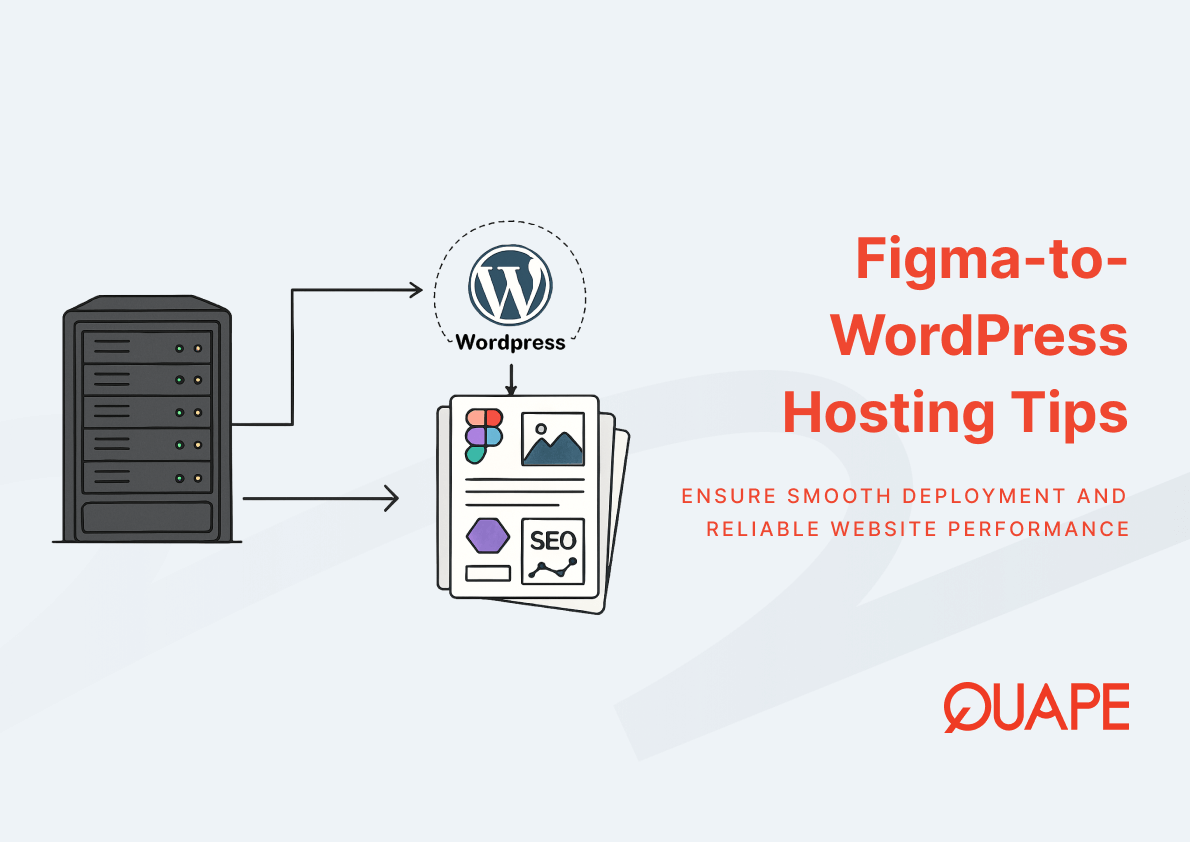
Figma WordPress hosting refers to the server environment that runs a WordPress site built from Figma or PSD designs, configured to support the specific performance, security, and scalability needs of that converted design. It is not a separate product category. It is a hosting strategy that aligns infrastructure decisions, including PHP version, MySQL configuration, SSL, CDN integration, SLA terms, and physical server location, with the technical demands of a modern, design-driven WordPress build.
The relationship between design and hosting is direct. Clean code from a converted theme depends on a compatible PHP runtime to execute efficiently. Dynamic content blocks rely on optimized MySQL queries to render quickly. Responsive imagery loads faster when delivered through edge caching. Hosting is the layer where design intent meets real-world performance.
Những điểm chính
- Hosting choices directly shape how a Figma-to-WordPress build performs in production, not just how it looks.
- PHP version compatibility affects both security exposure and execution speed of WordPress core and plugins.
- MySQL optimization influences how fast dynamic content reaches the browser, especially under traffic load.
- SSL is no longer optional. It is a baseline trust and ranking signal across modern browsers and search engines.
- CDN integration reduces latency by serving cached assets from edge locations closer to the user.
- SLA terms determine real-world uptime accountability, not just marketing claims.
- Server location in Singapore reduces latency for ASEAN audiences and supports regional compliance considerations.
- Managed WordPress hosting transfers operational burden to the provider, which suits SMEs without in-house DevOps.
Introduction to Figma WordPress Hosting
Hosting decisions for Figma-to-WordPress projects sit at the intersection of design fidelity and infrastructure performance. A converted theme can be technically perfect, yet still feel slow if the underlying server runs an outdated PHP version, lacks proper caching, or sits in a distant data center. For Singapore-based businesses, the hosting layer also influences regulatory alignment, regional latency, and the reliability commitments captured in the SLA. These factors compound across the lifecycle of the site, which is why hosting belongs in the conversation from the moment the design handoff begins, as outlined in the broader end-to-end conversion methodology.
Managed WordPress Hosting often becomes the practical choice for organizations that prioritize reliability over hands-on server administration. It bundles automated updates, security patching, and backups into a single agreement, which reduces the operational surface area for internal teams. Combined with a Singapore-based server footprint and a clearly defined SLA, this approach gives procurement leads predictable cost and performance baselines.
Key Components and Concepts of Figma WordPress Hosting
Managed WordPress Hosting vs Traditional Hosting
Managed WordPress Hosting differs from traditional shared or unmanaged hosting in how responsibility is distributed. The provider handles core updates, plugin compatibility checks, security hardening, and backup routines, while the business focuses on content and growth. Traditional hosting offers more raw control, but it shifts maintenance, monitoring, and incident response back to the customer. According to Gartner’s definition, managed services involve the delegation of IT operations to a third-party provider that assumes ongoing responsibility for monitoring, managing, and problem resolution, which is exactly the dynamic that benefits SMEs without dedicated DevOps capacity.
The trade-off is straightforward. Managed plans cost more on paper, but they reduce hidden costs tied to downtime, emergency fixes, and version conflicts. For a Figma-to-WordPress site that depends on a specific theme structure and a curated plugin stack, this stability protects the original design investment.
PHP Version Compatibility for WordPress Performance
PHP is the engine that executes WordPress on the server. Running a current, supported PHP version improves execution speed, reduces memory consumption, and closes known security vulnerabilities. WordPress core and most modern plugins are tested against active PHP releases, which means outdated environments often introduce compatibility errors that surface as broken layouts or failed checkouts. A converted Figma theme typically uses modern PHP features in template files, so version alignment is essential for the design to render as intended.
Performance tuning at the PHP layer also depends on opcode caching, worker configuration, and memory limits. Hosting environments that expose these controls, or manage them correctly by default, give the WordPress site the runtime conditions it needs to handle traffic spikes without degradation.
MySQL Database Optimization for Dynamic Content
WordPress stores posts, pages, settings, and user data in a MySQL or MariaDB database. Every dynamic element on a Figma-converted site, from menu items to custom post types, depends on database queries that must return results quickly. Poorly indexed tables, bloated post revisions, or unoptimized queries create bottlenecks that slow the entire site, even when the front-end theme is lightweight.
Effective hosting environments tune MySQL with appropriate buffer sizes, query caching, and regular maintenance routines. They also isolate database resources so that one heavy query does not starve the rest of the site. This matters especially for content-rich sites where editorial teams publish frequently and rely on smooth back-end performance.
SSL Implementation for Security and Trust
SSL and TLS encryption protect data moving between the browser and the server, which has become a baseline expectation rather than a premium feature. According to Google’s Transparency Report, encrypted traffic now accounts for the vast majority of web page loads across Chrome, reflecting how widely HTTPS has been adopted as the default. Sites without valid SSL certificates trigger browser warnings that erode trust and discourage conversions, while search engines factor HTTPS into ranking signals.
Hosting providers that automate certificate provisioning and renewal remove a common operational risk. For deeper coverage of how encryption fits into a broader hardening strategy, the discussion of WordPress security configuration walks through complementary controls.
CDN Integration for Global and Regional Performance
A Content Delivery Network caches static assets, including images, scripts, and stylesheets, on edge servers distributed across regions. When a visitor requests a page, the CDN serves these assets from the nearest edge location instead of the origin server, which reduces round-trip time and offloads bandwidth from the core infrastructure. For a Figma-converted site that often includes high-resolution imagery and custom typography, CDN integration prevents the design from becoming a performance liability.
The effectiveness of a CDN depends on cache strategy, not just deployment. Correct cache headers, purge routines, and image optimization rules determine whether the network actually accelerates delivery. These details connect directly to the broader topic of theme speed and SEO performance, where caching plays a central role.
SLA and Uptime Reliability in Hosting Agreements
Service Level Agreements define the uptime percentage a provider commits to, the response times for incidents, and the remedies available when those commitments are not met. A 99.9 percent SLA allows roughly 8.7 hours of downtime per year, while 99.99 percent narrows that window to under an hour. The difference matters for businesses where every hour of downtime translates into lost revenue or damaged reputation.
Reading an SLA carefully is part of due diligence. Procurement leads should verify how uptime is measured, what counts as scheduled maintenance, and how credits are calculated. Strong SLAs are backed by transparent monitoring and clear escalation paths, not just favorable numbers in marketing material.
Server Location Strategy with a Singapore Focus
Physical server location influences latency because data still travels through fiber and routing equipment at finite speeds. A site hosted in Singapore typically delivers faster response times to users in Singapore, Malaysia, Indonesia, and the wider ASEAN region than one hosted in North America or Europe. For businesses targeting local audiences, this latency advantage compounds across page loads, form submissions, and checkout flows.
Server location also intersects with data residency considerations and regional compliance expectations. Hosting in Singapore often simplifies conversations about where customer data is stored and processed, which matters for sectors like finance, healthcare, and education. The connection between server geography and user experience is also reflected in local SEO and UX strategy for Singapore audiences.
Practical Application for Singapore-Based Businesses
For Singapore-based businesses, hosting strategy is not just a technical choice. It supports compliance posture under the Personal Data Protection Act, reduces latency for local customers, and aligns with enterprise procurement standards that expect documented uptime guarantees. A site hosted on Singapore infrastructure, secured with SSL, and backed by a clear SLA addresses several procurement checklist items at once.
These considerations extend to documented compliance frameworks, including the practical steps covered in the PDPA and ISO compliance overview. Cost planning also benefits from a clear view of how hosting decisions interact with development scope, which is examined in detail within the Singapore-focused cost breakdown. Together, these resources help internal stakeholders justify hosting investment in business terms rather than purely technical ones.
How Figma/PSD to WordPress Supports Hosting Optimization
A well-executed Figma or PSD to WordPress conversion does more than reproduce a design visually. It produces a codebase that cooperates with the hosting environment. Optimized image assets reduce bandwidth and improve cache efficiency. Clean template structures keep PHP execution lean. Proper schema and semantic markup support SEO benefits that depend on fast, consistent server responses.
Conversions that follow modern standards remain compatible with current PHP versions and MySQL configurations, which means the site continues to work smoothly as the hosting environment evolves. SEO-friendly structures, including correct heading hierarchy and minimal render-blocking resources, allow CDN caching to operate effectively. The result is a site that scales predictably on Managed WordPress Hosting and preserves the design quality that justified the conversion in the first place.
Kết luận
Hosting is the layer where Figma-to-WordPress design decisions either pay off or quietly degrade over time. The right combination of PHP compatibility, MySQL tuning, SSL, CDN integration, a credible SLA, and Singapore-based server location turns a beautiful design into a reliable digital asset. Treating hosting as a strategic decision, rather than a line item, is what separates sites that perform from sites that simply launch.
If your team is planning a Figma or PSD to WordPress project and wants the hosting strategy considered alongside the design conversion, the team at Quape can help map the right environment to your business needs. Reach out through the contact page to start the conversation.
Câu Hỏi Thường Gặp
What PHP version should a new WordPress site use?
A new WordPress site should run on a currently supported PHP version, ideally one of the latest stable releases. This ensures compatibility with WordPress core, modern plugins, and active security patches. Hosting providers that lag behind on PHP support introduce unnecessary risk.
Is Managed WordPress Hosting worth the higher cost for SMEs?
For most SMEs without dedicated server administrators, the answer is yes. Managed plans bundle updates, security, and backups, which reduces internal workload and the cost of incidents. The premium often pays for itself by preventing downtime and emergency fixes.
Why does server location in Singapore matter if a CDN is in place?
A CDN accelerates static asset delivery, but dynamic requests, including logins and form submissions, still hit the origin server. Hosting that origin in Singapore reduces latency for local users on those uncached interactions. The two work together rather than substituting for one another.
How does SSL affect SEO and user trust?
SSL enables HTTPS, which browsers now treat as the default secure state. Sites without it display warnings that discourage visitors and signal weaker trust to search engines. Modern SEO best practice assumes HTTPS as a baseline, not a differentiator.
What uptime percentage should I look for in an SLA?
An SLA of 99.9 percent is a reasonable minimum for business sites, while mission-critical platforms often target 99.95 or 99.99 percent. The exact number matters less than how uptime is measured and how the provider compensates for breaches. Always read the fine print.
Can a Figma-to-WordPress site run on shared hosting?
Technically yes, but the experience often suffers under load. Shared environments distribute resources across many sites, which limits performance during traffic spikes. Managed or dedicated hosting offers more predictable behavior for design-driven sites.
Does CDN integration replace the need for hosting optimization?
No. A CDN accelerates cached content, but the origin server still handles dynamic requests, database queries, and authenticated sessions. Both layers need to be tuned for the site to perform consistently across all interactions.
How does hosting choice affect long-term maintenance costs?
Cheaper hosting often shifts hidden costs onto the business through downtime, manual updates, and emergency support. Quality hosting, especially managed plans, reduces these costs by automating routine work and providing reliable infrastructure. Over a multi-year horizon, the total cost of ownership usually favors the better-engineered option.

- Hosting Considerations for Figma-to-WordPress Projects - Tháng 5 1, 2026
- Optimizing Your Custom WordPress Theme for Speed & SEO - Tháng 4 30, 2026
- From Design to Live Website: Converting Figma/PSD to WordPress the Right Way - Tháng 4 29, 2026