Selecting the right combination of RAM and CPU for your VPS determines whether your applications run smoothly or struggle under load. Unlike shared hosting, where resources are distributed across multiple users, a VPS allocates dedicated compute power and memory to your workload alone. For IT managers and CTOs deploying business-critical applications in Singapore, understanding how these two resources interact with your specific workload type allows you to avoid performance bottlenecks, control costs, and scale efficiently. This article explains how to evaluate your requirements, interpret VPS specifications, and match resource allocation to real-world application demands.
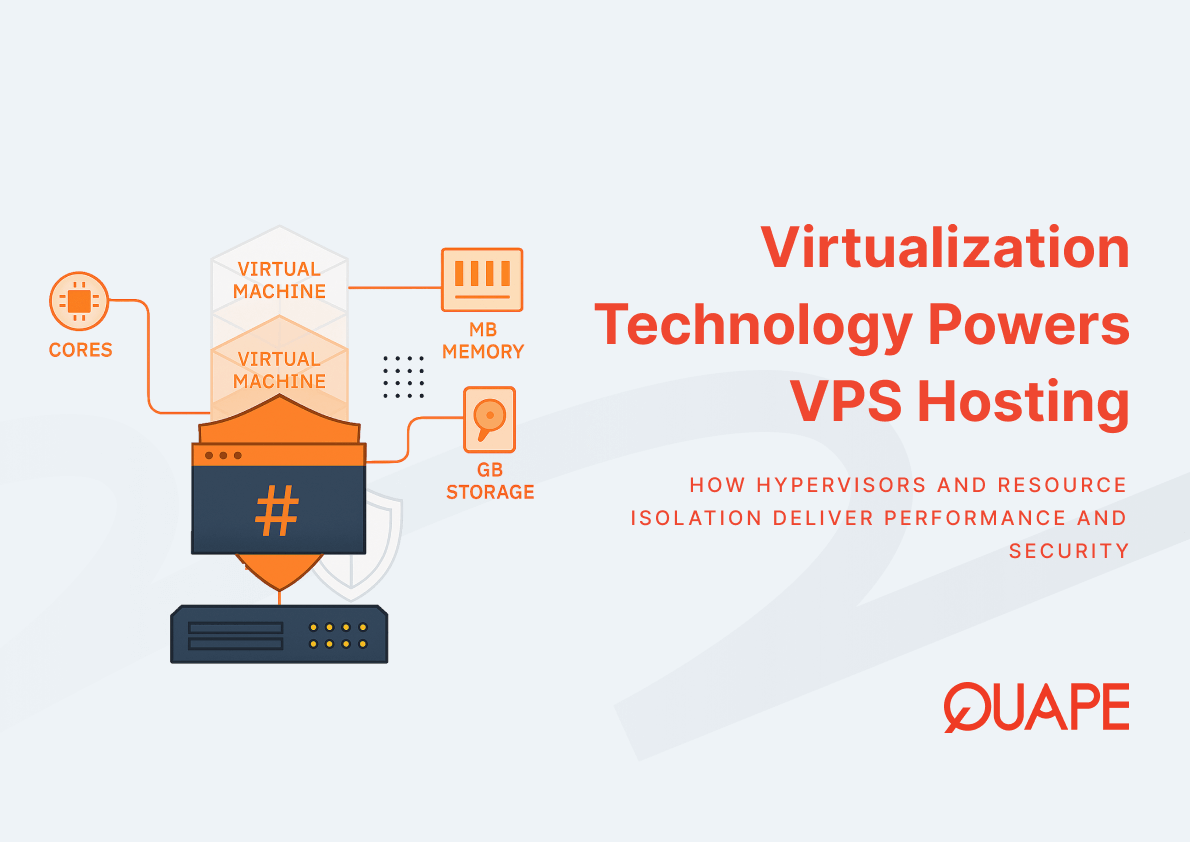
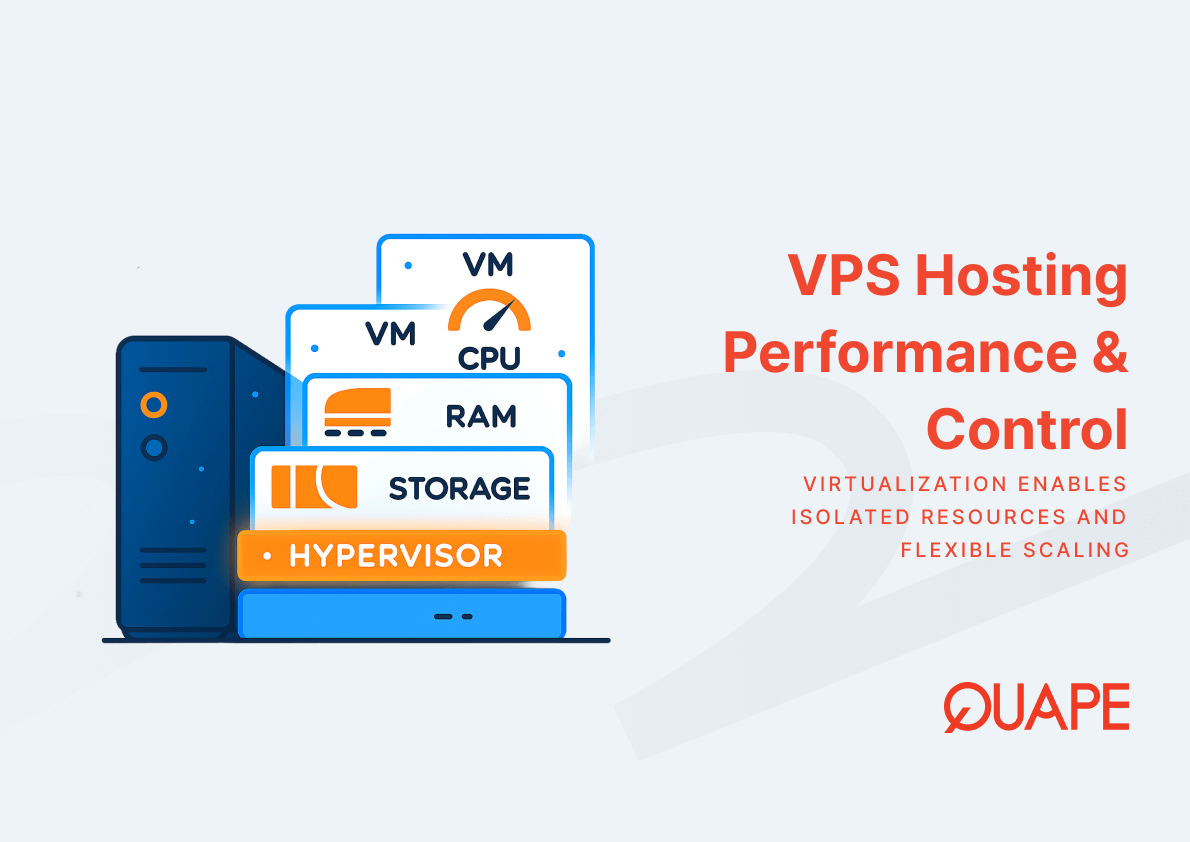
A Virtual Private Server operates as an isolated environment on a physical host, managed by a hypervisor that divides hardware resources among multiple virtual machines. Within this architecture, vCPU controls how quickly tasks are processed, such as PHP execution or image rendering, while RAM determines how many tasks or how much data can be held concurrently in active memory. When RAM is insufficient, the server resorts to swap space on disk, which degrades performance significantly even if CPU capacity remains underutilized. Because virtualization technology introduces overhead in memory management, choosing the right balance between processor cores and memory capacity directly impacts application responsiveness, user experience, and operational stability.
Những điểm chính
- CPU (vCPU) controls task processing speed; RAM determines how many concurrent tasks and how much active data your VPS can handle without disk swapping.
- Insufficient RAM forces the system to use swap space, causing severe latency spikes regardless of available CPU capacity.
- Virtualization adds memory translation overhead, especially for workloads with large datasets, caching layers, or databases.
- A simple website or lightweight CMS typically runs on 1 to 2 GB RAM, while a CMS with caching requires 2 to 4 GB, and e-commerce or dynamic applications benefit from 4 to 8 GB.
- Balancing CPU and RAM according to workload type (compute-intensive vs. memory-intensive) optimizes both performance and cost efficiency.
- Singapore-based businesses gain latency advantages and compliance benefits by hosting VPS locally, but resource sizing remains critical for performance.
- Over-allocating resources increases hosting costs; under-allocating risks instability, so planning should include headroom for traffic spikes and workload variability.
Understanding VPS Architecture and Resource Allocation
A VPS operates on a physical server partitioned by a hypervisor, which allocates dedicated vCPU cores and RAM to each virtual machine. This isolation ensures that your environment does not compete for resources with neighboring tenants, unlike shared hosting where memory and processing power are distributed dynamically. The hypervisor manages memory virtualization through page-based translation, mapping guest virtual addresses to guest physical addresses, then to host physical addresses. According to research on memory virtualization, this multi-layer translation introduces overhead compared to native memory access, which becomes more pronounced in memory-intensive workloads such as databases or caching systems.
When you provision a VPS, the number of vCPU cores determines parallel processing capacity. A single-threaded application benefits less from multiple cores than a multi-threaded web server handling concurrent requests. Memory allocation, on the other hand, directly influences how much data your applications can keep readily accessible. If your database queries pull large result sets into memory, or your content management system loads plugins and cached objects, insufficient RAM forces the operating system to write less-used pages to disk swap. This swap mechanism is orders of magnitude slower than RAM access, creating latency spikes that degrade user experience even when CPU usage appears normal. For this reason, VPS hosting designed for high-traffic websites prioritizes memory allocation alongside compute capacity to maintain responsiveness under load.
CPU: Selecting the Right Processor for Your Workload
vCPU allocation determines how quickly your server executes tasks such as compiling code, processing API requests, running scripts, or rendering dynamic content. Compute-intensive applications, including video transcoding, data analytics, and real-time processing, rely heavily on CPU performance. For these workloads, a higher vCPU count reduces task completion time and improves throughput. However, not all applications benefit equally from additional cores. Single-threaded processes, such as certain legacy scripts or serialized database operations, cannot leverage parallelism and remain constrained by per-core clock speed.
Modern web stacks distribute requests across multiple worker processes or threads, allowing horizontal scaling within a single server. A typical LEMP stack (Linux, Nginx, MySQL, PHP-FPM) spawns multiple PHP workers, each handling incoming HTTP requests independently. In this scenario, a VPS with 4 to 6 vCPU cores supports moderate concurrency without queuing requests. SaaS platforms, e-commerce sites with dynamic inventory updates, or API gateways serving hundreds of requests per second benefit from 8 or more vCPU cores to maintain low response times under peak traffic.
When evaluating CPU requirements, consider how your application scales. If your workload is primarily I/O-bound, waiting on database queries or external API calls, adding vCPU cores provides diminishing returns. Instead, optimizing query performance, implementing caching layers, or increasing memory to reduce disk access delivers better results. Conversely, compute-heavy operations such as image processing, encryption, or machine learning inference scale directly with available processor capacity. For deployments combining storage performance with compute power, NVMe VPS hosting reduces storage latency, allowing CPU cycles to focus on computation rather than waiting for disk I/O.
RAM: Determining Memory Requirements for Optimal Performance
RAM capacity governs how much data your server can hold in active memory, directly influencing application responsiveness and concurrency handling. Modern web applications load frameworks, libraries, session data, and cached objects into memory to avoid repeated disk reads. A WordPress site with multiple plugins, for example, loads PHP code, MySQL query results, and object cache into RAM on each page request. If total memory demand exceeds available RAM, the operating system evicts less-used pages to swap, introducing severe latency penalties.
For a simple static website or minimal CMS, 1 to 2 GB of RAM typically suffices, as the workload involves serving pre-rendered HTML with minimal server-side processing. A CMS with caching enabled, such as WordPress running Redis or Memcached, performs optimally with 2 to 4 GB of RAM, allowing the cache to store frequently accessed objects without eviction. E-commerce platforms, APIs with in-memory session stores, or dynamic applications handling concurrent users benefit from 4 to 8 GB of RAM or more, as these workloads maintain active datasets, user sessions, and transaction state across multiple requests.
Database servers present distinct memory requirements. MySQL and PostgreSQL use RAM to cache indexes and frequently accessed rows in buffer pools. A poorly tuned database with insufficient memory repeatedly reads from disk, increasing query latency and reducing throughput. Allocating enough RAM to fit working set indexes and frequently queried tables into memory transforms database performance, reducing response times from hundreds of milliseconds to single-digit figures. For applications relying on caching layers such as Redis or Varnish, dedicating adequate memory to the cache layer prevents eviction cycles that force expensive recomputation or database queries.
Memory-intensive workloads also contend with virtualization overhead. Research on efficient memory virtualization demonstrates that page-based memory translation imposes performance penalties, particularly for applications with large memory footprints such as analytical databases or in-memory data grids. This overhead means that a VPS with 8 GB allocated RAM may deliver slightly less effective memory performance than a bare-metal server with identical capacity, reinforcing the importance of provisioning headroom when sizing memory for demanding applications.
Balancing CPU & RAM for Different VPS Plans
Choosing the right VPS plan requires matching vCPU and RAM ratios to your workload characteristics. A lightweight application such as a staging site, small API, or development environment operates efficiently on a plan like VPS SG-Lite (2 vCPU, 4 GB RAM), which provides adequate resources for low-concurrency workloads without over-provisioning. As traffic grows or application complexity increases, a mid-tier plan such as VPS SG-Plus (4 vCPU, 8 GB RAM) supports moderate concurrency, enabling caching layers and handling typical business websites or small SaaS applications.
Production workloads with consistent traffic benefit from balanced configurations. VPS SG-Pro (6 vCPU, 12 GB RAM) suits mid-sized applications, offering enough memory for database buffers, application caches, and concurrent sessions while providing CPU capacity for dynamic content generation. High-traffic sites, e-commerce platforms, or API servers handling thousands of requests per hour require plans such as VPS SG-Elite (8 vCPU, 16 GB RAM) or higher, where increased memory supports larger caches and session stores, and additional vCPU cores distribute request processing across parallel workers.
Compute-heavy applications with lower memory demands may require different ratios. Video processing, data analytics, or batch processing workloads prioritize vCPU capacity over RAM, potentially necessitating custom configurations. Conversely, memory-intensive applications such as in-memory databases, large-scale caching, or data science environments benefit from plans with higher memory allocations relative to CPU count, such as VPS SG-Max (12 vCPU, 24 GB RAM) or VPS SG-Ultra (16 vCPU, 32 GB RAM). Understanding your application’s resource consumption pattern, whether CPU-bound or memory-bound, allows you to select a plan that maximizes performance per dollar spent. For detailed comparisons of plan tiers and cost structures, refer to VPS hosting pricing models.
Practical Application for Singapore-Based Businesses
Singapore-based businesses deploying VPS hosting benefit from proximity to regional users, reducing latency for customers across Southeast Asia. However, resource allocation remains a critical factor regardless of geographic advantage. An e-commerce platform serving local and regional customers must provision sufficient RAM to handle peak shopping periods, such as seasonal sales or promotional events, where concurrent user sessions spike dramatically. Inadequate memory during these periods leads to swap usage, degrading checkout performance and potentially losing revenue to abandoned carts.
Data sovereignty regulations and compliance requirements in Singapore favor local hosting for sensitive applications, including financial services, healthcare platforms, and government-related systems. These workloads often involve transaction processing, encrypted data handling, and audit logging, all of which benefit from dedicated CPU and memory resources to maintain security and performance. Singapore’s strategic position as a VPS hosting hub provides infrastructure reliability and connectivity advantages, but effective resource sizing ensures applications meet service level agreements and user expectations.
IT managers evaluating VPS options should assess current resource utilization and project growth trajectories. Monitoring tools reveal memory consumption patterns, CPU utilization during peak hours, and I/O wait times that indicate bottlenecks. If existing infrastructure shows consistent high memory usage with low swap, current allocation matches demand. Conversely, frequent swap activity or high I/O wait suggests memory constraints that additional RAM would resolve. For businesses subject to regulatory oversight, understanding Singapore’s data sovereignty and compliance requirements informs decisions about local versus offshore hosting, with resource allocation tailored to compliance workloads.
How VPS Hosting Supports Optimal CPU & RAM Performance
VPS hosting delivers dedicated resources through hypervisor-level isolation, ensuring that your allocated vCPU and RAM remain available regardless of activity on neighboring virtual machines. Unlike shared hosting, where resource contention can degrade performance unpredictably, a VPS guarantees consistent access to provisioned capacity. This isolation supports performance-sensitive applications, enabling predictable response times and stable throughput even during traffic spikes.
Security in a VPS environment relies on resource separation and network isolation. Dedicated memory allocation prevents data leakage between virtual machines, and isolated CPU scheduling ensures that compute tasks do not interfere with adjacent tenants. For applications handling sensitive data or requiring compliance certifications, this isolation provides a foundation for implementing additional security controls. Cybersecurity best practices for VPS environments include configuring firewalls, closing unnecessary ports, applying OS-level hardening, and monitoring resource usage for anomalies that might indicate compromise or abuse.
High availability and disaster recovery planning depend on resource provisioning and backup infrastructure. VPS platforms that include automated snapshots and rapid restore capabilities minimize downtime during hardware failures or data corruption incidents. Because VPS environments operate as virtual machines, restoration processes typically complete within minutes rather than the hours required to replace physical hardware in dedicated servers. VPS backup and disaster recovery planning should account for memory and CPU capacity during restore operations, ensuring that failover environments match production resource levels to maintain service continuity.
Network performance also influences effective CPU and RAM utilization. Optimizing VPS network performance and latency ensures that applications spend less time waiting on external resources, allowing CPU cycles to focus on computation and memory to cache application data rather than buffering slow network responses. For latency-sensitive applications such as real-time APIs, financial trading platforms, or gaming servers, network optimization complements resource allocation to deliver end-to-end performance.
Kết luận
Choosing RAM and CPU for your VPS involves analyzing workload characteristics, understanding resource interactions, and provisioning capacity that balances performance with cost efficiency. Memory determines concurrent workload capacity and data accessibility, while CPU controls processing speed and task throughput. For Singapore-based businesses, local VPS hosting combines geographic advantages with dedicated resources, enabling applications to serve regional users with low latency while meeting compliance requirements. By matching resource allocation to application demands and allowing headroom for growth, IT managers ensure stable performance and avoid costly over-provisioning.
If you’re evaluating VPS options for your business or need guidance on selecting the right plan for your workload, liên hệ với đội ngũ bán hàng của chúng tôi to discuss your requirements and explore tailored solutions.
Câu Hỏi Thường Gặp
What happens if I choose a VPS plan with insufficient RAM?
When RAM is insufficient, your operating system writes less-used memory pages to swap space on disk, which is significantly slower than RAM access. This causes latency spikes, degraded application performance, and potential service interruptions during traffic peaks. Even with ample CPU capacity, swap usage severely limits responsiveness.
How do I determine if my application is CPU-bound or memory-bound?
Monitor resource utilization during normal and peak operation. If CPU usage consistently reaches 80-100% while memory remains available, your application is CPU-bound. If memory usage is high with frequent swap activity but CPU usage stays moderate, your application is memory-bound. Adjust resources based on observed bottlenecks.
Can I upgrade RAM or CPU on my VPS plan later?
Most VPS providers, including QUAPE, support resource upgrades with minimal downtime. You can increase vCPU cores or RAM allocation as your workload grows, allowing you to start with a smaller plan and scale incrementally rather than over-provisioning from the outset.
What vCPU-to-RAM ratio should I target for a typical web application?
General-purpose web applications typically perform well with a ratio of 1 vCPU to 2-4 GB RAM. For example, a 4 vCPU plan with 8-16 GB RAM suits most CMS, e-commerce, and SaaS workloads. Adjust this ratio based on whether your application is compute-intensive (favor vCPU) or memory-intensive (favor RAM).
Does virtualization overhead affect all VPS plans equally?
Virtualization overhead impacts memory-intensive workloads more noticeably, particularly those with large datasets or extensive caching. Modern hypervisors minimize this overhead through hardware-assisted virtualization, but applications with big-memory requirements may experience measurable performance differences compared to bare-metal servers.
How much headroom should I include when sizing RAM and CPU?
Plan for 20-30% headroom above average utilization to accommodate traffic spikes, application updates, and unexpected load increases. This buffer prevents performance degradation during peak periods and provides capacity for gradual growth without immediate upgrades.
Is NVMe storage important when choosing CPU and RAM?
NVMe storage reduces I/O wait times, allowing CPU and RAM to operate more efficiently. When your application experiences storage bottlenecks, even abundant CPU and RAM cannot compensate for slow disk access. Combining adequate CPU, RAM, and fast storage delivers balanced performance across all resource types.
What monitoring tools help track CPU and RAM usage on a VPS?
Standard Linux tools such as htop, vmstat, and free provide real-time resource monitoring. For comprehensive analysis, tools like Prometheus with Grafana, or cloud-native monitoring solutions, track historical usage patterns, identify trends, and alert on resource exhaustion before performance degrades.

- VPS Network Performance & Latency Optimization - Tháng 12 12, 2025
- How to Choose RAM & CPU for Your VPS - Tháng 12 12, 2025
- NVMe VPS Hosting: Why Ultra-Fast Storage Makes a Massive Performance Difference - Tháng 12 11, 2025