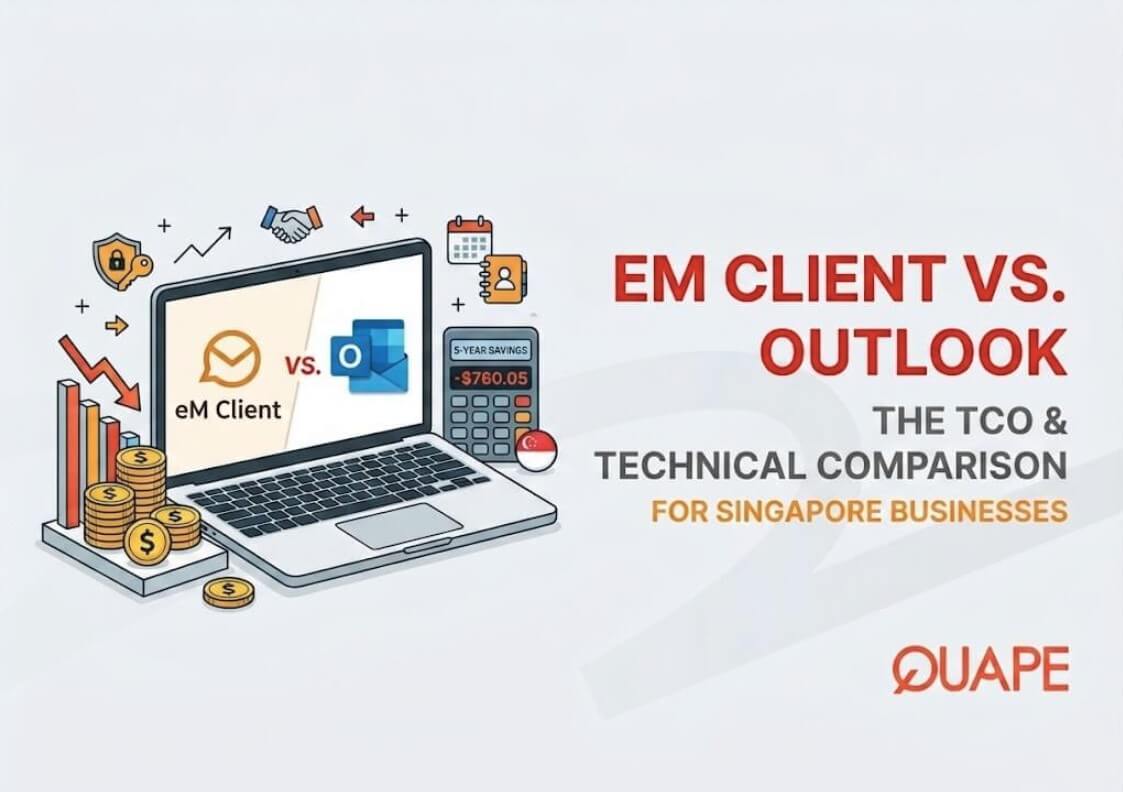
The digital landscape for businesses in Singapore is evolving rapidly. As companies navigate economic shifts, optimize their operational workflows, and embrace hybrid working models, the tools they use daily are coming under intense scrutiny. For decades, the default choice for corporate email, calendar, and contact management has been Microsoft Outlook. It has been the undisputed king of the enterprise software stack, bundled neatly into the Microsoft 365 ecosystem.
However, a noticeable shift is occurring in 2026. IT administrators, procurement managers, and end-users are evaluating the compounding costs of software subscriptions and the technical friction of legacy systems. As Microsoft pushes forward with scheduled price adjustments and ecosystem lock-ins, businesses are actively seeking viable, robust, and cost-effective alternatives.
Memasuki eM Client, a highly optimized, feature-rich desktop email application that is capturing market share by prioritizing open standards, native security, and a budget-friendly licensing model.
As an authorized eM Client reseller in Singapore, QUAPE is at the forefront of this transition, helping local enterprises optimize their digital communications infrastructure. In this comprehensive technical and financial breakdown, we will compare eM Client and Microsoft Outlook using current, hard data. If your organization is tired of escalating subscription fees and complex IT workarounds, this guide provides the definitive answers you need to make an informed switch.
1. Financial Strategy: The 93.5% Difference in Total Cost of Ownership (TCO)
When evaluating enterprise software, the initial price tag is only a fraction of the story. The Total Cost of Ownership (TCO) over a standard hardware lifecycle (typically 5 years) dictates the true impact on a company’s budget. This is the area where the divergence between eM Client and Microsoft Outlook is the most drastic, particularly for SMEs aiming to control Operating Expenses (OPEX).
The Microsoft 365 Subscription OPEX
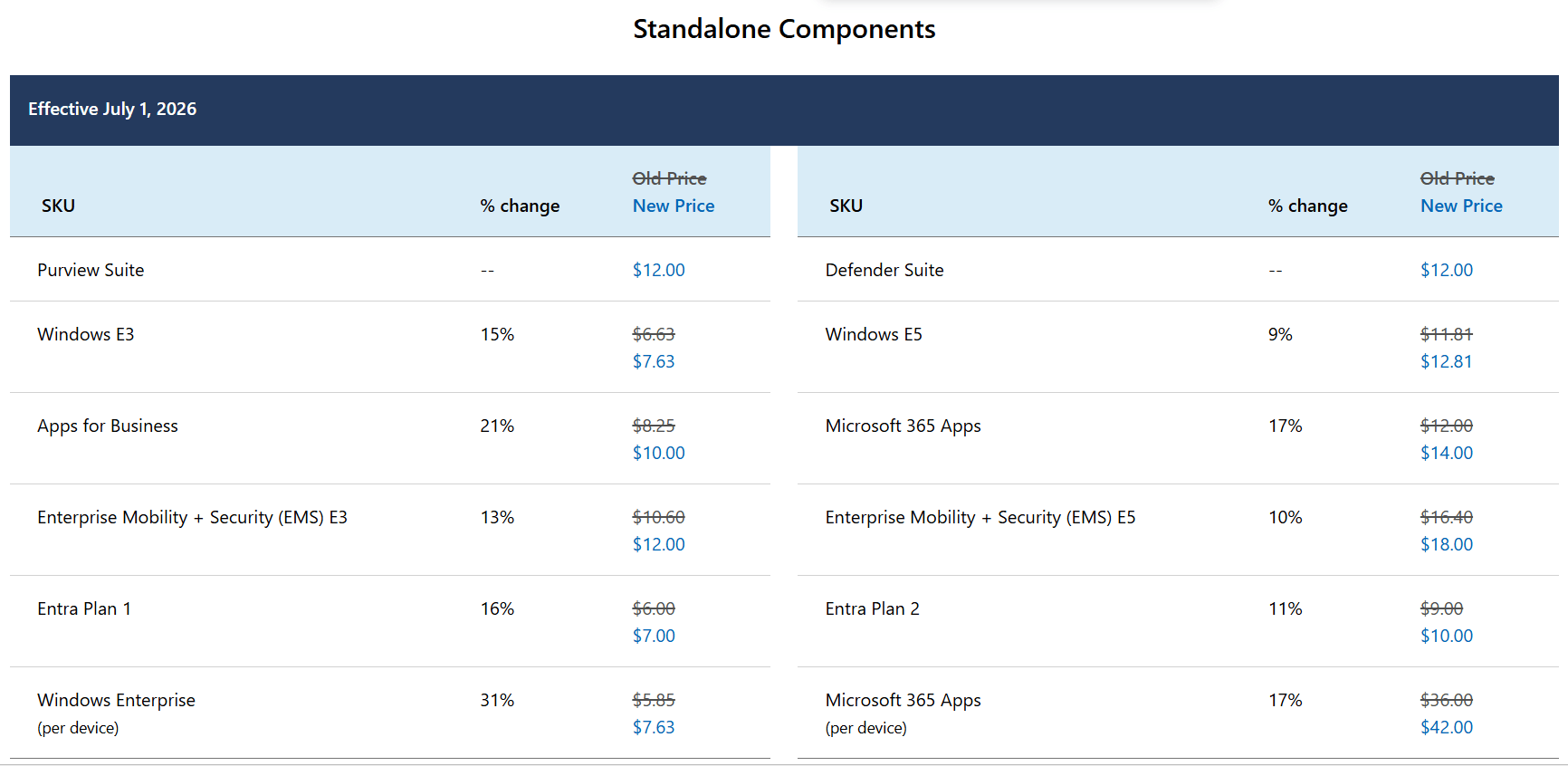
Microsoft relies entirely on a recurring Software as a Service (SaaS) subscription model. To access the standard Outlook desktop application, businesses must subscribe to the Microsoft 365 Business Standard plan.
Furthermore, Microsoft has confirmed upcoming pricing updates that businesses must budget for now. Effective July 1, 2026, the cost of Microsoft 365 is adjusting, emphasizing the compounding burden of recurring licenses. At the updated rate of $14.00 per user, per month, the financial commitment is substantial.
Annual Cost: $14.00 x 12 months = $168.00 per user, per year.
5-Year TCO: $168.00 x 5 years = $840.00 per user.
eM Client’s Perpetual CAPEX Licensing
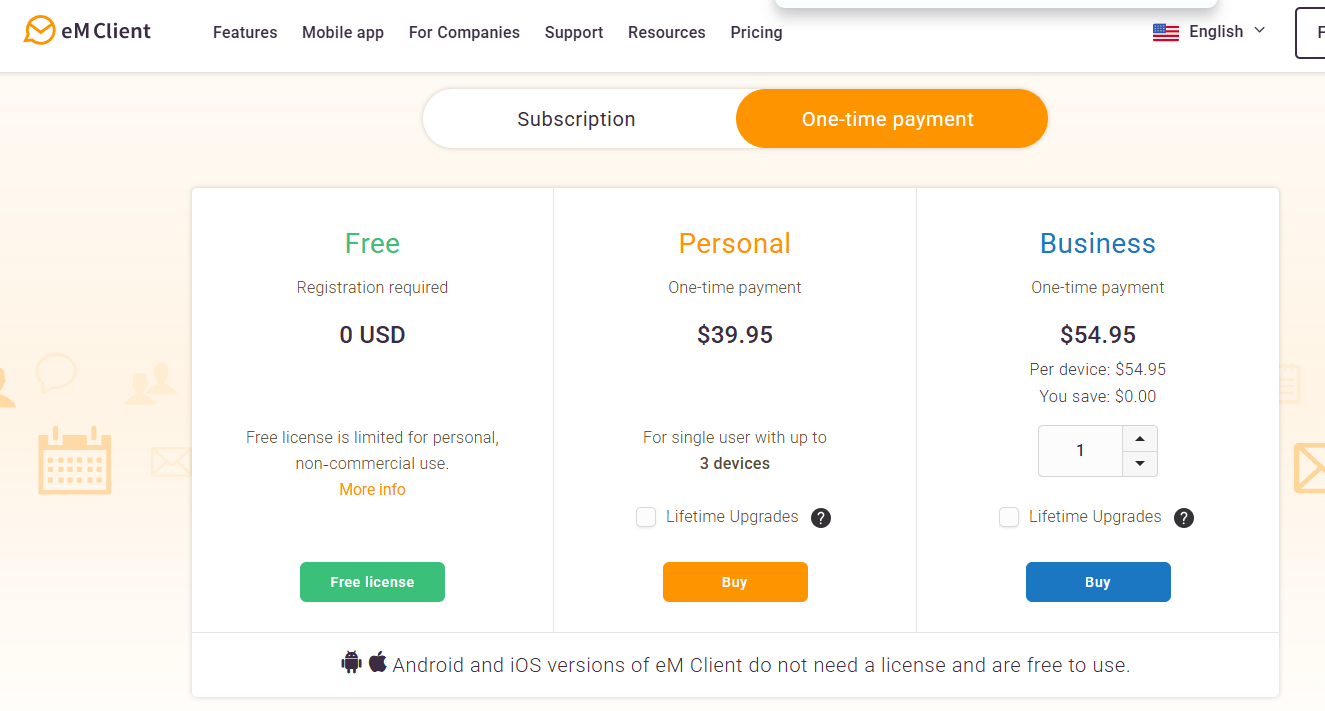
eM Client operates on a much more traditional, budget-friendly paradigm by offering a one-time purchase license.
When a business purchases the eM Client Business Pro license, they pay a single, upfront fee for the lifetime of that device’s software version. This shifts the software from a compounding operational expense (OPEX) to a predictable capital expenditure (CAPEX).
One-Time Cost: $54.95 per device.
5-Year TCO: $54.95 per device (Zero recurring fees).
The Data-Backed Verdict on Cost
By switching to eM Client, a business saves $785.05 per user over a 5-year period (assuming a standard one-device worker). This represents a staggering ~93.5% reduction in TCO for email client software alone. For a Singaporean SME with 50 employees, this translates to nearly $39,250 in direct bottom-line savings over five years, freeing up vital capital for other growth initiatives.
2. Security Integration: Native Out-of-the-Box vs. Third-Party Reliance
In an era of stringent data protection regulations, securing corporate communications is a top priority. Whether handling sensitive client financials, legal contracts, or proprietary intellectual property, encryption is non-negotiable.
The Outlook Approach: Partial Native and External Dependencies
Microsoft Outlook supports basic S/MIME encryption, but deploying it is rarely straightforward. It typically requires complex IT configuration, certificate setups, and deep integration with the Exchange admin center.
More critically, when it comes to OpenPGP, the open-source gold standard for end-to-end email encryption, Outlook falls completely short. Outlook does not include native OpenPGP support. To use it, businesses are forced to rely on external, third-party add-ins like Gpg4win or GpgOL.
This reliance on third-party connectors introduces severe deployment complexity. It requires manual installation on every machine, increases the IT helpdesk overhead, and drastically raises the risk of security misconfigurations when external plugins break during standard Windows updates.
eM Client’s Native Security Advantage
eM Client eliminates this friction entirely by building enterprise-grade security directly into the core application.
eM Client features native OpenPGP and S/MIME support built directly in. There are no add-ons to download and no complex Exchange configurations to manage. Users can generate encryption keys and secure their messages directly out of the box.
This seamless integration ensures high compliance and data security without burdening the IT department, providing a massive operational advantage for security-conscious businesses.
3. Protocol Compatibility: Navigating Mixed Environments
Modern businesses rarely rely on a single, isolated platform. An enterprise might use Microsoft Exchange for core operations, Google Workspace for a specific creative department, and a specialized IMAP server for a web application. An email client must be flexible enough to handle these mixed infrastructures without breaking.
The Microsoft Ecosystem Lock-in
Unsurprisingly, Microsoft Outlook plays best with Microsoft Exchange. While this deep integration is excellent for companies fully locked into the Microsoft ecosystem (Teams, SharePoint, OneDrive), it creates massive headaches for mixed environments.
Crucially, Outlook does NOT natively support CalDAV or CardDAV, which are the open-standard protocols used globally for syncing calendars and contacts. If a company uses Google Workspace and attempts to sync their calendars and contacts to classic Outlook, they cannot do it natively. They must route through Exchange or install specialized third-party connectors like Google Workspace Sync for Microsoft Outlook (GWSMO).
eM Client’s Open-Standard Agility
eM Client was built to be platform-agnostic and actively supports open web standards. It features direct, native CalDAV and CardDAV support.
This means eM Client connects directly to Google Workspace, Apple iCloud, IceWarp, or any standard IMAP server, flawlessly syncing emails, calendars, and contacts in seconds.
For SMEs looking to avoid vendor lock-in, or for organizations running mixed IT infrastructures, eM Client’s native compatibility guarantees a smooth, unified workflow without the need for fragile synchronization tools.
4. Direct Feature Summary Table
For a quick reference guide, here is how the two platforms stack up based on the current 2026 data:
| Metrik | eM Client (Business Pro) | Microsoft Outlook (M365 Standard) |
| Licensing Model | Perpetual (One-time Capex) | Recurring Subscription (Opex) |
| 5-Year TCO (per user) | $54.95 | $840.00 |
| Price Increases | None (Lifetime version license) | Increasing to $14/mo (July 2026) |
| Security: OpenPGP | Native out-of-the-box | Requires third-party (Gpg4win/GpgOL) |
| Security: S/MIME | Native built-in | Supported (requires IT/Exchange setup) |
| Protocol Compatibility | Native CalDAV & CardDAV | Requires connectors/GWSMO |
| Google Workspace Sync | Direct, seamless integration | Relies on third-party sync tools |
5. Why Partner with QUAPE for Your Software Transition?
The data clearly illustrates that eM Client offers a vastly superior financial proposition (a 93.5% lower TCO), tighter out-of-the-box security, and superior flexibility for modern, mixed IT environments. While Outlook remains dominant for organizations deeply entrenched in the complete Microsoft server ecosystem, eM Client is the logical choice for agile businesses seeking efficiency and cost control.
Recognizing this market shift, QUAPE is proud to be an Authorized Reseller of eM Client in Singapore.
Transitioning your corporate communications infrastructure requires precise planning. By partnering with QUAPE for your eM Client licensing and deployment, your business benefits from:
Localized Procurement: Simplify your billing and ensure compliance with Singaporean business standards by dealing with a local partner.
Expert Migration Assistance: Our technical team understands the intricacies of migrating historical
.pstdata and moving away from legacy Exchange setups, ensuring zero data loss and minimal downtime for your team.Tailored Licensing: We can structure a one-time perpetual licensing package that precisely fits your CapEx budget, permanently eliminating the headache of escalating recurring SaaS subscriptions.
If your organization is ready to modernize its communication infrastructure, cut operational expenses by 93.5%, and deploy a faster, more secure tool, the choice is clear.
Contact QUAPE today to discuss how we can deploy eM Client for your business.