WordPress performance depends heavily on infrastructure decisions made before your site receives its first visitor. The hosting provider you select determines your site’s ability to handle concurrent users, deliver content quickly, and maintain responsiveness under load. For businesses operating in Singapore’s competitive digital landscape, speed affects not only user experience but also search rankings, conversion rates, and operational efficiency. Choosing the right hosting configuration requires understanding how server components interact with WordPress’s dynamic architecture to produce measurable performance gains.
Core Entity: Improve WordPress speed hosting refers to the strategic selection and configuration of hosting infrastructure components that directly influence how quickly WordPress sites load and respond to user requests. This includes decisions about server type, storage technology, web server software, caching mechanisms, and content delivery architecture.
Những điểm chính
- NVMe SSDs support up to 64,000 parallel command queues, enabling WordPress to handle high-concurrency database operations far more efficiently than SATA-based storage
- LiteSpeed achieves 30-50% faster PHP execution compared to Apache under WordPress workloads through optimized PHP processing and integrated caching
- CDN implementation reduced latency by 82% under heavy load in web platform testing, demonstrating significant performance improvements for geographically distributed audiences
- Server location affects Core Web Vitals metrics, with Singapore data centers providing lower latency for Asia-Pacific users
- Storage technology, web server software, and caching layers must work together rather than function as isolated performance improvements
Introduction to Improving WordPress Speed with Hosting
WordPress generates dynamic content for every page request by default, executing PHP code and querying databases to assemble each page. This process creates performance bottlenecks that hosting infrastructure must address through multiple coordinated mechanisms. The relationship between server resources, storage speed, and caching determines whether your site responds in milliseconds or seconds.
Hosting optimization for WordPress requires understanding how different infrastructure components reduce specific bottlenecks. Storage technology affects database query speed. Web server software determines how efficiently PHP executes. Caching mechanisms reduce the need to regenerate identical content repeatedly. When these elements align properly, WordPress sites can serve thousands of concurrent users without degradation.
For comprehensive guidance on selecting WordPress hosting configurations, refer to our fast and secure WordPress hosting resource.
Key Components of High-Performance WordPress Hosting
Server Type and Its Impact on WordPress Speed
Server type determines the resources available to your WordPress installation and how those resources are allocated under load. Shared hosting divides CPU, RAM, and I/O capacity among multiple websites, creating unpredictable performance as neighboring sites consume resources. VPS hosting provides dedicated resource allocation, ensuring your site maintains consistent performance regardless of other users’ activities. Managed hosting adds optimization layers specifically configured for WordPress, including pre-tuned PHP settings and automated caching.
The choice between these server types affects IOPS availability, which measures how many read/write operations your storage can handle per second. WordPress sites execute numerous small database operations for every page load. When multiple users access your site simultaneously, IOPS capacity determines whether these operations queue or execute immediately. High-performance NVMe SSDs can handle up to 800,000 IOPS in data center environments, providing the headroom needed for WordPress to maintain responsiveness during traffic spikes.
CPU and RAM allocation further influences how many concurrent PHP processes your server can execute. WordPress generates pages by running PHP scripts that query databases and process plugin logic. Each simultaneous visitor triggers separate PHP execution. Managed hosting configurations optimize these resources specifically for WordPress workloads, allocating memory to PHP processes and database connections based on typical WordPress behavior patterns.
Caching Mechanisms for Faster Page Loads
Caching stores generated content so WordPress can serve identical requests without repeating expensive operations. Page caching saves the final HTML output of a page, allowing the server to deliver pre-built pages instead of executing PHP for every request. Object caching stores database query results in memory, preventing WordPress from querying the database repeatedly for the same data. Opcode caching compiles PHP code into executable bytecode once, eliminating the need to parse PHP files on every request.
These caching layers reduce different bottlenecks in the WordPress rendering process. Page caching eliminates most PHP execution entirely for repeat visitors. Object caching reduces database load when plugins or themes execute similar queries frequently. Opcode caching improves PHP execution speed by removing the compilation step from each request cycle.
WordPress caching plugins coordinate these mechanisms, determining what content gets cached, for how long, and under what conditions cached content should refresh. The effectiveness of caching depends on traffic patterns and content freshness requirements. Sites with mostly static content benefit more from aggressive page caching, while sites with frequently updated content or personalized elements require more selective caching strategies. For implementation guidance, see our article on optimizing WordPress hosting for speed.
Content Delivery Networks (CDN) for Singapore Websites
CDN architecture distributes copies of static assets across geographically dispersed edge servers, reducing the physical distance between users and content. When a visitor in Jakarta requests your Singapore-hosted WordPress site, a CDN serves images, CSS, and JavaScript from an edge location near Jakarta rather than forcing the request to travel to Singapore and back. This geographic distribution reduces round-trip time, improving Time to First Byte and overall page load speed.
Modern CDN implementations extend beyond simple static file caching. CDNs leverage HTTP/3 and QUIC protocols to further improve performance, providing faster connection establishment and better handling of packet loss compared to traditional HTTP/2. Some CDNs also cache dynamic content at the edge, storing generated WordPress pages closer to users and refreshing them based on configured rules.
For Singapore businesses serving customers across Asia-Pacific, Tích hợp CDN addresses latency challenges created by distance. A user in Sydney experiences significantly lower latency when assets load from an Australian edge server rather than Singapore. The CDN also reduces load on your origin server by handling the majority of static file requests, allowing your WordPress hosting to focus computational resources on dynamic content generation.
Storage Technology: SSDs vs NVMe for WordPress
Storage technology determines how quickly your server can read and write data during WordPress operations. SATA SSDs improved web hosting performance substantially compared to traditional hard drives, but NVMe SSDs represent a generational leap forward. Data center NVMe SSDs deliver 5.45 times more sequential read bandwidth and 5.88 times more random read IOPS versus enterprise SATA SSDs, providing dramatically better performance for database-heavy applications like WordPress.
The architecture behind these improvements matters for understanding real-world impact. SATA interfaces were designed for mechanical hard drives and impose protocol-level limitations on how storage communicates with the system. NVMe SSDs can deliver multi-gigabyte per second sequential throughput over a four-lane PCIe interface, far exceeding SATA’s interface limits. This increased throughput prevents storage from becoming a bottleneck when WordPress processes multiple concurrent database queries or serves media files to numerous simultaneous visitors.
The practical benefit appears most clearly under high-concurrency workloads. When fifty users request different pages simultaneously, WordPress must execute fifty separate sets of database queries. With SATA SSDs, these operations may queue as the storage interface reaches its throughput limit. In some test configurations, data center NVMe SSDs achieved approximately 1.1 million read IOPS, providing enough capacity to handle extreme concurrent load without storage-induced delays. For WordPress sites experiencing traffic growth or serving large media libraries, NVMe storage eliminates disk I/O as a performance constraint.
LiteSpeed Web Servers for Optimized WordPress Performance
Web server software determines how efficiently your hosting infrastructure processes HTTP requests and executes PHP code. Apache remains widely deployed but processes requests using a thread-based model that consumes significant memory under high concurrency. NGINX improved efficiency through an event-driven architecture but requires separate PHP processing mechanisms. LiteSpeed combines event-driven architecture with Apache-compatible management and includes a built-in caching engine called LSCache, offering WordPress-optimized performance without sacrificing administrative familiarity.
The PHP execution model particularly affects WordPress performance. LiteSpeed uses LSAPI to communicate with PHP, which maintains persistent PHP processes instead of spawning new processes for each request. This approach reduces the computational overhead of starting PHP execution, lowering CPU usage and improving response times. In latency tests, LiteSpeed exhibited the lowest response latency and very stable error rates even under high user load, demonstrating consistent performance during traffic spikes that would degrade Apache or NGINX configurations.
LSCache integration provides WordPress-specific optimization by understanding WordPress’s content structure and caching patterns. The plugin coordinates with the LiteSpeed web server at a lower level than traditional WordPress caching plugins, enabling more efficient cache management and faster cache serving. For businesses requiring both performance and ease of management, LiteSpeed offers measurable advantages over traditional web server configurations while maintaining compatibility with existing WordPress optimization practices.
Ứng dụng thực tế cho doanh nghiệp Singapore
Singapore businesses face specific performance considerations based on their primary audience location and regional infrastructure characteristics. Hosting WordPress sites in Trung tâm dữ liệu Singapore provides optimal latency for visitors throughout Southeast Asia, where Singapore serves as a major internet exchange point. The physical proximity reduces network hops and transmission delays, directly improving Time to First Byte and overall page responsiveness.
Core Web Vitals metrics, which Google uses as ranking signals, measure real-world user experience through Largest Contentful Paint, First Input Delay, and Cumulative Layout Shift. Server location affects these metrics by influencing how quickly the initial HTML document loads and how soon interactive elements become functional. A WordPress site hosted in Singapore responds faster to requests from Jakarta, Kuala Lumpur, or Bangkok compared to hosting in Europe or North America, producing better Core Web Vitals scores for your primary audience.
Beyond simple geography, Singapore’s network infrastructure provides robust connectivity to the broader Asia-Pacific region. Local hosting improves WordPress performance by leveraging this connectivity, ensuring reliable routing to major population centers across Asia. For businesses targeting regional markets, this infrastructure advantage translates to consistent performance for users across multiple countries, supporting both SEO objectives and user satisfaction goals.
How Quape WordPress Hosting Supports Faster Site Performance
Managed WordPress hosting at Quape addresses performance requirements through infrastructure components specifically configured for WordPress workloads. All plans include NVMe storage, providing the high IOPS capacity needed for responsive database operations under concurrent user load. Web servers run optimized configurations that prioritize WordPress-specific execution patterns, reducing PHP processing overhead and improving cache efficiency.
Daily automated backups protect against data loss without impacting live site performance. The backup process runs during low-traffic periods and uses incremental methods that only store changed data, minimizing storage overhead. WordPress Toolkit integration enables plugin updates and security patching through a centralized interface, reducing the administrative burden of maintaining WordPress sites while ensuring timely security updates.
Security measures include monthly WordPress core and plugin updates, protecting sites from known vulnerabilities that attackers actively exploit. The hosting environment includes infrastructure-level protections against common attack vectors, complementing WordPress application security. For businesses requiring predictable performance, comprehensive backup protection, and proactive security maintenance, our Các gói lưu trữ WordPress combine these elements into managed service packages.
Kết luận
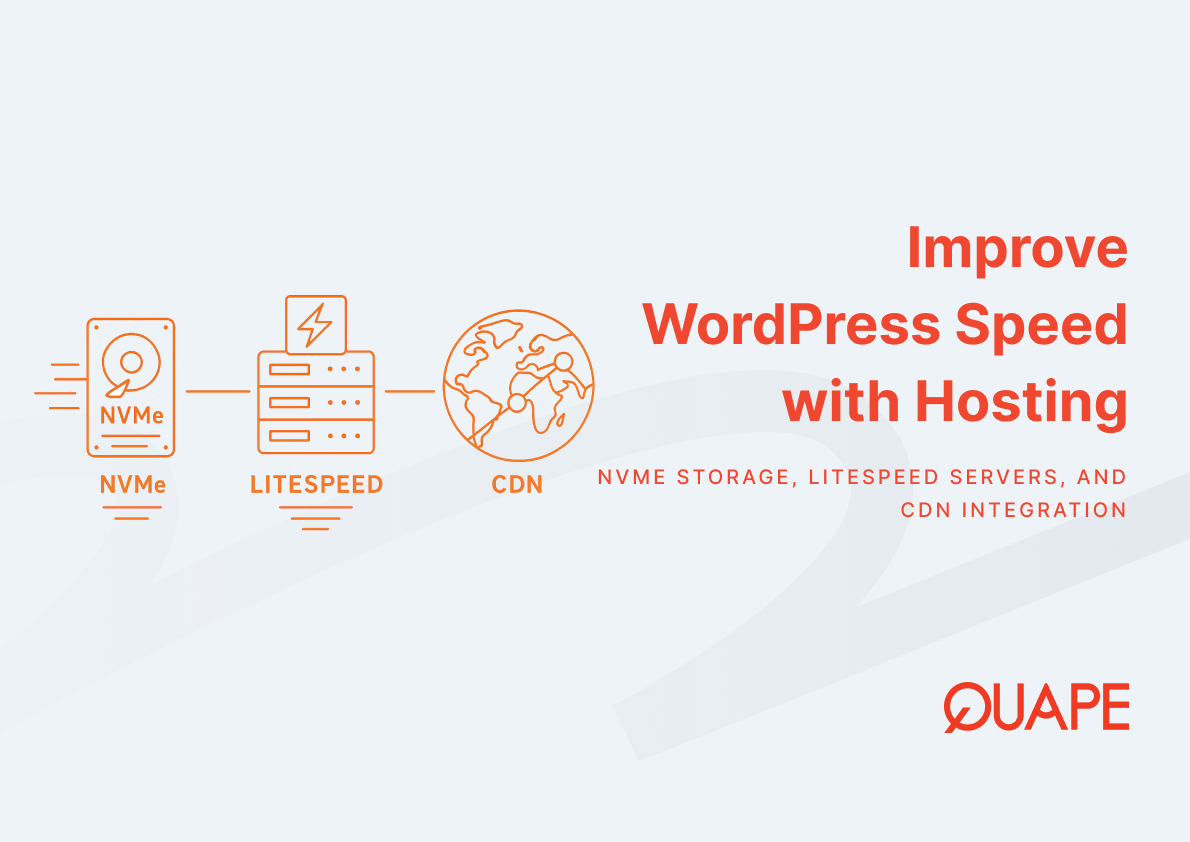
WordPress speed optimization through hosting selection requires understanding how infrastructure components interact to reduce specific performance bottlenecks. NVMe storage addresses disk I/O constraints. LiteSpeed web servers optimize PHP execution. CDN integration reduces geographic latency. These improvements compound when properly configured, producing measurable gains in user experience and search performance. The investment in performance-optimized hosting infrastructure pays returns through better search rankings, higher conversion rates, and improved operational reliability.
Ready to implement high-performance WordPress hosting for your business? Liên hệ với đội ngũ bán hàng của chúng tôi to discuss hosting configurations optimized for your specific performance requirements.
Câu Hỏi Thường Gặp
Why does server location matter for WordPress speed? Server location determines the physical distance data must travel between your hosting infrastructure and site visitors. Closer proximity reduces network latency, improving Time to First Byte and overall page load speed. For businesses serving audiences in Singapore and Southeast Asia, hosting in Singapore provides optimal performance for your primary market.
How much faster is NVMe storage compared to regular SSDs for WordPress? NVMe provides substantially higher IOPS and throughput compared to SATA SSDs. This translates to faster database query execution, quicker media file serving, and better performance under concurrent user load. The improvement becomes most noticeable when your WordPress site handles multiple simultaneous visitors or executes complex database operations.
Can CDN integration replace the need for fast hosting? CDN reduces latency for static assets but cannot replace fast origin hosting. WordPress generates dynamic content that must execute on your hosting server. CDN integration and optimized hosting work together, with CDN handling static file delivery while your server focuses on efficient dynamic content generation.
Does web server software choice really affect WordPress performance? Web server software significantly impacts PHP execution efficiency and request handling capacity. LiteSpeed demonstrates measurably lower latency and better concurrency handling compared to Apache in WordPress-specific benchmarks. The differences become apparent under moderate to high traffic loads where PHP execution efficiency matters.
What hosting specifications matter most for WordPress speed? Storage technology (NVMe vs SATA), IOPS capacity, PHP execution method, and caching implementation have the largest impact on WordPress performance. CPU and RAM allocation matter for high-traffic sites, but many performance problems stem from storage bottlenecks or inefficient PHP processing rather than insufficient compute resources.
How does managed WordPress hosting improve performance compared to basic shared hosting? Managed WordPress hosting includes WordPress-specific optimizations like pre-tuned PHP configurations, integrated caching, and resource allocation based on WordPress behavior patterns. Shared hosting divides resources among multiple sites without WordPress-specific optimization, creating unpredictable performance as neighboring sites consume resources.
Is LiteSpeed caching better than WordPress caching plugins? LiteSpeed caching integrates at the web server level rather than the WordPress application level, enabling more efficient cache serving and lower overhead. While traditional WordPress caching plugins work effectively, LiteSpeed’s deeper integration provides additional performance advantages when paired with LiteSpeed web servers.
What performance improvements should businesses expect from infrastructure upgrades? Performance improvements vary based on current bottlenecks and traffic patterns. Sites currently limited by storage I/O may see dramatic improvements from NVMe upgrades. Sites serving geographically distributed audiences benefit substantially from CDN integration. Measuring current performance and identifying specific bottlenecks enables realistic expectations for infrastructure improvements.

- From Design to Live Website: Converting Figma/PSD to WordPress the Right Way - Tháng 4 29, 2026
- How Singapore Businesses Benefit from Figma to WordPress Conversion - Tháng 4 27, 2026
- Integrating Design Systems Between Figma, WordPress, and Other Platforms - Tháng 4 24, 2026