WordPress sites on shared hosting face a heightened risk of data loss due to multi-tenant architecture, limited resource isolation, and provider-level dependencies. Research from Uptime Institute shows that nearly 40% of organizations have suffered a major outage in the past three years due to human error, with power-related problems remaining the leading cause of significant data center outages. When multiple sites share the same physical server, a single point of failure can cascade across tenants, making backup strategies not just a best practice but a critical safeguard. Even more concerning, industry data reveals that 58% of restore attempts fail, which means having backups in place does not guarantee successful recovery. For businesses operating in Singapore’s competitive digital market, where downtime directly impacts revenue and reputation, understanding how backup frequency, recovery objectives, and infrastructure reliability interact is essential to protecting WordPress operations on shared hosting.
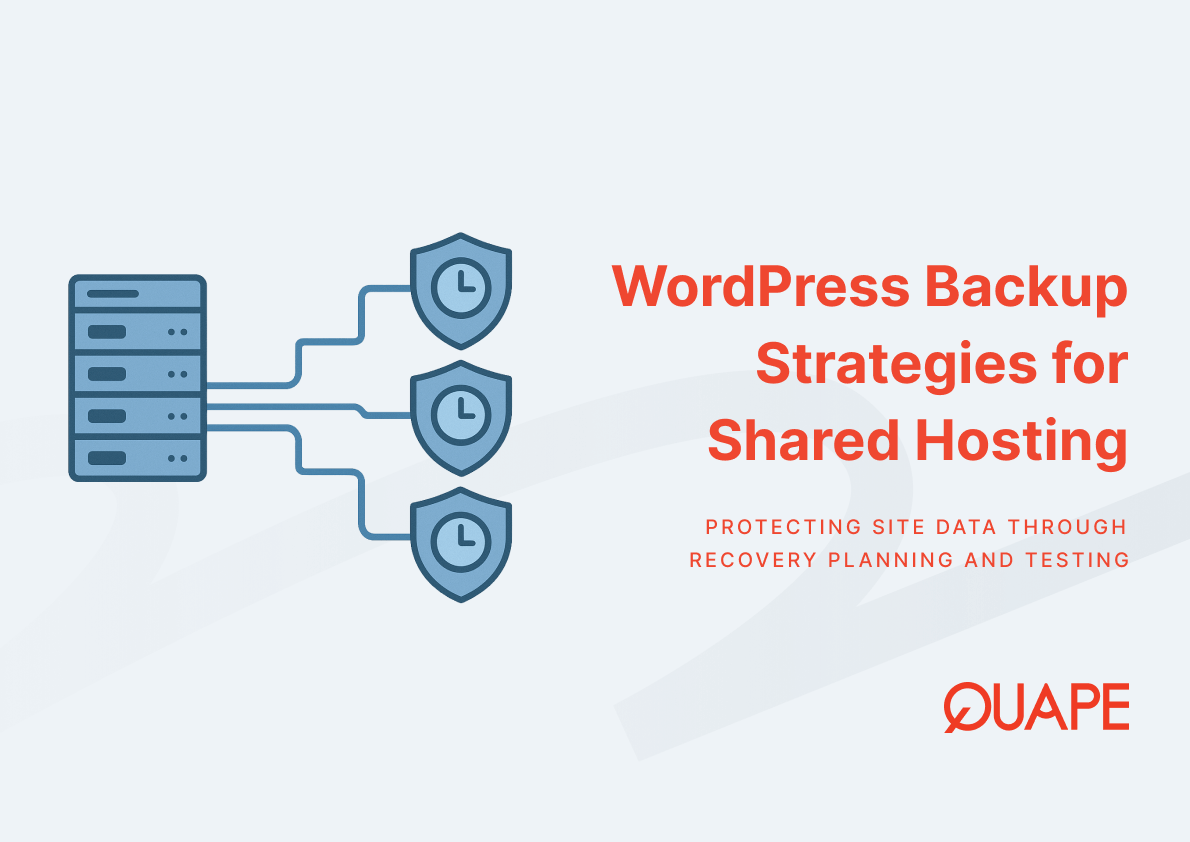
Backup strategies for WordPress sites on shared hosting are systematic approaches designed to capture, store, and restore website data in multi-tenant server environments. These strategies address the inherent risks of shared infrastructure by defining how frequently data snapshots occur, where backups are stored, and how quickly recovery can be initiated when failures happen.
要点总结
- Power failures and human error cause the majority of data center outages, making offsite backup storage critical for shared hosting environments
- The “backup gap” between successive snapshots creates windows of unrecoverable data; IDC research shows 43% of organizations experienced data loss within a 12-month period
- Shared server architecture amplifies risk because weak tenant isolation enables cross-site compromise and cascading failures
- Recovery Point Objective (RPO) and Recovery Time Objective (RTO) define acceptable data loss windows and downtime limits for business continuity
- More than half of backup restoration attempts fail in practice, requiring regular testing and validation of recovery procedures
- Automated daily backups reduce procedural errors but require verification mechanisms to confirm backup integrity
- Singapore-based WordPress sites benefit from local data center proximity, which reduces latency during backup operations and accelerates restoration processes
Introduction to Backup Strategies for WordPress on Shared Hosting
Backup strategies for WordPress sites establish how data protection aligns with operational requirements and infrastructure constraints. In shared hosting environments optimized for speed and reliability, these strategies must account for the fact that multiple websites operate on the same physical server. This multi-tenant model creates interdependencies where one tenant’s security vulnerability or resource consumption can affect others. Academic research from Tajalizadehkhoob et al. demonstrates that shared hosting providers significantly influence web application security practices, including CMS patching schedules, and this provider-level influence correlates with lower malware and phishing abuse rates.
The effectiveness of any backup strategy depends on three foundational elements: backup frequency, storage location, and restoration capability. Backup frequency determines the maximum amount of data that could be lost between snapshots. Storage location affects both accessibility during recovery and protection from the same failures that might compromise the primary site. Restoration capability defines whether backed-up data can actually be retrieved and applied when needed. Uptime Institute’s 2024 survey shows that 53% of data center operators experienced an outage in the past three years, down from 60% in 2022 but still representing a substantial operational risk.
WordPress sites on shared hosting face specific challenges because hosting providers control the backup infrastructure and scheduling. While providers typically offer automated backups, the backup gap between snapshots creates vulnerability windows. IDC’s 2021 study found that organizations most commonly target a Recovery Point Objective of 1 to 4 hours and a Recovery Time Objective of 4 to 8 hours, but achieving these targets requires infrastructure capabilities that budget shared hosting plans may not support. The gap between backups was cited as the top reason for unrecoverable data in IDC’s survey of organizations that experienced data loss.
Key Components of Backup Strategies for Shared Hosting
Understanding Backups
Backups capture the complete state of a WordPress installation at a specific point in time, including database content, uploaded media files, plugin configurations, and theme customizations. In shared hosting, backups typically run as scheduled tasks managed by the hosting provider rather than site-specific manual operations. This provider-managed approach reduces human error, which Uptime Institute identifies as responsible for 85% of incidents where organizations suffered outages due to staff failing to follow procedures. Automated backup systems eliminate the risk of forgotten or delayed backup executions, but they also transfer control and visibility to the hosting provider.
The relationship between backup frequency and data protection follows a direct trade-off pattern. More frequent backups reduce the backup gap, which minimizes potential data loss, but they also increase storage consumption and server I/O load. In shared hosting environments where resources are divided among multiple tenants, aggressive backup schedules from one site can degrade performance for others. This creates an infrastructure constraint that hosting providers must balance across their entire server population. Security-focused backup practices help ensure that backup files themselves do not become vulnerability vectors by implementing proper access controls and encryption during storage and transmission.
Storage location determines backup survivability when primary infrastructure fails. On-server backups stored on the same physical hardware as the live site provide fast restoration but offer no protection against hardware failures, data center outages, or physical disasters. Off-server backups stored in separate geographic locations protect against localized failures but introduce latency during both backup creation and restoration processes. Hybrid approaches that maintain recent backups on-server for quick recovery while archiving older snapshots off-server balance immediate access with geographic redundancy.
Role of Data Recovery in WordPress Management
Data recovery transforms static backup files into operational WordPress installations when failures occur. The recovery process involves multiple sequential operations: verifying backup file integrity, provisioning server resources, restoring database structures, reestablishing file permissions, and reconnecting external service integrations. Each step introduces potential failure points, which helps explain why 58% of restoration attempts fail according to security industry surveys. WordPress recovery specifically requires coordinating database restoration with file system synchronization because mismatches between database references and actual file locations break site functionality.
Recovery Time Objective defines the maximum acceptable duration between failure recognition and full operational restoration. For WordPress sites serving business-critical functions, RTO expectations often exceed the capabilities of standard shared hosting backup systems. Manual restoration processes that require support ticket submission, provider response, and sequential restoration steps can easily extend beyond 4-hour RTO targets that IDC research identifies as common organizational requirements. Automated restoration tools that allow site owners to initiate recovery without provider intervention significantly compress RTO windows.
Recovery Point Objective defines the maximum acceptable data loss measured in time between the failure event and the most recent usable backup. RPO directly correlates with backup frequency because the backup gap determines how much recently created content, user interactions, or configuration changes become unrecoverable. For WordPress sites processing e-commerce transactions or user-generated content, even a 4-hour backup gap can represent substantial business impact. Continuous Data Protection systems that capture changes in near-real-time rather than periodic snapshots can achieve RPO measured in minutes, but these systems require infrastructure capabilities that shared hosting environments typically cannot provide economically.
Limitations and Challenges of Shared Servers
Shared servers concentrate multiple WordPress installations on unified hardware and software stacks, creating cascading failure scenarios where problems in one tenant’s environment affect others. Research from Mirheidari, Arshad, and Jalili demonstrates that shared hosting services expose broader attack surfaces because weak isolation between tenants enables internal attackers to compromise shared resources. When one WordPress site on a shared server becomes infected with malware, insufficient tenant isolation can allow the compromise to spread laterally to other sites. This architectural vulnerability makes backups essential not just for recovering from individual site failures but for restoring clean states after cross-tenant security incidents.
Resource contention in shared environments affects both backup creation and restoration performance. When multiple sites simultaneously execute resource-intensive operations like backup generation, database exports, or large file transfers, they compete for finite server CPU, memory, and disk I/O capacity. This competition creates performance degradation that can extend backup windows and slow restoration processes. Managed hosting alternatives address these constraints by allocating dedicated resources per site, but this architectural improvement comes with increased cost that may not fit all budget requirements.
Provider-level configuration in shared hosting determines backup capabilities and limitations that individual site owners cannot modify. Backup retention periods, snapshot frequency, storage locations, and restoration interfaces are standardized across all tenants on a shared platform. This standardization optimizes provider operational efficiency but reduces flexibility for sites with specific requirements. Organizations needing more aggressive backup schedules or longer retention periods than the shared hosting provider offers must either accept the limitation or migrate to hosting models that support customization.
Practical Backup Solutions for Singapore WordPress Sites
Singapore’s geographic position and digital infrastructure create specific considerations for WordPress backup strategies. 亚洲本地托管基础设施 reduces latency during backup operations because data transfer between the production site and backup storage occurs over shorter physical distances with fewer network hops. This proximity advantage accelerates both backup creation and restoration processes, which directly improves Recovery Time Objective achievement. For businesses serving Singapore and regional markets, maintaining primary and backup infrastructure within the same geographic zone ensures consistent network performance during normal operations and crisis scenarios.
Data sovereignty requirements increasingly influence backup strategy decisions as organizations navigate regulations governing where data can be stored and processed. Singapore’s Personal Data Protection Act establishes frameworks for data handling that extend to backup copies. 新加坡数据中心基础设施 that maintains both production WordPress sites and backup storage within the same regulatory jurisdiction simplifies compliance verification. Cross-border backup strategies that store data in different countries must navigate multiple regulatory frameworks, creating legal complexity that local backup storage avoids.
Business continuity planning for Singapore WordPress sites should account for regional disaster scenarios that could simultaneously affect primary infrastructure and locally stored backups. While geographic proximity between production and backup storage optimizes performance during normal operations, it creates concentration risk during regional events. Hybrid backup strategies that maintain recent snapshots locally for fast recovery while replicating to geographically distant locations protect against both localized failures and regional disasters. This approach balances the performance benefits of local storage with the resilience advantages of geographic distribution.
Backup testing schedules should align with business operational rhythms to minimize disruption while ensuring recovery capability verification. Many organizations discover backup failures only during actual crisis scenarios when restoration attempts fail. Regular testing that restores backups to staging environments validates both backup file integrity and restoration procedure effectiveness. For Singapore businesses operating in competitive markets where downtime creates immediate revenue impact, quarterly backup restoration tests provide reasonable assurance without excessive operational overhead.
How Quape WordPress Hosting Supports Reliable Backups
WordPress hosting infrastructure designed specifically for backup reliability addresses the limitations inherent in generic shared hosting platforms. Daily automated backups eliminate the procedural failure risk that Uptime Institute identifies as responsible for 85% of human-error-related outages by removing manual execution requirements. Automated scheduling ensures consistent backup creation regardless of workload, staff availability, or operational priorities. One-click restoration interfaces compress Recovery Time Objective windows by enabling site owners to initiate recovery processes without support ticket delays or provider intervention.
NVMe storage infrastructure accelerates both backup creation and restoration operations through higher I/O throughput compared to traditional disk systems. When backup operations must capture database states and file system snapshots without disrupting live site performance, faster storage reduces the time required to complete backup cycles. This performance improvement allows more frequent backup scheduling without creating resource contention that degrades user-facing site performance. Organizations can 了解更多关于 Quape WordPress 主机的信息 backup capabilities and how daily snapshots integrate with broader site management workflows.
Managed WordPress hosting plans that include security updates as part of the service reduce the attack surface that could necessitate backup restoration. By maintaining current WordPress core versions, plugin updates, and security patches, managed hosting environments minimize vulnerability exposure that could lead to compromise and data loss. The relationship between proactive security maintenance and backup strategy is complementary because reduced incident frequency means backup systems primarily address infrastructure failures and human errors rather than security compromises.
Monthly content updates included in higher-tier plans provide additional data protection layers by creating regular manual snapshots during planned content changes. These human-initiated backup points supplement automated daily backups and create known-good restoration targets before significant site modifications. When updates introduce unexpected behavior or compatibility issues, the ability to restore to pre-update states enables rapid rollback that minimizes user impact and operational disruption.
Best Practices for Maintaining Backup Integrity
Backup verification processes confirm that backup files contain complete, uncorrupted data that can successfully restore operational WordPress installations. Many backup failures occur not during the backup creation process but during restoration attempts when corrupted or incomplete backup files fail to restore properly. Regular integrity checks that validate backup file checksums and test restoration to isolated environments identify problems before actual crisis scenarios. Organizations that discover backup corruption during routine testing can remediate issues and create new backups, whereas discovering corruption during actual disaster recovery creates compounding operational crises.
Retention policies define how long backup snapshots remain available before deletion to reclaim storage capacity. Longer retention periods provide more restoration options and enable recovery from issues discovered well after they initially occurred, but extended retention increases storage costs and backup management complexity. Balanced retention strategies maintain frequent recent backups for addressing immediate issues while preserving less frequent older snapshots for historical recovery scenarios. A common pattern maintains daily backups for 30 days, weekly backups for 90 days, and monthly backups for one year.
Documentation of backup configurations, restoration procedures, and access credentials ensures that recovery operations can proceed during crisis scenarios when primary administrators may be unavailable. Security and backup integration requires documenting where backup files are stored, what credentials access them, and what specific steps restore them to production. This documentation should be stored separately from the systems it describes to remain accessible when primary infrastructure is unavailable.
Testing restoration procedures under time pressure simulates crisis conditions and identifies process bottlenecks before actual disasters occur. Restoration executed during routine maintenance windows typically proceeds calmly with time to troubleshoot issues and consult documentation. Restoration during actual outages occurs under time pressure with business stakeholders demanding status updates and rapid resolution. Organizations that conduct timed restoration exercises develop procedural familiarity that accelerates crisis response and reduces errors caused by stress and time pressure.
结论
Backup strategies for WordPress sites on shared hosting must address both the inherent limitations of multi-tenant infrastructure and the broader reliability challenges that affect all data center operations. With over 60% of data center failures now costing organizations more than $100,000 per incident and 58% of restoration attempts failing, implementing reliable backup systems requires more than simply scheduling periodic snapshots. Effective strategies define Recovery Point and Recovery Time Objectives aligned with business requirements, test restoration procedures regularly to ensure backup integrity, and account for the specific risks that shared hosting environments introduce through weak tenant isolation and resource contention. Organizations operating WordPress sites in Singapore’s competitive digital market can reduce operational risk by selecting hosting infrastructure that provides automated daily backups, one-click restoration capabilities, and local data center proximity that accelerates both backup creation and recovery operations.
Ready to implement backup strategies that protect your WordPress site from data loss and minimize recovery time? 联系我们的销售团队 to discuss how managed WordPress hosting with daily automated backups and one-click restoration can support your business continuity requirements.
常见问题 (FAQ)
How often should WordPress backups run on shared hosting? Daily automated backups represent the minimum frequency for most business WordPress sites, creating a maximum 24-hour backup gap. Sites processing e-commerce transactions or frequently updated content should evaluate more aggressive backup schedules if their shared hosting provider supports higher frequencies. Testing backup restoration quarterly ensures that backup files remain viable and restoration procedures work as expected.
What is the difference between Recovery Point Objective and Recovery Time Objective? Recovery Point Objective defines the maximum acceptable data loss measured in time, while Recovery Time Objective defines the maximum acceptable downtime duration. A 4-hour RPO means you can tolerate losing up to 4 hours of data, requiring backups at least every 4 hours. A 4-hour RTO means your restoration process must complete within 4 hours of failure recognition to meet operational requirements.
Why do backup restorations fail even when backups exist? Restoration failures occur due to corrupted backup files, incomplete backup captures, incompatible restoration environments, missing dependencies, or procedural errors during restoration. Security industry research shows 58% of restoration attempts fail, emphasizing why testing backup restoration processes regularly is as important as creating backups themselves. Automated restoration tools reduce human error risks compared to manual restoration procedures.
How does shared hosting architecture affect backup reliability? Shared hosting consolidates multiple sites on the same physical server, creating resource contention during backup operations and cascading failure scenarios where problems affecting one tenant impact others. Weak tenant isolation in shared environments can allow security compromises to spread between sites, potentially corrupting backup files stored on the same infrastructure. Offsite backup storage protects against these shared-infrastructure vulnerabilities.
Should WordPress backups be stored on the same server as the live site? On-server backups enable faster restoration but provide no protection against hardware failures, data center outages, or physical disasters that affect the entire server. Effective backup strategies maintain recent snapshots on-server for quick recovery while replicating to offsite locations for disaster protection. This hybrid approach balances restoration speed with resilience against infrastructure-wide failures.
What backup components are essential for complete WordPress restoration? Complete WordPress backups must include the MySQL database containing all content and configurations, the wp-content directory with themes, plugins, and uploaded media, the wp-config.php file with database credentials and security keys, and any custom configurations at the server level. Incomplete backups that omit any component will fail to restore fully functional WordPress installations.
How does geographic location affect WordPress backup performance? Physical distance between WordPress sites and backup storage locations affects backup transfer speeds and restoration times through increased network latency and more routing hops. Singapore-based sites backing up to Singapore data centers experience lower latency and faster transfers compared to cross-continental backup transfers. However, geographic diversity between primary and backup locations provides disaster resilience that local-only backup storage cannot offer.
What role does automation play in backup strategy effectiveness? Automated backup scheduling eliminates human error risks that cause 85% of procedural failure incidents according to Uptime Institute research. Automation ensures backups execute consistently regardless of staff workload or availability, removing the risk of forgotten or delayed backup operations. However, automation requires monitoring to confirm backups complete successfully and periodic testing to verify restoration capability.