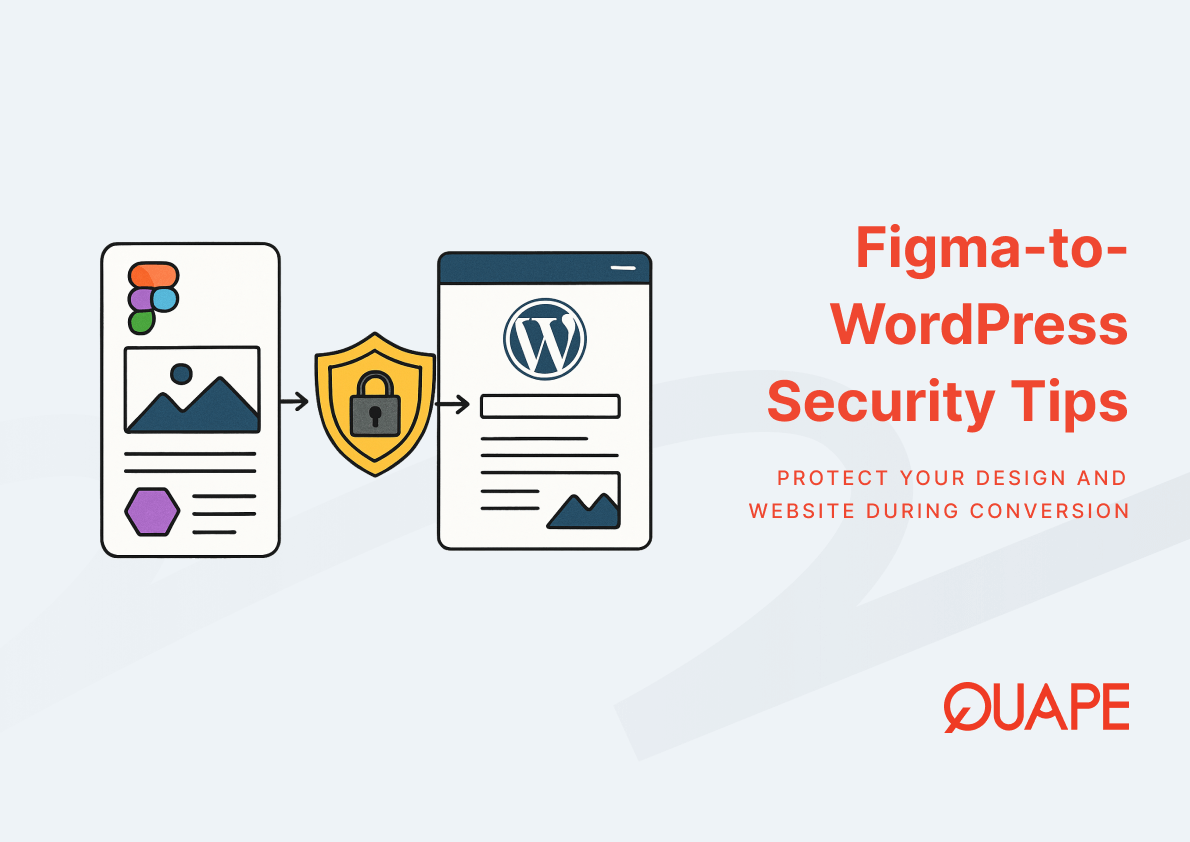
When a Figma design moves into a live WordPress environment, the project transitions from a visual asset into an executable system with real attack surfaces. That shift introduces risks that many teams overlook because the focus during conversion tends to stay on design fidelity rather than deployment security. For Singapore businesses, the stakes are higher because client data collected through converted websites may fall under PDPA obligations, making security governance a legal concern, not just a technical one. The decisions made during theme development, plugin selection, and server configuration collectively determine how exposed the finished site will be. Understanding where those risks emerge during the conversion process is what separates a functional launch from a secure one.
Figma-to-WordPress security refers to the set of practices that protect a website throughout the transition from a design file to a production WordPress deployment. It covers how design assets are handled before handoff, how the WordPress environment is configured during development, and how the live site is hardened after launch. The term “conversion” is often treated as a design challenge, but it is equally a security lifecycle event.
Every phase of the conversion introduces a different category of risk. Access to the Figma workspace, the plugins installed to replicate UI behavior, the forms built to capture leads, and the server headers configured at deployment all represent distinct security decisions. Treating them as a unified concern rather than isolated tasks is what defines a secure conversion workflow.
要点总结
- Design file access in Figma requires role-based controls to prevent credential exposure and protect client asset confidentiality before handoff.
- Plugin selection during conversion directly expands the WordPress attack surface; each added dependency introduces a new vulnerability chain.
- Form elements carried over from Figma designs must be hardened with CSRF protection, input sanitization, and CAPTCHA to prevent injection and spam exploitation.
- HTTPS alone does not establish full browser-layer trust; HSTS, Content Security Policy, and framing protections are required to complete the security stack.
- WordPress hardening after deployment addresses CMS-layer exposures that theme development alone cannot resolve.
- Singapore businesses face PDPA accountability for data collected through converted sites, making compliance readiness part of every launch decision.
- Over 55% of globally popular websites still receive failing grades on security header implementation, confirming that post-launch header configuration remains an underperformed priority across industries.
Introduction to Figma WordPress Security
A Figma file is a controlled design environment. The moment its components are translated into WordPress theme files, that control shifts into a much more complex ecosystem involving a CMS, a hosting server, a plugin marketplace, and a live browser environment accessible to the public. This transition, if approached only as a development exercise, produces sites that function correctly but expose data, forms, and admin systems to preventable threats.
这 Figma to WordPress conversion process spans multiple technical layers: frontend rendering, theme architecture, plugin integration, and server configuration. Each layer introduces trust decisions, and each trust decision has a security implication. For Singapore enterprises and SMEs managing procurement inquiries, client onboarding flows, or lead generation through their websites, those implications extend into PDPA territory. A converted site that collects personal data without adequate form security, access controls, or transport encryption is not only technically vulnerable but potentially non-compliant. Teams responsible for WordPress PDPA and ISO compliance will recognize that the conversion moment is where compliance risk is most frequently introduced.
Key Security Components in Figma to WordPress Conversion
Design File Access Control and Data Privacy Governance
Before a single line of code is written, the Figma workspace itself represents a data governance boundary. Design files for Singapore businesses routinely contain client logos, brand guidelines, UI copy referencing internal systems, and sometimes preliminary content that includes contact data or product pricing. When multiple developers, freelancers, or agency staff are granted access to that workspace without role-based controls, the exposure of those assets becomes difficult to audit.
Figma’s permission model supports view-only access, editor access, and organization-level controls. Restricting developer collaborators to view or developer handoff access, rather than full editor permissions, limits the scope of accidental or malicious modification. It also reduces the risk of design tokens, component libraries, or client-facing prototypes being exported or shared outside the intended project boundary. After handoff, deprovisioning access promptly matters as much as the initial permission assignment. Teams managing projects with PDPA-sensitive client data should document who had access to the design environment and when that access was revoked, as this forms part of a defensible data handling record.
Secure Theme Development and Plugin Vulnerability Prevention
WordPress core is a relatively stable security target because it receives consistent maintenance and patches. The higher risk during conversion comes from the surrounding ecosystem. Every plugin installed to replicate a Figma design behavior, whether a slider, a popup trigger, an animation library, or a page builder extension, adds a dependency that may carry its own unpatched vulnerabilities or insecure default configurations.
The relationship between design complexity and plugin count is direct: more interactive Figma prototypes typically require more plugins to preserve visual behavior in WordPress. That trade-off between design parity and dependency exposure is one of the most underappreciated security decisions in the conversion process. Teams evaluating Figma-to-WordPress tooling options should prioritize plugins with active maintenance records, verified update histories, and a demonstrated response pattern to CVE disclosures. Custom theme code should enforce output escaping, input sanitization, and capability checks on any function that interacts with the WordPress database or user session. The choice between in-house and outsourced WordPress development also affects this risk profile, since outsourced teams may introduce plugins unfamiliar to the internal IT team that later require urgent patching.
Form Submission Security for Lead and Procurement Workflows
Lead capture forms, quote request forms, and procurement inquiry submissions are among the most common UI elements carried over from Figma designs into WordPress. In a design file, these are static visual components. Once converted, they become active server-side processing pathways that accept user input, trigger database writes, and often forward data to CRM systems or email endpoints.
That transformation from visual to executable is what makes forms one of the highest-risk trust boundaries in any conversion project. Without proper validation, a contact form that looks clean in Figma becomes a vector for SQL injection, spam flooding, or cross-site request forgery after deployment. CSRF tokens verify that a form submission originated from the intended page and user session, preventing external sites from silently triggering form actions. Input sanitization ensures that data entering the WordPress database does not contain executable code. CAPTCHA or honeypot fields reduce automated submission abuse without degrading the user experience that the original local SEO and UX design was built to deliver. Each of these controls should be applied at the form plugin level and verified during QA before the site goes live.
HTTPS, TLS Configuration, and Security Headers
HTTPS establishes encrypted transport between the browser and the server, but it does not, by itself, guarantee the full trust model that modern browsers and security frameworks expect. Once a WordPress site converted from Figma begins loading fonts from a CDN, analytics scripts from a third party, embedded video players, and interactive UI libraries, each of those external resources becomes a new execution dependency. Without a Content Security Policy in place, a compromised third-party script could execute in the context of the site without restriction.
根据 research published on arXiv analyzing 3,195 globally popular websites, 55.66% received a failing security grade, primarily due to weak Content Security Policy, HSTS, and related HTTP header implementation. That figure reflects how widespread the gap remains between launching a visually complete site and configuring it to meet current browser-security standards. HSTS instructs browsers to reject any non-encrypted connection to the domain, even when a user manually enters an HTTP URL. The OWASP Secure Headers Project recommends an HSTS max-age value of at least 31,536,000 seconds (one year) for production deployments. X-Frame-Options prevents the site from being embedded in iframes on external domains, which blocks a class of clickjacking attacks particularly relevant for converted sites with login forms or procurement flows. Referrer-Policy controls how much navigation metadata is shared with external scripts, reducing the risk of sensitive URL fragments leaking to analytics or advertising endpoints. For Singapore businesses hosting on platforms with WordPress-optimized infrastructure, these headers can typically be applied at the server or CDN layer, making them a configuration task rather than a development one.
WordPress Hardening After Deployment
Theme go-live marks the beginning of ongoing CMS exposure, not the end of the security workflow. A newly deployed WordPress site carries default configurations that were designed for accessibility and ease of setup, not for production hardening. Changing these defaults before the site receives public traffic is a critical post-conversion step.
XML-RPC, an older WordPress communication protocol, should be disabled unless a specific integration requires it, as it has been a persistent target for brute-force and DDoS amplification attacks. Login pages benefit from rate limiting and two-factor authentication, particularly for admin accounts used to manage converted themes and plugin configurations. File permissions should follow the principle of least privilege: WordPress core files should not be writable by the web server process except during intentional update operations. A web application firewall, either at the hosting layer or through a plugin such as Wordfence, adds a detection layer between incoming traffic and the WordPress application. Regular backups with offsite storage close the recovery window when an incident does occur. Teams using WordPress hosting environments designed for Figma conversions should confirm that their hosting provider supports automated backup scheduling, server-level WAF rules, and PHP version management, since outdated PHP versions remain one of the most common environmental vulnerabilities in production WordPress deployments. Post-deployment theme speed and SEO structure reviews also benefit from incorporating a security audit pass, since the same code review process can identify both performance bottlenecks and insecure function calls in the same pass.
Practical Security Application for Singapore Businesses
Singapore businesses converting Figma designs to WordPress operate within a regulatory context that makes security decisions operationally significant. The PDPA imposes accountability obligations on any organization that collects, uses, or discloses personal data through its digital properties. A converted WordPress site with unprotected forms, inadequate access controls, or misconfigured transport encryption is not only a technical liability but a compliance exposure.
For SMEs, the most practical starting point is vendor assessment. When engaging a conversion agency or freelance developer, procurement leads should request documentation of the team’s security practices, including how they manage plugin dependencies, whether they configure security headers as part of delivery, and what their handoff process looks like for admin credentials and staging environments. For larger enterprises, understanding the cost structure of a secure conversion project in Singapore helps internal teams allocate adequate budget for hardening work that is often scoped out of minimum-viable delivery proposals. CTO-level governance should also confirm that the business benefits of the conversion include a security baseline review as a formal deliverable, not an optional add-on. Data residency is a related concern: where the WordPress hosting environment is located affects which jurisdiction’s data protection rules apply to data transiting through the site, and PDPA-aligned WordPress configuration should be confirmed before launch, not after an incident.
How Figma/PSD to WordPress Supports Secure Conversion Workflows
A secure conversion outcome depends on how thoroughly the development team integrates security decisions into each phase of the project, from theme scaffolding to plugin selection to final deployment configuration. Figma/PSD to WordPress conversion services that prioritize pixel-perfect builds alongside clean code architecture reduce the risk of insecure shortcuts introduced during the effort to replicate complex design interactions.
Pixel-perfect Figma-to-WordPress implementation is not purely an aesthetic standard; it also reflects discipline in code structure, which correlates with fewer injected scripts, fewer undocumented plugins, and fewer custom functions that bypass WordPress security conventions. Design consistency maintained across the conversion reduces the pressure to install additional plugins to patch visual gaps after launch, which in turn keeps the dependency chain shorter and more auditable. At the systems level, Figma design system governance translates into component reuse and standardized output, both of which support security review because the codebase is more predictable and easier to audit than one built from ad hoc components.
Conclusion: Building Trust Into Every Figma to WordPress Deployment
Security during a Figma-to-WordPress conversion is not a single task applied at the end of a project. It is a sequence of decisions that spans design access governance, theme development discipline, form hardening, transport layer configuration, and post-deployment CMS hardening. Each decision point either reduces or expands the attack surface that the live site carries into production. For Singapore businesses operating under PDPA obligations and managing client data through their websites, those decisions carry regulatory weight alongside technical risk. The conversion that produces a secure, compliant, maintainable WordPress site is the one where security was built into the process from the first design handoff to the final server configuration.
If your business is preparing to launch a converted WordPress site and needs a development partner that treats security as part of the build, not an afterthought, contact the QUAPE sales team to discuss your project requirements.
常见问题 (FAQ)
What makes Figma-to-WordPress conversion a security risk?
The conversion process transforms static design files into an executable CMS environment with plugins, forms, and public-facing endpoints. Each of those components introduces trust dependencies and attack vectors that did not exist in the original Figma file. Without deliberate security governance at each phase, the finished site can carry significant vulnerabilities despite looking visually complete.
Which plugins are most commonly responsible for WordPress vulnerabilities after conversion?
Page builders, form plugins, slider components, and popup managers carry the highest historical vulnerability rates because they are widely installed and often not updated promptly. Choosing plugins with active maintenance records and reviewing them against known CVE disclosures before installation reduces this risk meaningfully.
Is HTTPS sufficient to secure a converted WordPress site?
HTTPS secures the transport layer between the browser and the server, but it does not prevent malicious script execution, clickjacking, or metadata leakage from third-party resources. Security headers including HSTS, Content Security Policy, and X-Frame-Options are required to close those gaps. HTTPS should be treated as the baseline, not the complete solution.
How does form security relate to PDPA compliance in Singapore?
Forms that collect personal data, whether for lead generation, procurement inquiries, or client onboarding, process that data in a way that triggers PDPA accountability. If those forms lack CSRF protection, input sanitization, or encrypted transit, the data they collect can be intercepted or manipulated, which constitutes a potential data breach under Singapore’s Personal Data Protection Act.
What WordPress hardening steps should be completed immediately after a conversion goes live?
The most critical immediate steps are disabling XML-RPC, restricting login attempts, setting correct file permissions, enabling a WAF, and confirming automated backups are running. Admin credentials should be changed from any staging values used during development, and two-factor authentication should be enabled on all administrator accounts before the site begins receiving public traffic.
How should Singapore SMEs evaluate the security competence of a conversion agency?
SMEs should ask prospective agencies whether security headers are included in their standard delivery, how they manage plugin dependency documentation, what their process is for handing over admin credentials after launch, and whether they can provide evidence of PDPA-aligned development practices. Agencies that treat security hardening as an optional add-on rather than a core deliverable represent a higher compliance risk for the client.
Can the design complexity of a Figma prototype affect the security posture of the WordPress site?
Yes, directly. More complex Figma prototypes with animations, interactive elements, and multi-step flows typically require more plugins to replicate in WordPress. Each additional plugin expands the attack surface. Teams should evaluate whether every design interaction is worth the plugin dependency it introduces, and consider whether simpler implementation alternatives can preserve acceptable design fidelity with a smaller, more auditable codebase.
What is the role of security headers in a post-conversion WordPress deployment?
Security headers instruct the browser on how to handle the site’s resources, framing permissions, and connection requirements. They operate at the response layer, meaning they apply regardless of what plugins or themes are installed. Configuring them correctly after conversion closes a class of browser-layer vulnerabilities that CMS-level controls cannot address, and they can typically be applied through server configuration or a caching plugin without requiring changes to the WordPress theme itself.