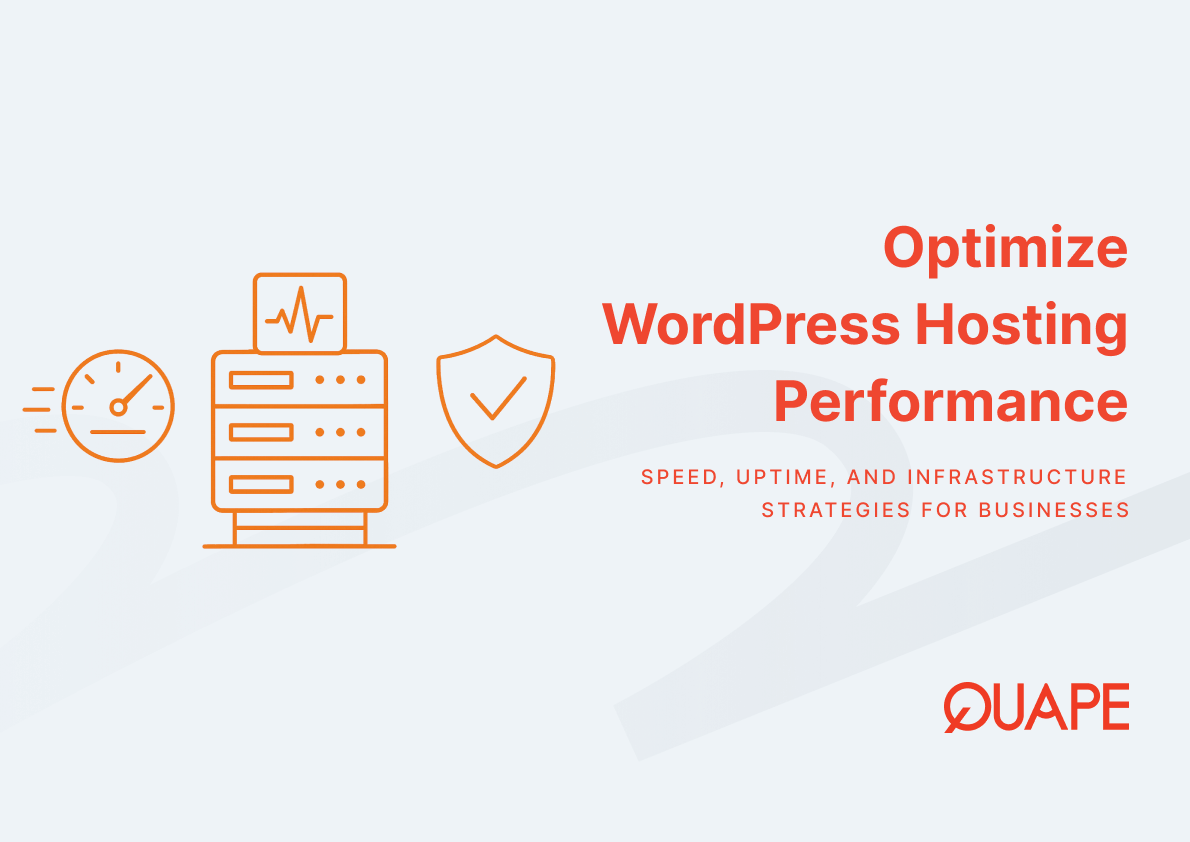
WordPress performance and availability directly affect user trust, conversion rates, and search visibility. Hosting infrastructure influences how quickly resources load, how consistently pages respond to interactions, and whether your site remains accessible during traffic surges or system failures. For IT managers and technical decision-makers in Singapore, selecting and configuring WordPress hosting with attention to speed metrics and uptime guarantees represents a strategic investment in digital resilience. This guide explains how hosting components interact with performance benchmarks and reliability standards, and how to align your infrastructure choices with operational requirements.
Optimize WordPress hosting refers to the process of configuring server resources, software environments, and architectural redundancy to reduce page load times, improve Core Web Vitals scores, and maintain continuous availability. Optimization extends beyond raw server specifications to include caching strategies, content delivery mechanisms, security hardening, and failover systems. The goal is to create a hosting environment where WordPress can serve content quickly and reliably under varying load conditions while minimizing the risk of outages caused by hardware failures, traffic spikes, or security incidents.
Key Takeaways
- Server performance, particularly NVMe storage and CPU allocation, directly influences Core Web Vitals metrics including LCP and INP
- Achieving 99.999% uptime requires N+1 or 2N+1 redundancy in power, networking, and compute infrastructure, which increases hosting costs
- Security incidents account for 84% of unplanned downtime, making malware protection and patch management essential to uptime strategies
- Only 56.3% of websites met all Core Web Vitals thresholds in 2024, indicating significant room for competitive advantage through hosting optimization
- Businesses lose an average of 5 hours monthly to hosting-related downtime, with global costs estimated at $400 billion annually
- Mobile sites fail Core Web Vitals assessments 75% of the time, compared to 45% for desktop, highlighting the importance of mobile-optimized hosting
- Target page load times for 2025 are under 2.5 seconds for mobile and approximately 1.5 seconds for desktop
- Local data center proximity reduces latency and improves content delivery speed for regional audiences
Introduction to Optimizing WordPress Hosting
WordPress hosting optimization requires understanding how infrastructure decisions cascade through performance metrics and availability outcomes. The relationship between hosting configuration and site behavior is not linear. A server with adequate CPU but slow disk I/O will still produce poor Largest Contentful Paint scores because database queries take too long to complete. Similarly, a fast server without redundant network connections remains vulnerable to single points of failure that trigger outages.
Modern hosting optimization balances three competing priorities: speed, reliability, and cost. Speed improvements through NVMe storage or edge caching reduce perceived load times and improve Core Web Vitals for WordPress sites, which influences both user satisfaction and search rankings. Reliability improvements through redundant power supplies, multiple upstream network providers, and automated failover systems increase uptime percentages but add infrastructure expense. The optimal configuration depends on your traffic patterns, revenue per minute of uptime, and tolerance for performance variability.
Key Components of High-Performance WordPress Hosting
PageSpeed Optimization
PageSpeed measures how quickly a browser can request, receive, process, and render content from your WordPress installation. Server response time forms the foundation of PageSpeed performance because every resource request begins with a server processing cycle. When a visitor requests a page, the web server must execute PHP code, query the MySQL database, retrieve media files, and assemble the HTML response. Each of these operations depends on server hardware characteristics.
NVMe storage accelerates database read operations by reducing disk latency from milliseconds to microseconds, which shortens the time needed to fetch post content, user data, and configuration settings. High-IOPS (input/output operations per second) drives handle concurrent requests more efficiently, preventing bottlenecks when multiple visitors access different pages simultaneously. CPU performance determines how quickly WordPress can execute plugin code and theme functions. Sites with complex plugins or dynamic content generation benefit from multi-core processors with higher clock speeds.
Caching mechanisms store pre-rendered HTML or frequently accessed database queries in memory, bypassing the need to regenerate content for every request. Object caching systems like Redis or Memcached keep database query results in RAM, while page caching solutions serve static HTML versions of dynamic pages. These layers reduce server load and improve response times, particularly during traffic surges. However, caching effectiveness depends on proper configuration. Improperly configured cache rules can serve stale content or fail to cache authenticated pages, negating performance benefits.
The relationship between hosting infrastructure and WordPress speed improvements through hosting selection becomes apparent when comparing shared, VPS, and dedicated environments. Shared hosting distributes resources across multiple sites, creating competition for CPU cycles and disk I/O. VPS hosting allocates guaranteed resources but shares physical hardware. Dedicated or managed WordPress hosting provides isolated resources and often includes performance-tuned software stacks specifically optimized for WordPress execution patterns.
Core Web Vitals and User Experience
Core Web Vitals represent Google’s formalized approach to measuring perceived page performance through three standardized metrics derived from real-user data in the Chrome User Experience Report. These metrics quantify aspects of loading speed, interactivity, and visual stability that directly affect how users experience your site. Hosting infrastructure influences each metric through different mechanisms.
Largest Contentful Paint (LCP) measures the time from page load initiation to rendering the largest visible content element, typically a hero image or text block. LCP performance depends on server response time, image optimization, and content delivery speed. Hosting with NVMe storage and adequate CPU resources reduces the time needed to generate and transmit the initial HTML document. Content delivery networks can further accelerate LCP by serving images from geographically distributed edge servers, but the origin server’s response time establishes the baseline performance floor.
Interaction to Next Paint (INP) replaced First Input Delay in March 2024 as the key interactivity metric because INP measures responsiveness throughout the page lifecycle rather than just the first interaction. INP quantifies the delay between user interactions (clicks, taps, keyboard inputs) and the browser’s visual response. Server-side factors affect INP when Ajax requests fetch data or when poorly optimized hosting causes JavaScript execution delays due to resource contention. Managed hosting environments with guaranteed CPU allocation prevent the performance degradation that occurs when shared resources become oversubscribed.
Cumulative Layout Shift (CLS) measures unexpected layout changes that occur as page elements load and reposition. While CLS primarily reflects front-end development practices like specifying image dimensions and avoiding dynamic content injection, hosting speed influences CLS indirectly. Faster servers deliver CSS and font files more quickly, reducing the window during which unstyled content appears and shifts. The connection between server location and Core Web Vitals performance emerges most clearly in geographically distributed markets where latency varies significantly based on origin server proximity.
Mobile Core Web Vitals present unique challenges because mobile networks introduce higher latency and mobile devices have less processing power. Seventy-five percent of mobile sites fail to pass all Core Web Vitals assessments, compared to 45% of desktop sites. Hosting optimization for mobile performance requires attention to payload size, resource prioritization, and adaptive content delivery strategies that account for connection quality variability.
Uptime and Reliability
Uptime measures the percentage of time your WordPress site remains accessible and functional. A 99.9% uptime guarantee allows for 43.2 minutes of downtime per month, while 99.999% uptime (five nines) permits only 5.26 minutes annually. The difference between these tiers reflects fundamental architectural decisions about redundancy and failover capabilities. Thirty-nine percent of organizations now target five nines uptime, recognizing that even brief outages carry significant financial and reputational costs.
Redundancy eliminates single points of failure by duplicating critical infrastructure components. Tier III data centers implement N+1 redundancy, meaning each critical system has one backup component. If a power supply fails, a redundant unit immediately assumes the load. Tier IV facilities provide 2N+1 redundancy, with fully duplicated power and cooling paths plus an additional backup. This architecture allows maintenance without downtime and withstands multiple simultaneous failures.
Network redundancy matters equally. Hosting providers with multiple upstream Internet service providers can reroute traffic if one connection fails. QUAPE’s WordPress hosting maintains at least three upstream providers, ensuring that regional network issues or provider outages do not render sites inaccessible. This multi-path approach contrasts with budget hosting that relies on one or two connections, creating vulnerability to provider-specific problems.
Monitoring systems detect failures and trigger automated responses before users experience disruptions. Tools that prevent downtime through uptime monitoring check server responsiveness at regular intervals, measuring response time and validating content delivery. When monitoring detects degraded performance or outages, alerting systems notify technical teams and, in managed environments, initiate automated failover procedures that redirect traffic to standby servers.
Multi-tier architecture separates web servers, application servers, and database servers across different physical or virtual machines. This separation improves reliability because a database server failure does not immediately crash the web server layer. Load balancers distribute traffic across multiple web servers, removing any single server as a failure point. If one web server fails, the load balancer automatically routes requests to healthy servers while the failed unit restarts or undergoes maintenance.
The business impact of downtime justifies investment in redundancy. Global companies lose an estimated $400 billion annually to website downtime, with average costs reaching $14,056 per minute. For e-commerce sites, payment processors, or SaaS platforms, even minutes of downtime translate to lost revenue, abandoned transactions, and customer frustration that may permanently shift traffic to competitors.
Security and Backup Considerations
Security incidents cause 84% of unplanned downtime, making security hardening inseparable from uptime optimization. Compromised WordPress installations can trigger several failure modes: ransomware that encrypts site files, resource exhaustion from cryptomining malware, blacklisting by security vendors that causes browsers to block access, or malicious code injection that corrupts database integrity. Each scenario leads to extended outages while administrators investigate, remove threats, and restore functionality.
Regular security updates protect against known vulnerabilities. WordPress core, plugins, and themes receive patches that close security holes discovered through research or exploitation attempts. Managed hosting environments that apply WordPress security updates systematically reduce exposure windows. However, update timing requires balancing security urgency against compatibility testing. Rushed updates can break site functionality, while delayed updates leave vulnerabilities exploitable.
SSL certificates encrypt data transmission between browsers and servers, preventing credential theft and session hijacking. Beyond encryption, SSL certificates enable HTTPS, which Google treats as a ranking signal and browsers increasingly require for full functionality. Modern browsers flag HTTP sites as “not secure,” deterring visitors. The role of SSL certificates in protecting WordPress installations extends to payment processing compliance (PCI DSS) and data protection regulations that mandate encrypted transmission of personal information.
Daily automated backups create restore points that allow rapid recovery from security incidents, accidental deletions, or failed updates. Backup systems should store data separately from production servers to prevent ransomware from encrypting backups along with live data. Retention policies balance storage costs against recovery needs. Keeping daily backups for 30 days, weekly backups for three months, and monthly backups for one year provides granular recovery options without excessive storage consumption.
Backup strategies for WordPress sites in shared hosting environments must account for resource limitations and access restrictions. Shared hosting typically restricts backup scheduling to off-peak hours and limits backup file sizes. Incremental backup systems that only save changed files since the last backup reduce storage requirements and backup windows. Testing backup restoration regularly verifies that backups contain complete data and that restoration procedures work as expected, preventing the discovery of backup failures only after data loss occurs.
Malware scanning detects malicious code injection before it causes damage. File integrity monitoring compares current file states against known good baselines, flagging unauthorized modifications. Behavioral analysis identifies suspicious patterns like unexpected outbound connections or abnormal database queries. These detection layers complement preventive measures by catching threats that evade initial defenses.
Practical Application for Singapore Businesses
Singapore businesses benefit from local hosting because server proximity reduces latency. Network packets traveling shorter distances experience lower latency, improving time to first byte and overall page load speed. For visitors accessing sites from Singapore, Malaysia, Indonesia, or other Southeast Asian locations, Singapore data center hosting typically delivers content 50-150 milliseconds faster than hosting in North America or Europe.
This latency reduction directly improves Core Web Vitals scores. Lower network latency shortens LCP by accelerating initial HTML delivery. It improves INP by reducing round-trip time for Ajax requests and API calls. The effect compounds for sites with multiple resources (images, scripts, stylesheets) because each resource request benefits from proximity. Users perceive the cumulative improvement as notably faster page loads and more responsive interactions.
Regulatory considerations influence hosting location decisions. Data sovereignty requirements or industry regulations may mandate that certain data remains within specific geographic boundaries. Singapore’s strong legal framework and robust data protection laws make local hosting attractive for companies handling sensitive information or operating in regulated industries. Local hosting simplifies compliance with Personal Data Protection Act (PDPA) requirements regarding data transfer and storage.
Local hosting improves WordPress performance for Asian markets by aligning infrastructure with user distribution. Sites serving primarily regional audiences gain little from global content delivery networks when most traffic originates from a concentrated geographic area. Local hosting combined with regional CDN points of presence provides optimal performance without the complexity and cost of worldwide distribution.
The comparison between local and global hosting approaches reveals trade-offs beyond performance. Global hosting with multiple data center locations provides geographic redundancy and supports failover scenarios where traffic shifts to alternative regions during localized outages. Local hosting offers lower latency for regional users but requires separate disaster recovery planning to address data center or regional network failures. Multi-region WordPress installations with database replication and traffic management can combine local performance with global resilience, though implementation complexity increases significantly.
Singapore’s position as a regional technology hub means connectivity to other Asian markets benefits from well-developed submarine cable networks and peering relationships. Hosting in Singapore often provides competitive latency to Hong Kong, Tokyo, Sydney, and other major Asian cities compared to hosting in those locations, making Singapore an efficient single-region choice for pan-Asian services.
How QUAPE’s WordPress Hosting Supports Speed and Uptime
QUAPE’s managed WordPress hosting combines infrastructure optimization with operational support designed to maintain performance and availability. NVMe storage and high-IOPS disk configurations accelerate database operations and file access. Web servers run software stacks specifically tuned for WordPress execution patterns, reducing overhead from generic web server configurations. CPU and memory allocation guarantees prevent resource contention that degrades performance during concurrent user sessions.
The WordPress Toolkit provides centralized plugin management, enabling updates without individual site logins. This centralization reduces the administrative burden of maintaining security patches across multiple WordPress installations while ensuring that updates apply consistently. Monthly security updates address WordPress core, plugin, and theme vulnerabilities systematically. Daily automated backups with one-click restoration minimize data loss risk and reduce recovery time objectives.
Three upstream network providers ensure that regional network issues or single-provider outages do not disrupt site accessibility. This connectivity diversity matters particularly for international audiences where routing paths vary by origin location. Visitors from different countries may reach the hosting environment through different upstream providers, and multiple connections ensure that no single network failure creates a complete outage.
Hosting tiers scale resources to match site requirements. Single-site installations with moderate traffic operate efficiently on 15GB NVMe storage with monthly updates. Multi-site configurations or higher-traffic installations benefit from increased storage allocations and support for multiple WordPress instances. Enterprise plans include monthly content updates, acknowledging that maintaining WordPress goes beyond technical infrastructure to include content currency and relevance.
TIA-942 compliant data center facilities provide physical security, redundant power systems, and environmental controls that support high availability. TIA-942 certification validates that data center design meets telecommunications infrastructure standards for reliability, including specifications for electrical systems, mechanical systems, telecommunications pathways, and architectural considerations that affect uptime.
Free migration services reduce the friction of switching hosting providers. Migration within one to three business days allows businesses to improve their hosting without extended transition periods. Expedited migration accommodates urgent transfers, addressing scenarios where current hosting problems require immediate resolution.
The pre-migration checklist reviews plugin compatibility and security posture before site transfer. This assessment identifies paid plugins that require license transfers and flags outdated or vulnerable plugins that need updating or replacement. Addressing these issues before migration prevents security problems from transferring to the new environment and establishes a baseline security standard for ongoing management.
Learn more about QUAPE’s WordPress hosting solutions.
Conclusion
Optimizing WordPress hosting requires understanding how infrastructure components interact to produce performance outcomes and reliability guarantees. Speed optimization through NVMe storage, proper CPU allocation, and caching mechanisms directly influences Core Web Vitals scores and user experience. Uptime optimization through redundant systems, multiple network providers, and proactive security management reduces downtime risk and protects business continuity. For Singapore businesses, local hosting provides latency advantages while maintaining connectivity to regional markets. The strategic value of hosting optimization emerges from its compounding effects on search visibility, conversion rates, and operational reliability. Investment in proper hosting infrastructure establishes the foundation for digital presence that performs consistently and remains available when users need it.
For WordPress hosting solutions tailored to your performance and uptime requirements, reach out to our team to discuss how managed infrastructure can support your business objectives.
Frequently Asked Questions
What is the difference between 99.9% and 99.999% uptime?
The difference represents 42.74 minutes monthly. A 99.9% uptime guarantee permits 43.2 minutes of downtime per month, while 99.999% allows only 26 seconds monthly or 5.26 minutes annually. Achieving five nines requires significant infrastructure redundancy including duplicated power systems, multiple network paths, and automated failover mechanisms that increase hosting costs substantially.
How does NVMe storage improve WordPress performance compared to traditional SSDs?
NVMe storage connects directly to the motherboard via PCIe lanes rather than through SATA interfaces, reducing latency from milliseconds to microseconds. This improvement accelerates database query execution and file read operations. For WordPress sites with complex databases or high concurrent user loads, NVMe reduces bottlenecks that occur when multiple processes compete for disk access, resulting in faster page generation and improved Core Web Vitals scores.
Why do mobile sites fail Core Web Vitals more often than desktop sites?
Mobile devices have less processing power and mobile networks introduce higher latency than wired broadband connections. Mobile browsers must parse and render the same code with constrained resources, extending processing time. Additionally, mobile screens prioritize different content elements, and images or layout shifts that barely affect desktop CLS can significantly impact mobile scores. Hosting optimization for mobile requires attention to payload sizes and adaptive content delivery.
How do multiple upstream network providers improve reliability?
Multiple upstream providers create redundant paths to the Internet backbone. If one provider experiences outages, routing failures, or capacity issues, traffic automatically shifts to alternative providers. This redundancy is particularly important for international sites where visitors from different regions may reach the server through different network paths. Single-provider hosting creates a dependency where any provider issue immediately affects all users regardless of server health.
What security threats most commonly cause WordPress downtime?
Ransomware attacks that encrypt site files, resource exhaustion from cryptomining malware, SQL injection attacks that corrupt databases, and distributed denial-of-service attacks that overwhelm server capacity represent the most common security-related downtime causes. Each requires different mitigation strategies. Ransomware demands reliable backups, cryptomining requires resource monitoring, SQL injection needs input validation and database hardening, and DDoS protection requires traffic filtering and rate limiting at the network edge.
Should businesses prioritize speed optimization or uptime improvements?
The priority depends on business model and failure costs. E-commerce sites lose revenue during outages, making uptime critical. Content sites focused on advertising revenue or lead generation may prioritize speed because improved Core Web Vitals drive more organic traffic. Most businesses benefit from balanced investment since speed and reliability reinforce each other. Fast hosting becomes meaningless during outages, and perfect uptime provides little value if slow performance drives visitors away.
How does server location affect SEO rankings beyond speed?
Google uses user location and server location as factors in local search results. Sites hosted in Singapore may receive preference in Singapore-focused searches compared to identical sites hosted elsewhere. Additionally, local hosting improves Core Web Vitals for regional users, and Core Web Vitals function as ranking signals. The indirect SEO impact of faster performance often outweighs direct location preferences, but both factors contribute to visibility for location-targeted queries.
What WordPress-specific optimizations make the biggest performance difference?
Object caching systems like Redis reduce database load by storing query results in memory. Page caching serves pre-rendered HTML rather than executing PHP for every request. Database query optimization eliminates slow or redundant queries. Image optimization reduces payload sizes. Lazy loading defers off-screen image loading. Among these, object caching typically produces the largest measurable improvement because it addresses the database bottleneck that affects every page request, while other optimizations target specific resources or scenarios.