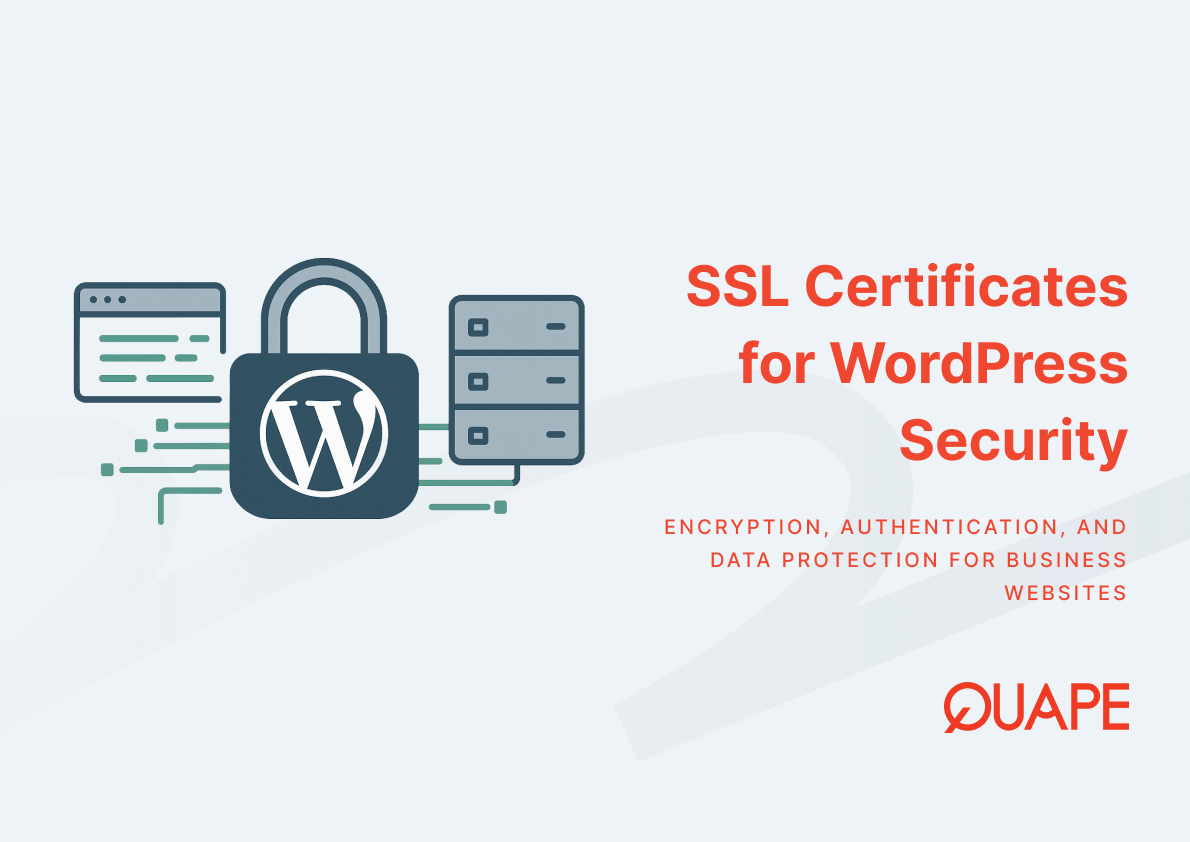
WordPress sites handle login credentials, form submissions, customer data, and payment information. Without proper encryption, this traffic moves across the internet in plain text, vulnerable to interception or modification. SSL certificates establish encrypted channels between browsers and servers, ensuring that sensitive data remains confidential and intact during transmission. For businesses operating in Singapore’s competitive digital landscape, where trust and compliance define market position, implementing SSL correctly protects both technical infrastructure and customer relationships. This protection extends beyond basic encryption to encompass authentication mechanisms, certificate lifecycle management, and integration with hosting architecture.
An SSL certificate is a digital credential issued by a Certificate Authority that enables HTTPS connections. It contains cryptographic keys that allow browsers to verify server identity and establish encrypted communication channels. WordPress hosting environments use these certificates to secure admin panels, protect plugin communications, and authenticate form submissions. The certificate itself functions as a trust anchor, binding a domain name to a verified entity while enabling the encryption protocols that protect data in transit.
Key Takeaways
- HTTPS encrypts data between browsers and servers, preventing interception of WordPress login credentials and user information during transmission
- Approximately 88.5% of websites now use HTTPS as their default protocol, making SSL implementation a baseline expectation for business credibility
- Certificate Authorities issue the majority of certificates from a concentrated group of organizations, creating centralization risks in the trust infrastructure
- Over 1 million phishing attacks occurred in Q1 2025 alone, with many malicious sites using HTTPS to appear legitimate despite harmful intent
- Third-party services that terminate TLS connections may expose decrypted traffic unless end-to-end encryption is maintained throughout the request path
- The SSL certificate market is projected to grow from USD 234.5 million in 2025 to USD 518.4 million by 2032, reflecting increasing demand for secure communications
- Certificate lifespans are shortening industry-wide, requiring more frequent renewals and automated management systems for WordPress sites
- WordPress sites using CDNs or edge networks face potential credential exposure if the infrastructure terminates SSL before reaching the origin server
Introduction to SSL in WordPress Hosting
SSL certificates function as the foundation for secure WordPress operations. When a browser connects to a WordPress site, the SSL certificate initiates a handshake process that authenticates the server’s identity and establishes encryption parameters. This process happens before any HTTP data transfers, creating a secure tunnel that protects subsequent communications. The HTTPS protocol wraps standard HTTP traffic in this encrypted layer, transforming readable data into ciphertext that only the intended recipient can decode.
WordPress hosting environments benefit specifically from SSL implementation because the platform’s admin interface transmits authentication credentials with every login attempt. Plugin communications, theme updates, and database queries all travel between client and server multiple times during a single session. Without encryption, these interactions expose administrative access points that attackers can exploit. Fast and secure WordPress hosting requires SSL integration at the server level, where certificates are installed, validated, and renewed as part of the hosting infrastructure.
The distinction between SSL and TLS matters primarily from a technical accuracy perspective. SSL represents the original protocol, while TLS (Transport Layer Security) is the modern implementation that replaced SSL due to security vulnerabilities in earlier versions. In common usage, the terms remain interchangeable, though all current “SSL certificates” actually enable TLS 1.2 or TLS 1.3 connections. WordPress hosting platforms configure TLS versions at the web server level, determining which encryption standards apply to incoming connections.
Key Components of SSL Certificates for WordPress
What is an SSL Certificate?
An SSL certificate contains several critical elements that enable encrypted communications. The certificate includes the domain name it protects, the organization that owns the domain, the Certificate Authority that issued the credential, the certificate’s validity period, and the public key used in encryption operations. The corresponding private key remains stored securely on the web server, never transmitted or exposed. This asymmetric key pair enables the encryption handshake without requiring both parties to share secret information beforehand.
Certificate Authorities validate domain ownership or organizational identity before issuing certificates. Domain Validation (DV) certificates verify only that the requester controls the domain through automated checks. Organization Validation (OV) certificates require manual verification of business registration documents. Extended Validation (EV) certificates demand the most rigorous verification process, including legal entity confirmation and physical address validation. WordPress sites typically use DV certificates because they provide equivalent encryption strength with faster issuance times and lower costs, though OV or EV certificates may support branding objectives for enterprise deployments.
The certificate’s validity period defines how long browsers will trust the credential. Industry standards have pushed validity periods progressively shorter, from three years to two years to the current maximum of 398 days. This reduction improves security by limiting exposure windows if private keys are compromised, but increases operational burden for certificate renewal and management. WordPress hosting platforms that automate certificate renewal through Let’s Encrypt or similar services eliminate manual intervention in the renewal cycle.
How HTTPS Secures WordPress Websites
HTTPS provides three distinct security properties: confidentiality, integrity, and authentication. Confidentiality means that encrypted data cannot be read by unauthorized parties intercepting network traffic. Integrity ensures that data cannot be modified in transit without detection. Authentication confirms that the server receiving credentials is actually the intended WordPress site, not an imposter. These properties work together to create a secure communication channel that protects sensitive operations.
WordPress admin authentication relies entirely on HTTPS to protect credentials during login. Without encryption, username and password combinations transmit as clear text across network infrastructure, visible to anyone with packet capture access. The same vulnerability applies to form submissions, comment postings, and any other user-generated content sent to the server. E-commerce WordPress sites face particularly acute risk because payment information and customer details represent high-value targets for interception attacks.
The encryption process itself uses the asymmetric key pair from the SSL certificate to establish a symmetric session key. Asymmetric encryption is computationally expensive, so it’s used only during the initial handshake. Once both parties agree on a shared session key through this secure exchange, symmetric encryption takes over for the actual data transfer. This hybrid approach balances security with performance, enabling HTTPS connections to operate with minimal speed penalty compared to unencrypted HTTP.
Understanding Encryption: Protecting Data in Transit
Encryption transforms readable data into ciphertext using mathematical algorithms and cryptographic keys. The strength of encryption depends on key length and algorithm complexity. Modern TLS connections typically use 256-bit AES encryption for data transfer, with 2048-bit or 4096-bit RSA keys for the initial handshake, or increasingly ECDSA keys with 256-bit curves that provide equivalent security with better performance. These specifications define the computational difficulty of breaking the encryption without access to the private key.
WordPress hosting infrastructure implements encryption at the web server level, where software like Nginx or Apache handles TLS termination. The server decrypts incoming HTTPS requests, processes them as standard HTTP internally, then encrypts the response before sending it back to the browser. This means the WordPress application itself doesn’t need to implement encryption logic, as the web server manages the TLS layer independently. However, this also creates a potential vulnerability point where data exists in decrypted form within the server environment.
Man-in-the-middle attacks attempt to intercept communications by positioning an attacker between client and server, impersonating each to the other. HTTPS prevents this by requiring the server to present a valid certificate signed by a trusted Certificate Authority. If an attacker tries to substitute their own certificate, the browser recognizes that it wasn’t signed by a trusted CA and displays a security warning. This chain of trust, extending from Certificate Authorities through intermediate certificates to the server certificate, provides the authentication that prevents impersonation attacks.
Practical Application of SSL for Singapore Businesses
Singapore businesses operating WordPress sites face regulatory expectations around data protection and security standards. The Personal Data Protection Act (PDPA) requires organizations to implement reasonable security arrangements to protect personal data under their control. While PDPA doesn’t explicitly mandate HTTPS, failing to encrypt data in transit would likely constitute inadequate security for any site handling personal information. Financial services, healthcare, and e-commerce sectors face additional compliance frameworks that treat encrypted communications as baseline requirements.
Customer trust correlates directly with visible security indicators. The padlock icon in browser address bars signals to visitors that their connection is encrypted and the site has been verified by a Certificate Authority. Singapore consumers increasingly expect this indicator, particularly for sites requesting registration, purchases, or personal information. The absence of HTTPS triggers browser warnings that discourage visitor engagement and damage brand perception. Google’s search ranking algorithm also uses HTTPS as a ranking signal, giving encrypted sites a small but measurable advantage over unencrypted alternatives.
How local hosting improves WordPress performance in Asia becomes more relevant when combined with proper SSL implementation. The encryption handshake adds latency to connection establishment, making geographic proximity between user and server more important. A WordPress site hosted in Singapore serves regional users faster because the TLS handshake completes more quickly over shorter network distances. This geographic advantage compounds when considering that choosing a Singapore data center improves website speed by reducing not just data transfer time but also the cryptographic negotiation overhead at connection start.
The centralization of Certificate Authorities creates interesting sovereignty considerations. Research shows that over 75% of SSL certificates for domains in BRICS countries and the European Union are issued by U.S.-based Certificate Authorities. This concentration means that the trust infrastructure underpinning encrypted communications depends heavily on entities subject to U.S. jurisdiction. For Singapore businesses handling sensitive data or serving government sectors, this dependency may raise questions about digital sovereignty and the potential for trust infrastructure to be compromised or compelled by foreign authorities.
WordPress sites that grow beyond basic hosting needs often implement CDN services or edge networks to improve performance. These services frequently terminate TLS connections at their edge locations, decrypt the traffic, then re-encrypt it for transmission to the origin server. Research indicates that approximately 33% of sites using this configuration expose user credentials to the CDN provider unless additional end-to-end encryption is implemented. This creates a security-performance tradeoff where accelerated content delivery potentially compromises confidentiality unless carefully architected.
How QUAPE WordPress Hosting Secures Your Website
QUAPE’s WordPress hosting implements SSL certificates as a standard component of the managed hosting environment. Certificates are provisioned automatically for all hosted domains, with renewal handled through automated systems that prevent expiration-related outages. The hosting platform configures TLS 1.3 support where available, falling back to TLS 1.2 for older clients while explicitly disabling deprecated protocols like SSL 3.0 and TLS 1.0 that contain known vulnerabilities.
The hosting infrastructure terminates HTTPS at the web server layer within Singapore data centers, ensuring that encryption extends from browser to server without intermediate decryption points. This architecture avoids the credential exposure risk associated with edge termination while still providing the latency benefits of local hosting. Daily backups include SSL certificate copies, enabling rapid restoration if configuration issues arise. The WordPress Toolkit integration allows certificate status monitoring and forced HTTPS implementation through the control panel interface.
WordPress security depends on multiple layers working together. SSL protects data in transit, but server hardening, plugin updates, and access controls secure the application itself. The managed WordPress plans include monthly security updates that patch vulnerabilities in WordPress core, themes, and plugins. This combination of transport security through SSL and application security through regular updates creates defense in depth, where compromise requires defeating multiple independent protections. The hosting environment also implements firewall rules and intrusion detection that monitor for attack patterns targeting WordPress installations.
Enterprise WordPress hosting plans include content update services that ensure site changes are made through properly authenticated channels. These updates occur over encrypted administrative connections, with credentials stored in password managers rather than transmitted through insecure channels. The managed approach removes the common vulnerability of weak administrative passwords or unencrypted FTP access that bypasses HTTPS protections at the application layer.
Best Practices for Maintaining SSL Security on WordPress
Certificate lifecycle management has become more demanding as validity periods shrink. Automated renewal systems eliminate manual tracking and installation, but they require proper configuration and monitoring. WordPress administrators should verify that renewal systems have necessary permissions, that DNS validation methods remain functional, and that notification systems alert responsible parties if renewals fail. A WordPress hosting security checklist for SMEs includes certificate expiration monitoring as a critical routine task.
Mixed content issues occur when HTTPS pages load resources like images, scripts, or stylesheets over unencrypted HTTP. Browsers block mixed content by default, breaking page functionality. WordPress sites migrating from HTTP to HTTPS must update internal links and verify that all theme and plugin resources use HTTPS URLs. The WordPress database may contain hardcoded HTTP URLs that need replacement through search-and-replace operations. Content delivery networks and external resources must also support HTTPS to avoid mixed content warnings.
HSTS (HTTP Strict Transport Security) instructs browsers to access a site exclusively over HTTPS, even if the user types an HTTP URL or clicks an HTTP link. Implementing HSTS prevents protocol downgrade attacks where attackers intercept the initial HTTP request before the redirect to HTTPS occurs. However, HSTS requires careful deployment because incorrect configuration can make sites inaccessible. The header should initially be tested with short max-age values before committing to long durations or include SubDomains directives that apply to all subdomains.
WordPress administrators should recognize that SSL secures the connection, not the site content. Phishing sites increasingly use HTTPS to appear legitimate, with over 1 million phishing attacks recorded in Q1 2025. Users who trust the padlock icon without verifying the domain name may fall victim to convincing impersonation attempts. Organizations should train staff and customers to examine URLs carefully and verify sender identity through secondary channels before entering credentials on any site, even those displaying security indicators.
Certificate transparency logs provide public records of issued certificates, enabling detection of mis-issued or fraudulent certificates. Monitoring services can alert domain owners when new certificates are issued for their domains, catching unauthorized certificate requests that might indicate compromise or impersonation attempts. This monitoring adds a layer of accountability to the Certificate Authority system, reducing the impact of CA compromise or malicious issuance.
Conclusion
SSL certificates protect WordPress websites by encrypting data in transit, authenticating server identity, and ensuring content integrity. For Singapore businesses competing in digital markets, HTTPS represents baseline security that customers expect and regulators increasingly require. The technical implementation combines certificate management, server configuration, and application-level security controls working together to create trustworthy user experiences. As certificate lifespans shorten and security standards evolve, managed hosting environments that automate certificate lifecycle and integrate security updates reduce operational burden while maintaining protection levels.
Organizations evaluating WordPress hosting should assess how SSL implementation integrates with broader infrastructure decisions around geographic hosting location, CDN architecture, and security update processes. The choice between shared hosting with basic SSL and managed environments with automated renewal and security patching determines both security posture and administrative overhead.
Contact our sales team to discuss how QUAPE’s managed WordPress hosting secures your website with automated SSL management, Singapore-based data centers, and comprehensive security updates that protect your business operations and customer data.
Frequently Asked Questions
What is the difference between SSL and TLS?
SSL (Secure Sockets Layer) is the original protocol for encrypted web communications, while TLS (Transport Layer Security) is the modern successor that replaced SSL due to security vulnerabilities. All current “SSL certificates” actually enable TLS connections, typically TLS 1.2 or TLS 1.3. The terms are used interchangeably in common practice, though technically TLS is more accurate.
Does HTTPS guarantee my WordPress site is secure?
HTTPS encrypts data in transit and authenticates server identity, but it doesn’t secure the WordPress application itself against vulnerabilities or malware. A site can have valid HTTPS while still running outdated plugins with security flaws. Complete security requires HTTPS plus regular updates, strong access controls, and application-level protections.
Why do SSL certificates expire and require renewal?
Certificate expiration limits the damage if private keys are compromised by restricting the timeframe when stolen credentials remain valid. Industry standards have shortened certificate lifespans from years to months, reducing this exposure window. Automated renewal systems handle the increased management burden without requiring manual intervention.
Can I use a free SSL certificate for my business WordPress site?
Free certificates from services like Let’s Encrypt provide the same encryption strength as paid certificates and work perfectly for most business use cases. The difference lies in validation level and support rather than security. Domain-validated free certificates are appropriate unless you need organization validation for extended warranty coverage or brand display in certificate details.
What happens if my SSL certificate expires?
Browsers display prominent security warnings when accessing sites with expired certificates, blocking visitors from continuing unless they manually bypass the warning. This severely damages user trust and conversion rates. Expired certificates also break API integrations and third-party services that verify certificate validity. Automated renewal systems prevent expiration by refreshing certificates well before expiry dates.
How does SSL affect WordPress site performance?
Modern TLS implementations add minimal overhead to page load times, typically less than 100 milliseconds for the initial handshake. HTTP/2 and HTTP/3 protocols actually perform better over HTTPS than HTTP, recovering most of the encryption overhead. Server hardware and proper TLS configuration minimize performance impact while maintaining strong security.
Should I use a CDN if it terminates SSL before reaching my WordPress server?
CDNs that terminate TLS at the edge can expose decrypted traffic to the CDN provider unless you implement end-to-end encryption. Many CDNs offer “full SSL” modes that re-encrypt traffic between their edge and your origin server. Evaluate your data sensitivity and the CDN’s security policies before implementing edge termination.
Why do browsers still allow access to sites with self-signed certificates?
Self-signed certificates provide encryption but lack third-party validation of server identity. Browsers warn users because anyone can create a self-signed certificate claiming to represent any domain, making them unsuitable for public-facing sites. They serve legitimate purposes in development environments or internal networks where trust can be established through other means.