

Hosting
VPS Hosting vs Shared Hosting: What’s the Real Difference?
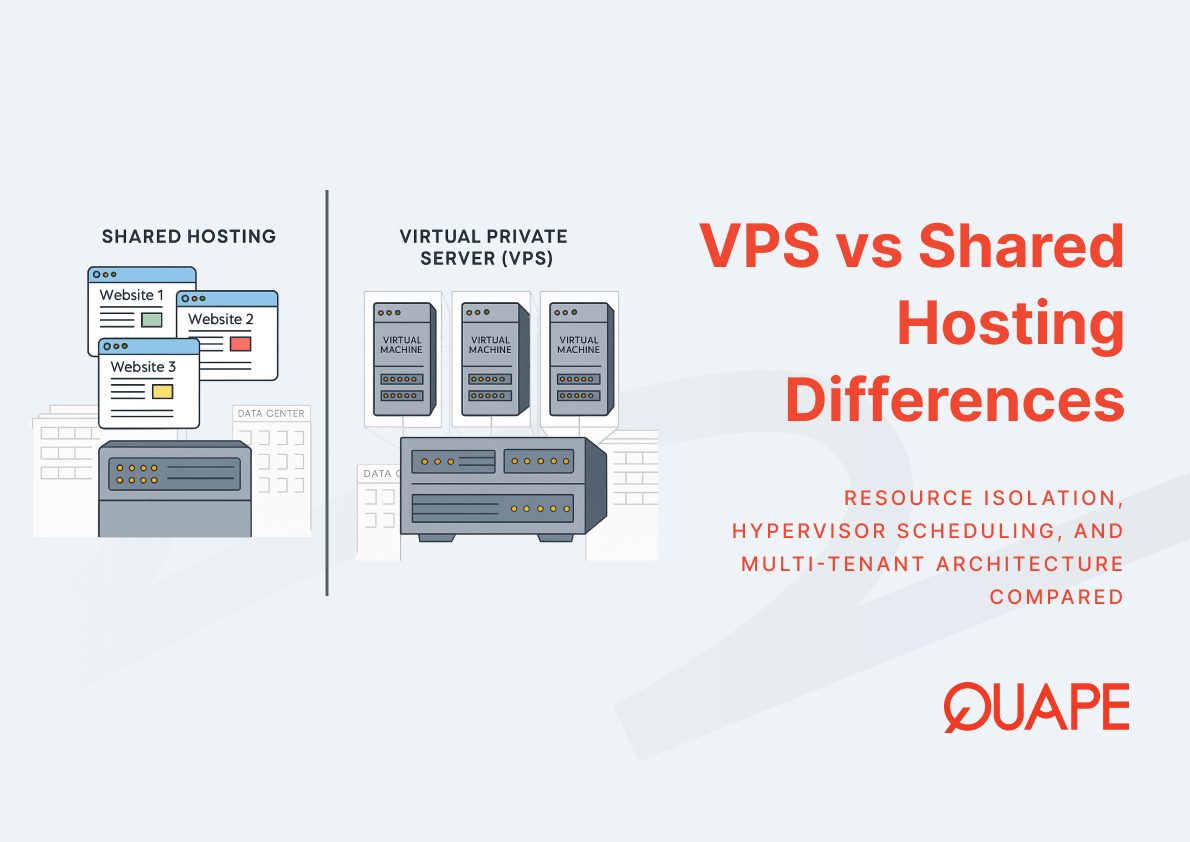
When your website starts outgrowing its current hosting plan, understanding how multi-tenant environments impact performance, security, and control becomes essential. The choice between VPS and shared hosting isn’t just about price. It determines how your infrastructure handles traffic spikes, protects sensitive data, and scales with business growth. For IT managers and CTOs in Singapore’s competitive digital landscape, these architectural differences directly affect application uptime, compliance posture, and operational costs. This guide examines how virtualization technologies and resource isolation fundamentally distinguish these hosting models.
VPS vs shared hosting differences center on how server resources are allocated and isolated. Shared hosting places multiple websites on the same physical machine with no resource boundaries, meaning your site competes with neighbors for CPU, memory, and bandwidth. VPS hosting uses hypervisor technology to create isolated virtual machines on shared hardware, giving each tenant dedicated resources and independent operating environments. While both models leverage multi-tenant infrastructure for cost efficiency, VPS provides stronger isolation, predictable performance, and root-level access that shared hosting cannot offer.
Key Takeaways
- Shared hosting maximizes cost efficiency through unrestricted resource sharing, but introduces performance unpredictability when neighboring sites consume disproportionate resources
- VPS hosting employs hypervisors like KVM or XCP NG to enforce strict resource boundaries, preventing noisy neighbor effects that plague shared environments
- Resource isolation in VPS extends beyond CPU and RAM to include dedicated bandwidth allocation, eliminating network congestion from co-located tenants
- Multi-tenant virtualization introduces side-channel attack vectors through shared CPU caches, though VPS architectures mitigate this risk better than shared hosting
- Singapore businesses gain compliance advantages from VPS configurations that support data sovereignty requirements and customized security policies
- VPS environments enable OS-level customization, automated backup orchestration, and disaster recovery planning impossible in restrictive shared hosting frameworks
- The global server virtualization market’s projected growth to USD 17.25 billion by 2033 reflects enterprise migration toward isolated, scalable infrastructure models
Introduction to VPS vs Shared Hosting Differences
Multi-tenant hosting environments form the foundation of both shared hosting and VPS, but they implement resource isolation differently. Shared hosting runs websites directly on a physical server’s operating system, with all tenants accessing the same Apache or Nginx instance, PHP interpreter, and MySQL service. This creates an environment where one site’s traffic surge or poorly optimized script affects every neighbor. VPS hosting fundamentally changes this dynamic by introducing a hypervisor layer that partitions physical resources into isolated virtual machines, each running its own complete operating system stack.
Hypervisor scheduling determines how CPU cycles, memory pages, and I/O operations are distributed among virtual machines. Technologies like KVM enforce strict allocation policies that prevent one VM from monopolizing resources, unlike shared hosting where resource governors often fail under sustained load. This architectural distinction means VPS tenants experience predictable performance even when neighboring VMs run intensive workloads. The trade-off involves virtualization overhead, typically 2-5% of available resources, but this cost buys consistent behavior that shared hosting cannot guarantee.
Performance characteristics diverge significantly under real-world conditions. Shared hosting environments show latency spikes when multiple sites simultaneously handle traffic peaks or execute database queries, because they compete for the same physical resources without isolation. VPS configurations maintain stable response times through dedicated memory allocation and separate I/O channels. Security posture also differs: shared hosting exposes all tenants to vulnerabilities in the common web server or interpreter, while VPS isolates attack surfaces at the hypervisor level. Even if one virtual machine suffers a compromise, the hypervisor prevents lateral movement to other tenants. Customization capabilities follow this pattern, with VPS enabling kernel parameter tuning, custom firewall rules, and specialized software stacks that shared hosting’s restricted environment cannot accommodate.
Key Components of VPS vs Shared Hosting
Multi-Tenant Hosting Environments
Multi-tenant architectures maximize hardware utilization by consolidating multiple users onto shared infrastructure, but the implementation method determines reliability and security boundaries. Shared hosting achieves density by running all websites within a single operating system instance, where tenants share not just physical hardware but also the web server process, scripting runtime, and database connections. This approach minimizes overhead but creates resource contention at the application layer. When one site executes a memory-intensive operation or generates excessive database queries, it directly impacts neighboring sites because they compete for the same finite pool of RAM and CPU time slices.
Virtualization technologies enable strong resource isolation even when multiple tenants share the same physical hardware, according to research on virtualization and cloud security. VPS hosting implements multi-tenancy through hypervisor-enforced boundaries that allocate specific CPU cores, memory blocks, and storage I/O queues to individual virtual machines. The hypervisor mediates all hardware access, preventing one tenant from observing or affecting another’s operations at the system level. However, despite logical isolation via hypervisors, performance unpredictability can arise due to overheads, especially in multi-tenant SDN (software-defined network) environments, as documented in networking research. This means VPS tenants may still experience latency variations when the underlying network infrastructure handles complex routing decisions for many simultaneous tenants.
Security in multi-tenant environments requires architectural approaches beyond simple process separation. Multi-tenancy in virtual networking requires new architectural methods like compartmentalization, least-privilege execution, and mediation of all network communication to provide secure isolation. Shared hosting offers none of these protections, relying instead on file system permissions and user account separation that attackers routinely bypass. VPS platforms implement defense-in-depth strategies where the hypervisor enforces memory isolation, the virtual network stack filters traffic between tenants, and each VM runs its own firewall with custom policies. Cache-based side-channel attacks remain a key security risk in multi-tenant environments, where co-located VMs may leak sensitive data through shared CPU cache lines. While shared hosting is equally vulnerable to these attacks, VPS providers can implement mitigation strategies like cache partitioning or dedicated physical placement that shared hosting architectures cannot support due to their fundamentally less isolated design.
Resource Isolation in VPS
CPU allocation in VPS environments operates through hypervisor scheduling algorithms that assign specific virtual cores to each tenant with guaranteed minimum allocations. Unlike shared hosting where dozens of websites compete for processing time on the same CPU without enforceable limits, VPS configurations dedicate virtual CPUs that map to physical cores or threads with predictable scheduling priority. When you provision a VPS with appropriate RAM and CPU specifications for your workload requirements, the hypervisor reserves those resources exclusively for your virtual machine. This prevents the noisy neighbor problem where a neighboring tenant’s cryptocurrency mining operation or video transcoding job starves your application of processing power.
Memory isolation provides even stronger guarantees than CPU partitioning because hypervisors allocate fixed RAM blocks to each virtual machine at provisioning time. Your VPS receives dedicated memory pages that no other tenant can access or consume, eliminating the swapping and out-of-memory failures common in oversold shared hosting environments. This dedicated allocation supports memory-intensive applications like databases, caching layers, or containerized microservices that require predictable RAM availability. The hypervisor also enforces memory access controls that prevent one VM from reading another’s memory space, addressing security concerns that shared hosting cannot resolve without virtualization boundaries.
Storage isolation extends beyond simple disk space quotas to include I/O performance guarantees through dedicated channels. When VPS platforms implement NVMe storage with proper I/O scheduling, each virtual machine receives allocated IOPS (input/output operations per second) that the hypervisor enforces through queue management. Shared hosting typically uses rotational drives or SATA SSDs with best-effort I/O distribution, meaning heavy disk activity from neighboring sites creates latency for everyone. Bandwidth allocation follows similar principles, with VPS plans specifying dedicated throughput and transfer limits that the hypervisor’s virtual networking layer enforces independently for each tenant. Your 300 Mbps or 1 Gbps allocation remains available regardless of whether neighboring VMs saturate their own network connections, a guarantee impossible in shared hosting’s common network stack.
Hypervisor Scheduling and Virtualization
Hypervisor scheduling manages how physical resources are allocated to virtual machines through time-slicing algorithms and priority queues that balance fairness with performance. KVM (Kernel-based Virtual Machine) integrates directly with the Linux kernel’s scheduler, treating each virtual CPU as a standard process that competes for processor time according to scheduling classes and nice values. XCP NG builds on Xen’s credit-based scheduler, which assigns credits to each VM proportional to its weight and deducts credits as the VM consumes CPU cycles. When a VM exhausts its credits, the scheduler preempts it in favor of VMs with remaining credits, ensuring no single tenant monopolizes processing resources. This contrasts sharply with shared hosting where the operating system’s scheduler has no visibility into per-tenant resource consumption and cannot enforce isolation boundaries between competing websites.
Virtualization technology that powers modern VPS platforms relies on hardware-assisted virtualization extensions like Intel VT-x and AMD-V to minimize performance overhead. These CPU features allow the hypervisor to delegate most instruction execution directly to physical hardware while intercepting only privileged operations that affect system state or resource allocation. VM provisioning involves creating disk images, allocating memory pages, configuring virtual network interfaces, and initializing the guest operating system within seconds or minutes rather than the hours required for physical server deployment. The hypervisor maintains metadata about each VM’s resource entitlements and current usage, enabling dynamic workload management that balances performance across all tenants.
Workload management through hypervisor scheduling becomes critical during resource contention scenarios. When multiple VMs simultaneously demand CPU time, the scheduler’s algorithm determines which workloads receive priority based on their configured weights and historical usage patterns. KVM’s Completely Fair Scheduler (CFS) aims for proportional CPU distribution over time, preventing any VM from being starved indefinitely. XCP NG’s scheduler supports both real-time and best-effort scheduling classes, allowing latency-sensitive applications to receive preferential treatment. This granular control over resource distribution enables VPS platforms to host diverse workloads with varying performance requirements on shared hardware while maintaining isolation guarantees. Shared hosting offers no equivalent mechanism because all websites run as processes within a single OS instance where traditional process priorities provide insufficient isolation and are rarely configured per-tenant.
Security Differences Between VPS and Shared Hosting
SSL certificate implementation reveals fundamental security architecture differences between hosting models. Shared hosting requires all tenants to share a common IP address, necessitating Server Name Indication (SNI) for HTTPS to function correctly. While SNI works for most modern browsers, it exposes the hostname in plaintext during the TLS handshake and prevents pre-TLS encryption. VPS environments provide dedicated IP addresses for each virtual machine, enabling traditional IP-based SSL certificates and supporting legacy clients that lack SNI. More importantly, VPS isolation means your private key resides in your VM’s protected file system rather than a shared directory accessible to the hosting provider’s staff or potentially other tenants through misconfiguration.
Data isolation in VPS architectures prevents the cross-tenant information leakage risks inherent in shared hosting environments. When websites share the same operating system instance, a vulnerability in PHP’s open_basedir restriction or a misconfigured file permission allows attackers to read neighboring sites’ configuration files, database credentials, or customer data. The hypervisor boundary in VPS hosting enforces memory and file system separation at the hardware level, making these attacks impossible without first compromising the hypervisor itself. Cybersecurity best practices for VPS deployments extend this foundation by enabling custom firewall rules, intrusion detection systems, and security information and event management (SIEM) integration that shared hosting’s restricted environment cannot support.
Attack surface reduction through isolation creates measurably different security postures. Allocation of dedicated physical machines instead of shared servers is one effective mitigation strategy against co-residency and side-channel risks in multi-tenant clouds, though this eliminates cost efficiency benefits. VPS provides a middle ground where hypervisor-level isolation reduces attack surface compared to shared hosting while maintaining reasonable density. High-resolution timers and shared hardware channels like CPU caches are exploited in side-channel attacks, with mitigation techniques including cache partitioning and eliminating fine-grained timers. VPS providers can implement these countermeasures at the hypervisor level, whereas shared hosting lacks the architectural foundation for such protections. The ability to disable unnecessary services, configure custom SELinux or AppArmor policies, and implement network segmentation in VPS further reduces exploitable vulnerabilities compared to shared hosting’s one-size-fits-all security configuration.
Performance Considerations
Load speed in VPS environments benefits directly from dedicated resource allocation that eliminates contention-induced latency. When your website runs on shared hosting, page generation time includes unpredictable delays as the web server processes requests from dozens of neighboring sites using the same PHP-FPM pool and database connections. VPS architectures assign dedicated memory for your application server, database cache, and content delivery processes, ensuring consistent response times regardless of co-tenant activity. A WordPress site on shared hosting might generate a page in 800ms under normal conditions but spike to 3+ seconds when neighbors experience traffic surges. The same site on VPS maintains sub-500ms generation times because the hypervisor guarantees your allocated CPU cycles and memory pages remain available.
Traffic handling capacity diverges sharply under concurrent load scenarios. Shared hosting plans typically collapse when sites handle 50-100 simultaneous connections because the shared Apache or Nginx worker pool exhausts available processes, creating a queue that introduces multi-second delays. VPS hosting supports high-traffic websites by enabling you to configure web server worker counts, database connection pools, and caching layers appropriate for your traffic patterns without impacting neighbors. A properly configured VPS can sustain thousands of concurrent connections limited only by your allocated resources rather than artificial caps imposed to protect other shared hosting tenants.
Latency optimization in VPS infrastructure addresses both application-level and network-level delays through configurable TCP parameters and quality-of-service settings. VPS network performance and latency characteristics improve when you tune kernel parameters like TCP congestion control algorithms, adjust socket buffer sizes, and implement connection pooling strategies impossible in shared hosting’s locked-down environment. Geographic latency matters significantly for Singapore-based businesses serving regional customers: a VPS in Singapore’s Equinix data centers provides 5-15ms latency to Malaysia, Indonesia, and Thailand compared to 150-200ms from distant shared hosting servers. High availability configurations in VPS environments support load balancer deployment, automated failover scripts, and health monitoring that detects and recovers from failures within seconds rather than the manual intervention shared hosting requires.
Practical Application for Singapore Businesses
Singapore businesses operating under the Personal Data Protection Act (PDPA) gain compliance advantages from VPS configurations that enforce data residency requirements. When customer information must remain within Singapore’s jurisdiction, VPS hosting with locally-provisioned virtual machines in TIA-942 data centers provides verifiable infrastructure location. Shared hosting often uses content delivery networks or backup replication that inadvertently transfers data across borders, creating compliance gaps. Singapore’s strategic position as a VPS hosting hub combines robust digital infrastructure with legal frameworks that protect business operations and customer data through clear regulatory boundaries.
Local data sovereignty requirements extend beyond simple geographic location to include control over encryption keys, access logs, and incident response procedures. VPS tenants configure their own disk encryption using LUKS or similar tools, maintaining exclusive control over decryption keys rather than trusting shared hosting providers with universal master keys. Singapore data sovereignty and compliance requirements demand that businesses demonstrate technical and administrative controls over sensitive information, which VPS root access enables through custom security policies, audit logging, and backup encryption. SMEs operating e-commerce platforms or handling financial transactions benefit from VPS isolation that limits breach scope and provides clear evidence of security measures during regulatory audits.
Regional hosting benefits for Singapore-based businesses include reduced latency to Southeast Asian markets and improved disaster recovery capabilities. IT teams serving customers across ASEAN countries achieve 10-30ms latency from Singapore VPS infrastructure compared to 150-300ms from European or US shared hosting. This latency reduction translates directly to faster page loads, improved API response times, and better user experience for mobile customers on regional cellular networks. Cloud infrastructure spending in Asia Pacific is forecast to reach USD 329.1 billion by 2027, reflecting strong regional demand for scalable hosting solutions. VPS platforms in Singapore enable IT managers to deploy staging environments, development instances, and production workloads within the same low-latency network while maintaining logical isolation between environments. The ability to quickly provision additional VPS instances during traffic spikes or product launches provides operational flexibility that shared hosting’s fixed resource allocations cannot match.
How VPS Hosting Supports the VPS vs Shared Hosting Experience
Dedicated resources in VPS hosting enable workload predictability that transforms operational planning for growing businesses. When you explore VPS solutions with guaranteed CPU cores, fixed RAM allocation, and reserved bandwidth, capacity planning becomes deterministic rather than speculative. Shared hosting forces overprovisioning to compensate for unpredictable neighbor activity, while VPS allows precise resource matching to actual application requirements. A database-intensive application requiring 8 GB RAM and sustained CPU access receives exactly these resources without degradation from co-tenant workloads. This predictability extends to cost management: VPS plans with transparent resource allocations eliminate the surprise performance degradation that forces emergency upgrades on oversold shared hosting platforms.
Scalability in VPS environments supports both vertical and horizontal growth paths through programmatic resource adjustment. Vertical scaling adds CPU cores, memory, or storage to existing virtual machines without migrating to different physical hardware, often completing within minutes through hypervisor reallocation. Horizontal scaling deploys additional VPS instances behind load balancers, distributing traffic across multiple virtual machines that share database backends or distributed caches. The global server virtualization market’s projected growth to USD 17.25 billion by 2033 reflects enterprise adoption of these flexible scaling models that outperform shared hosting’s rigid plan tiers. Automated scaling scripts monitor resource utilization and trigger provisioning workflows that expand capacity before users experience degradation, a level of operational control impossible in shared hosting’s manual upgrade processes.
OS customization and backup orchestration represent critical operational capabilities that differentiate VPS from shared hosting. Root access allows installation of specific kernel versions, custom-compiled software stacks, and specialized libraries that applications require. You can implement automated backup strategies using rsync, restic, or Borg that push encrypted snapshots to geographically distributed storage every hour rather than relying on shared hosting’s daily backups to unknown locations. VPS backup and disaster recovery planning incorporates versioned snapshots, point-in-time recovery, and automated restoration testing that validates backup integrity. Disaster recovery scenarios benefit from VPS snapshot capabilities that capture entire virtual machine states including memory contents, enabling near-instantaneous recovery compared to shared hosting’s file-level restoration that requires hours of manual reconfiguration. The ability to clone production VPS instances into isolated staging environments, test updates, and promote changes through version-controlled infrastructure code establishes DevOps workflows that shared hosting architectures cannot accommodate.
Conclusion
The architectural differences between VPS and shared hosting determine not just current performance but future scalability and security posture. Multi-tenant virtualization with hypervisor-enforced isolation provides the resource predictability, customization capabilities, and compliance support that Singapore businesses need as they grow beyond basic web presence into sophisticated digital operations. While shared hosting serves initial launches with minimal complexity, the transition to VPS becomes necessary when traffic variability, security requirements, or operational control exceed what multi-tenant shared environments can deliver.
Ready to move beyond shared hosting’s limitations? Contact our sales team to discuss how VPS hosting supports your specific infrastructure requirements and growth trajectory.
Frequently Asked Questions
Can I migrate from shared hosting to VPS without downtime?
Yes, with proper planning. The migration involves setting up your new VPS environment, synchronizing data from shared hosting, testing functionality, and updating DNS records with low TTL values before the switch. Most businesses experience 5-15 minutes of propagation delay rather than true downtime.
Does VPS hosting require technical expertise to manage?
VPS hosting requires more technical knowledge than shared hosting, particularly for server administration, security updates, and troubleshooting. However, managed VPS services handle routine maintenance while providing you root access for customization. Alternatively, unmanaged VPS suits teams with dedicated DevOps resources.
How does VPS pricing compare to shared hosting for similar traffic levels?
VPS hosting costs 3-5x more than shared hosting for entry-level configurations, but provides significantly better performance and reliability. The total cost of ownership often favors VPS when accounting for lost revenue during shared hosting outages and the productivity cost of working around shared hosting limitations.
What happens if my VPS runs out of resources?
When your VPS exhausts allocated CPU, memory, or bandwidth, performance degrades predictably rather than affecting neighbors. You can vertically scale by upgrading to a larger plan or horizontally scale by adding instances behind a load balancer. Unlike shared hosting where resource exhaustion causes unpredictable failures, VPS provides clear metrics for capacity planning.
Can I run multiple websites on a single VPS?
Yes, a single VPS can host multiple websites using virtual hosts in Apache or server blocks in Nginx. This approach provides shared hosting’s multi-site convenience while maintaining VPS isolation from other tenants. Resource allocation across your sites depends on your VPS plan’s total capacity rather than artificial per-site limits.
Is VPS hosting suitable for e-commerce platforms?
VPS hosting excels for e-commerce due to dedicated resources that maintain fast page loads during traffic spikes, isolated environments that improve PCI DSS compliance, and customization that enables specialized security configurations. Payment processing, inventory management, and customer database operations benefit from predictable performance that shared hosting cannot guarantee.
How quickly can I provision a new VPS instance?
Most VPS providers provision new instances within 5-15 minutes through automated hypervisor allocation, disk image cloning, and network configuration. This rapid deployment supports testing environments, disaster recovery scenarios, and scaling operations that would require hours or days with physical servers or shared hosting plan upgrades.
What backup strategies work best for VPS environments?
Effective VPS backup combines hypervisor snapshots for quick recovery, incremental file-based backups to remote storage for long-term retention, and database dumps for point-in-time restoration. Automated backup scripts should run multiple times daily with encrypted storage in geographically separate locations from your primary VPS.





