Hosting
WHM vs cPanel: Key Differences Explained Simply

When diving into the world of web hosting, you’ll inevitably encounter terms like cPanel and WHM. While they often come as a pair, they serve distinct and crucial roles in managing your online presence. For newcomers, distinguishing between them can be confusing. Are they the same thing? Do I need both? This guide will demystify the relationship between WHM and cPanel, explaining their core differences in simple, understandable terms so you know exactly which tool to use for what.
The Big Picture: A Hosting Ecosystem
Imagine a large apartment building.
- WHM (WebHost Manager) is like the building manager. They oversee the entire building, allocating apartments (hosting accounts) to different tenants, managing the building’s infrastructure (server resources), ensuring security across all units, and installing core systems. They don’t typically bother with decorating individual apartments.
- cPanel is like the apartment tenant’s control panel. Each tenant gets their own specific control panel to manage their individual apartment: setting up mailboxes, customizing their interior (website files), managing their utilities (database), and checking their security systems. They can’t access other apartments or the building’s core infrastructure.
In essence, WHM is for server administration and reseller hosting management, while cPanel is for individual website and hosting account management.
What is WHM (WebHost Manager)?
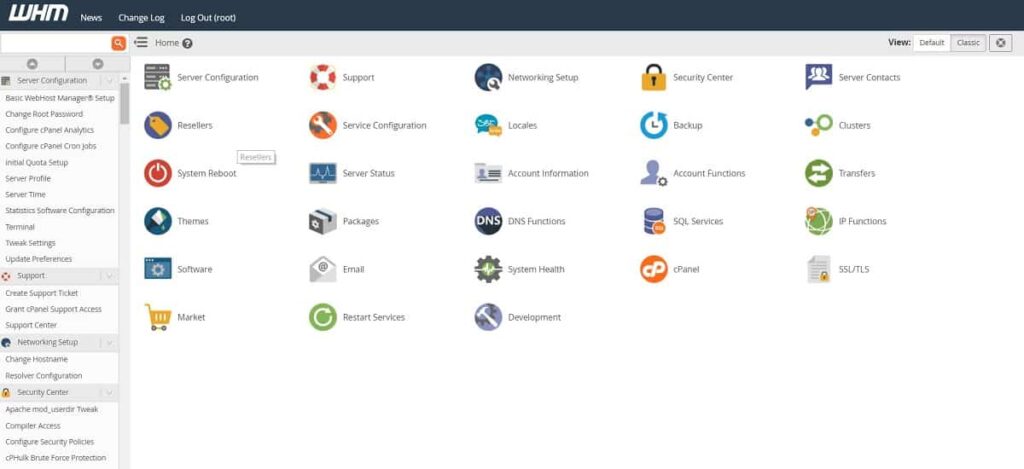
WHM (WebHost Manager) is a web-based control panel that allows you to manage multiple cPanel accounts on your server. It’s designed for hosting providers, resellers, and individuals who manage multiple websites for clients or need extensive server-level control.
Who Uses WHM?
- Web Hosting Companies: They use WHM to create, manage, and provision hosting accounts for their customers.
- Reseller Hosting Users: If you buy a reseller hosting package, you’ll primarily use WHM to create individual cPanel accounts for your own clients, setting their resource limits and managing their services.
- VPS or Dedicated Server Owners: If you own a Virtual Private Server (VPS) or a Dedicated Server, you’ll use WHM to manage the entire server, including installing software, setting up global security rules, and creating individual cPanel accounts for your own websites or multiple projects.
Key Functions of WHM
WHM provides a comprehensive suite of tools for server and account management:
- Account Management:
- Create/Terminate Hosting Accounts: Easily set up new cPanel accounts for clients or personal projects, or delete old ones.
- Manage Account Limits: Assign specific disk space, bandwidth, email accounts, and database limits to each cPanel account.
- Suspend/Unsuspend Accounts: Control access to individual accounts.
- Server Monitoring & Health:
- Monitor Server Status: Keep an eye on server load, services running (Apache, MySQL, etc.), and resource usage (CPU, RAM).
- Service Manager: Start, stop, or restart server services.
- Security Management:
- Firewall Configuration: Set up server-wide firewall rules (e.g., using CSF/LFD).
- SSL/TLS Management: Install and manage SSL certificates for the server itself and for all cPanel accounts.
- Password Management: Reset root or cPanel account passwords.
- Brute Force Protection: Configure security measures to prevent malicious login attempts.
- Software Installation & Updates:
- Install/Upgrade Apache, PHP, MySQL: Manage the core server software versions.
- Auto-updates: Configure automatic updates for WHM and cPanel itself.
- DNS Management:
- Add/Edit DNS Zones: Manage DNS records for all domains hosted on the server.
- Branding and Customization:
- Customize cPanel: Rebrand cPanel interfaces for your clients with your company’s logo and styling.
- Feature Manager: Enable or disable specific cPanel features for different packages.
What is cPanel?
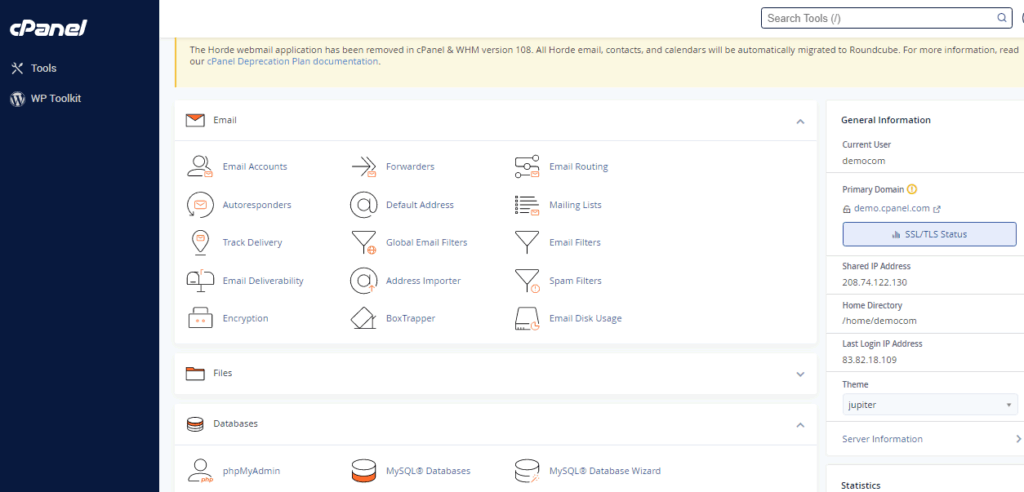
cPanel is a user-friendly, web-based graphical interface (GUI) designed for individual website owners to manage their specific web hosting account. It’s where you handle everything related to a single website or domain.
Who Uses cPanel?
- Website Owners: Anyone who has a website hosted on a server that uses cPanel. This includes small business owners, bloggers, e-commerce site owners, and personal website users.
- Developers: While developers might use SSH or command line for advanced tasks, cPanel still provides quick access to essential features for managing specific projects.
Key Functions of cPanel
cPanel offers a comprehensive set of tools for managing a single website and its associated services:
- Files Management:
- File Manager: Upload, download, edit, and organize website files directly.
- FTP Accounts: Create FTP accounts for file transfer.
- Backup & Restore: Create backups of your website files and databases.
- Databases:
- MySQL® Databases: Create and manage MySQL databases (essential for WordPress, Joomla, etc.).
- phpMyAdmin: A tool to manage database contents directly.
- Domains:
- Addon Domains: Host multiple websites on a single cPanel account.
- Subdomains: Create sub-sections of your main domain.
- Redirects: Set up redirects for URLs.
- Email:
- Email Accounts: Create custom email addresses with your domain (e.g.,
info@yourdomain.com). - Email Forwarders/Autoresponders: Manage email routing and automated replies.
- Spam Filters: Control spam.
- Email Accounts: Create custom email addresses with your domain (e.g.,
- Software & Applications:
- Softaculous Apps Installer: One-click installation for popular CMS platforms like WordPress, Joomla, Drupal, etc.
- PHP Version Selector: Choose the PHP version for your website.
- Security:
- SSL/TLS: Install and manage SSL certificates for secure Browse (HTTPS).
- IP Blocker: Block specific IP addresses.
- Metrics:
- Visitors/Bandwidth: View website statistics and resource usage.
WHM vs cPanel: A Side-by-Side Comparison
| Feature | WHM (WebHost Manager) | cPanel |
| Primary User | Hosting Providers, Resellers, Server Administrators | Individual Website Owners, Bloggers, Developers |
| Purpose | Server management, account creation, resource allocation, reseller management | Website management (files, databases, emails, domains, software) |
| Access Level | Root/Administrator access to the entire server or a large portion of it | User-level access to a single hosting account |
| Control Scope | Global server settings, security, software versions, multiple cPanel accounts | Specific settings for one website, within allocated resources |
| Technical Knowledge | High (for unmanaged server or reseller setup) | Moderate (intuitive GUI for website tasks) |
| Cost Implication | Usually comes with VPS or Dedicated Server plans (or reseller packages) | Included with most shared hosting and many WordPress hosting plans |
| Typical Interface | More complex, geared towards server administration | User-friendly icons, simpler navigation |
Do You Need Both WHM and cPanel?
- If you have Shared or standard WordPress Hosting: You will only interact with cPanel. Your hosting provider uses WHM to manage the server and your account, but you don’t get direct access to it.
- If you have Reseller Hosting: You will use WHM to create and manage individual cPanel accounts for your clients. Each client then logs into their own cPanel to manage their specific website.
- If you have a Managed VPS or Dedicated Server: Your hosting provider might handle WHM access for you (in a fully managed service), or they will give you WHM access to manage your server and create cPanel accounts for your own sites or projects. In this scenario, you’d use WHM for server-level tasks and then log into specific cPanel accounts for individual website management.
- If you have an Unmanaged VPS or Dedicated Server: You will install and configure WHM (and then cPanel) yourself, gaining full control over everything. This requires significant technical expertise.
Conclusion
While often used interchangeably, WHM and cPanel are distinct tools that cater to different levels of web hosting management. WHM is the powerful backend for server administrators and resellers, allowing them to manage multiple hosting accounts and server-wide settings. cPanel, on the other hand, is the user-friendly interface that individual website owners use to manage a single website’s files, databases, emails, and applications. Understanding this key difference helps you navigate your hosting environment more effectively and leverage the right tools for your specific needs.
Whether you’re looking for a user-friendly cPanel experience for your single website or robust WHM access for managing multiple client sites, Quape, a leading web hosting and domain company in Singapore, offers diverse hosting solutions. From shared hosting with integrated cPanel to powerful dedicated servers and reseller packages with WHM, Quape provides reliable infrastructure designed to meet your specific hosting requirements. Explore Quape’s hosting services today and take control of your online presence!