Small and medium enterprises face disproportionate cybersecurity risks due to limited budgets, lean IT teams, and gaps in specialist knowledge. A 2025 IBM report found that the global average cost of a data breach reached US$4.44 million, with identification and containment cycles averaging 241 days. For SMEs, where a single breach can cost approximately US$120,000 and potentially force closure within months, implementing foundational security controls is not optional. This checklist outlines the essential WordPress hosting security measures that protect business continuity, reduce exposure to costly incidents, and support operational resilience in environments where every security decision carries amplified consequences.
What Is a WordPress Hosting Security Checklist?
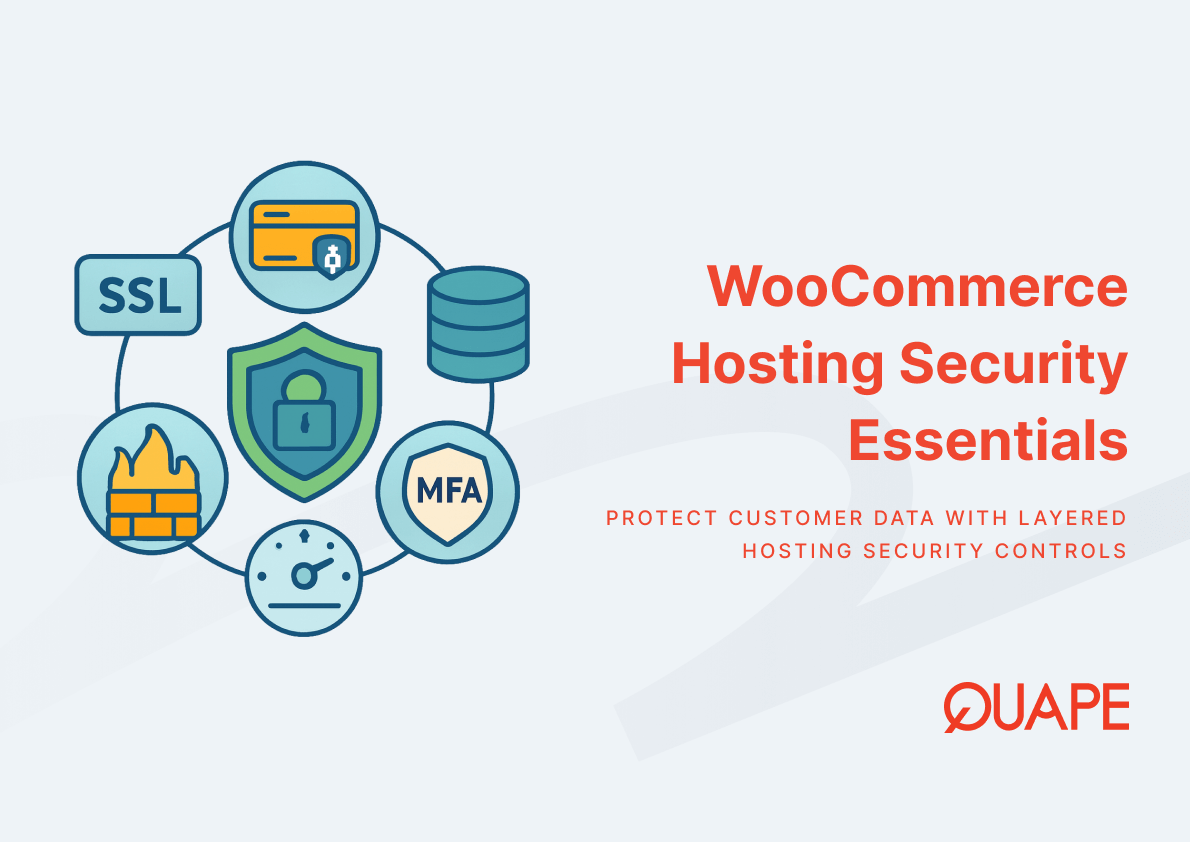
A WordPress hosting security checklist is a structured framework that defines and prioritizes the technical controls required to protect WordPress installations from unauthorized access, data loss, and service disruption. The checklist translates abstract security principles into actionable configurations across five domains: perimeter defense through firewalls, data encryption via SSL certificates, continuity assurance through backups, vulnerability remediation via updates, and availability verification through uptime monitoring. Each component addresses a specific failure mode in the WordPress security model, where plugins introduce exploitable code paths, themes expose outdated libraries, and core software updates lag behind disclosed vulnerabilities.
For SMEs operating WordPress sites, the checklist serves as both a diagnostic tool and an implementation roadmap. It identifies gaps between current configurations and minimum viable security postures, then sequences remediation activities based on risk exposure and resource constraints. The framework acknowledges that SMEs cannot replicate enterprise security operations, so it concentrates defensive efforts on high-impact, low-complexity controls that demonstrably reduce breach probability and contain incident costs when prevention fails.
Key Takeaways
- Firewalls filter malicious traffic before it reaches WordPress core, reducing exposure to automated attacks that exploit known vulnerabilities in plugins and themes
- SSL certificates encrypt data in transit between browsers and servers, preventing credential theft and session hijacking that enable account takeovers
- Automated daily backups create restoration points that enable recovery from ransomware, data corruption, or catastrophic configuration errors without extended downtime
- Regular updates to WordPress core, themes, and plugins close security gaps that attackers actively scan for, particularly in the 43% of websites running WordPress
- Uptime monitoring detects service interruptions within minutes rather than hours, enabling rapid response that minimizes revenue loss and reputational damage
- The 241-day average breach containment cycle means SMEs experience prolonged operational disruption unless detection and response mechanisms function immediately
- Organizations lacking proper access controls for modern tools experience 97% higher breach rates, making governance frameworks essential alongside technical controls
- Singapore SMEs benefit from localized security configurations that account for regional compliance requirements and threat landscapes specific to Asia-Pacific markets
Key Components of a WordPress Hosting Security Checklist
Firewall Configuration and Management
Firewalls establish the first defensive layer by inspecting incoming HTTP requests and blocking patterns that match known attack signatures before those requests interact with WordPress application logic. Web application firewalls analyze request headers, POST data, and URL parameters to identify SQL injection attempts, cross-site scripting payloads, and brute-force authentication patterns that target wp-admin login endpoints. For SMEs without dedicated security operations centers, managed WordPress hosting platforms integrate pre-configured firewall rulesets that update automatically as new exploit techniques emerge, removing the burden of continuous threat intelligence analysis.
The effectiveness of firewall protection depends on rule specificity and false positive management. Overly permissive rules allow malicious traffic to pass through undetected, while overly restrictive configurations block legitimate user interactions that trigger security heuristics. Effective implementations balance these extremes by combining signature-based detection for known threats with anomaly detection for zero-day exploits, then refining rules based on observed traffic patterns unique to each WordPress site. This approach prevents the scenario where firewalls become performative security theater that satisfies compliance checklists without meaningfully reducing breach probability.
Singapore-based SMEs should verify that firewall configurations account for geographic traffic patterns common in Asia-Pacific markets, where content delivery networks and regional internet exchanges influence the apparent origin of legitimate requests. Firewalls that indiscriminately block entire IP ranges from specific countries may inadvertently prevent access from business partners, mobile users on roaming networks, or customers accessing sites through VPNs. Understanding how WordPress hosting security architecture integrates with regional internet infrastructure ensures that protective measures enhance rather than impede business operations.
SSL Certificates and HTTPS Implementation
SSL certificates enable encrypted communication channels between web browsers and WordPress servers, preventing intermediaries from intercepting login credentials, session tokens, or form submissions containing customer data. When browsers establish HTTPS connections, they verify certificate authenticity through cryptographic signatures issued by trusted certificate authorities, then negotiate encryption protocols that render intercepted traffic computationally infeasible to decrypt. For WordPress sites handling user authentication or processing any form of personal information, SSL implementation transforms from optional enhancement to mandatory baseline, particularly as search engines penalize sites serving content over unencrypted HTTP connections.
The certificate lifecycle requires attention beyond initial installation. Certificates expire after defined validity periods, typically 90 days for modern automated issuance systems or one year for traditionally provisioned certificates. Expired certificates trigger browser warnings that immediately erode user trust and block access to WordPress dashboards, creating operational emergencies when administrators cannot log in to renew certificates. Effective SSL management for WordPress hosting automates renewal processes through protocols like ACME, which programmatically request, validate, and install replacement certificates before expiration deadlines, eliminating manual intervention as a failure point.
Mixed content warnings represent a common SSL implementation pitfall where WordPress sites load some resources via HTTPS while others use HTTP protocols. This occurs when themes hard-code HTTP URLs for images, stylesheets, or JavaScript libraries, or when migrated content retains legacy URL schemes in database entries. Browsers downgrade the security status of pages containing mixed content, displaying warning indicators that confuse users and undermine the credibility signals that SSL certificates are meant to establish. Proper implementation requires database-wide URL scheme updates and content security policies that enforce HTTPS exclusively.
Automated and Manual Backups
Backup systems create point-in-time copies of WordPress databases and file directories, enabling recovery when ransomware encrypts production data, failed plugin updates corrupt site functionality, or hosting infrastructure suffers catastrophic hardware failures. Daily automated backups establish a maximum one-day recovery point objective, meaning that in worst-case scenarios, organizations lose at most 24 hours of content changes, user registrations, or e-commerce transactions. This recovery capability directly influences the financial impact calculations that insurance providers and stakeholders use to assess operational resilience.
The distinction between automated and manual backups reflects different use cases within WordPress operations. Automated systems execute scheduled backups without human intervention, capturing routine changes through consistent daily or hourly snapshots that protect against gradual data corruption or unnoticed compromises. Manual backups serve as deliberate checkpoints before high-risk activities like major plugin updates, theme changes, or database schema modifications, creating known-good restoration points that administrators explicitly trust. Comprehensive backup strategies for WordPress hosting combine both approaches, using automation for baseline protection and manual triggers for change management scenarios.
Backup verification determines whether recovery capabilities exist in theory or practice. Untested backups frequently fail during actual restoration attempts due to incomplete file captures, database inconsistencies, or configuration dependencies that weren’t documented during backup creation. Regular restoration tests to staging environments validate that backup archives contain all necessary components, that restoration procedures work as documented, and that recovered sites function identically to production instances. For SMEs where a 241-day breach containment cycle can multiply incident costs exponentially, the ability to rapidly restore from clean backups shortens recovery timelines from months to hours.
Regular WordPress Core, Theme, and Plugin Updates
WordPress core releases security patches that address vulnerabilities discovered through coordinated disclosure programs, bug bounty submissions, and internal security audits. Themes and plugins similarly release updates that fix exploitable flaws in their specific codebases. The update process replaces vulnerable code libraries with patched versions that close attack vectors before adversaries can weaponize them. Systematic WordPress update management reduces the window of exposure between vulnerability disclosure and patch application, directly lowering the probability that attackers successfully exploit known weaknesses.
The challenge lies in update compatibility testing, where new WordPress core versions occasionally break functionality in themes or plugins that rely on deprecated APIs or undocumented behaviors. SMEs must balance the security imperative of rapid patching against the operational risk of updates that render sites non-functional. Staging environments enable non-disruptive testing by allowing administrators to apply updates to site clones, verify functionality across critical user workflows, then promote tested configurations to production only after validation succeeds. This approach eliminates the false choice between security and stability.
Plugin ecosystem dynamics complicate update strategies because WordPress installations commonly run 10 to 30 plugins simultaneously, each maintained by different developers with varying security practices and update cadences. A single abandoned plugin with unpatched vulnerabilities compromises entire sites regardless of how current the WordPress core remains. Effective security checklists include plugin audits that identify unmaintained extensions, evaluate alternatives, and remove unnecessary plugins that expand attack surfaces without delivering proportional functionality benefits.
Uptime Monitoring and Downtime Prevention
Uptime monitoring systems continuously test WordPress site availability by sending HTTP requests at defined intervals and alerting administrators when responses fail to arrive within acceptable timeframes or return error status codes. These systems detect downtime caused by server crashes, network outages, configuration errors, or resource exhaustion before users encounter broken sites. For e-commerce operations where every minute of downtime translates to quantifiable revenue loss, monitoring establishes the observability required to maintain service level agreements and respond to incidents within contractual windows.
The distinction between synthetic monitoring and real user monitoring influences detection capabilities. Synthetic monitoring probes sites from external vantage points that simulate user behavior, catching failures visible to public internet traffic but potentially missing issues that affect only specific geographic regions or network paths. Real user monitoring instruments actual browser sessions, capturing performance degradations and errors that affect production traffic but may escape synthetic checks. Comprehensive WordPress downtime prevention combines both methodologies, using synthetic checks for immediate availability alerts and real user data for performance optimization insights.
Alert fatigue undermines monitoring effectiveness when notifications trigger so frequently that administrators begin ignoring them or when false positives erode confidence in alert accuracy. Effective monitoring configurations balance sensitivity against specificity, setting thresholds that catch genuine incidents without creating noise from transient network blips or expected maintenance windows. Integration with incident response workflows ensures that alerts trigger documented escalation procedures rather than simply sending emails that disappear into overcrowded inboxes.
Practical Application for Singapore SMEs
Singapore’s regulatory environment imposes specific compliance obligations that influence WordPress security configurations, particularly for organizations handling personal data under the Personal Data Protection Act or processing financial transactions subject to Monetary Authority of Singapore oversight. Security checklists must address both technical controls and documentation requirements, ensuring that firewall configurations, encryption standards, and backup retention policies satisfy regulatory expectations while remaining operationally feasible for resource-constrained SMEs.
The concentration of Asia-Pacific internet exchange points in Singapore creates performance advantages for locally hosted WordPress installations serving regional audiences. Users accessing sites from Jakarta, Kuala Lumpur, or Bangkok experience lower latency when traffic routes through Singapore’s interconnection fabric rather than traversing transpacific links to hosting providers in North America or Europe. This performance characteristic influences security architecture decisions, where Singapore data center hosting enables compliance with data residency requirements while optimizing content delivery speeds that improve search engine rankings and user engagement metrics.
Threat landscapes vary by geography, with attack patterns in Asia-Pacific markets differing from those prevalent in Western contexts due to language barriers, payment system architectures, and target selection preferences among regional adversary groups. Security configurations effective against threats common in US or European markets may miss attack vectors more prevalent in Southeast Asian contexts. SMEs benefit from security providers familiar with regional threat intelligence, who configure firewall rules, intrusion detection signatures, and anomaly baselines informed by actual attack data from local hosting environments rather than generic templates designed for global deployments.
How QUAPE WordPress Hosting Supports Your Security Checklist
QUAPE’s managed WordPress hosting integrates security checklist components into platform-level services that execute automatically without requiring specialized security expertise from subscribers. Monthly security updates address WordPress core vulnerabilities and plugin patches through centralized management systems that test updates in isolated environments before applying them to production sites. This managed approach removes the burden of continuous vulnerability monitoring from SME administrators while maintaining security postures that keep pace with evolving threat landscapes.
Daily automated backups execute across all QUAPE-hosted WordPress installations, storing backup archives in geographically separate storage systems that protect against data loss from localized infrastructure failures. The one-click restoration interface enables administrators to recover from ransomware incidents, failed updates, or corrupted databases within minutes rather than hours, directly reducing the downtime costs that SMEs cannot absorb during extended outages. Storage on high-IOPS NVMe drives ensures that backup operations complete without degrading site performance during peak traffic periods.
Built-in security updates through WP Toolkit automate plugin and theme patching across the 43% of internet sites running WordPress, addressing the vulnerability assessment gap where only 20% of SMBs conduct regular security reviews. The control panel consolidates update management, backup verification, and security monitoring into unified dashboards that provide actionable status information without overwhelming non-specialist users with technical complexity. For Singapore-based operations requiring secure infrastructure foundations, QUAPE’s TIA 942 certified data centers provide the physical security layer that complements application-level controls, visit our WordPress hosting platform to review specific service configurations.
Conclusion
WordPress hosting security transforms from abstract best practice into operational necessity when SMEs recognize that the US$120,000 average breach cost and 241-day containment cycles can eliminate profit margins or force business closures. The checklist framework prioritizes five foundational controls because they address the most common failure modes in WordPress environments while remaining implementable within SME resource constraints. Firewalls block automated exploitation attempts, SSL prevents credential theft, backups enable rapid recovery, updates close vulnerability windows, and monitoring detects failures before users encounter broken sites. Each component interacts with others to create defense-in-depth architectures where single control failures don’t immediately lead to total compromise. For organizations ready to implement these protections systematically, contact our sales team to discuss managed WordPress hosting configurations tailored to specific security requirements and operational contexts.
Frequently Asked Questions
Why do SMEs face higher cybersecurity risks than larger organizations?
SMEs typically operate with limited security budgets, smaller IT teams, and less specialized expertise compared to enterprises. According to research data, micro-businesses experience security incident costs around US$400 per employee versus only US$25 per employee for large firms, reflecting both higher vulnerability rates and greater proportional impact when breaches occur.
How long does it typically take to recover from a WordPress security breach?
IBM’s 2025 data breach report found that organizations take an average of 241 days to fully identify and contain security breaches. For WordPress sites with proper backup systems and incident response procedures, recovery can occur within hours to days rather than months, significantly reducing the operational disruption and financial costs associated with prolonged compromises.
What happens if WordPress plugins aren’t updated regularly?
Outdated plugins contain known vulnerabilities that attackers actively scan for and exploit. With WordPress powering 43% of websites, automated attack tools specifically target common plugin flaws. Systematic reviews show that many SMEs don’t perform regular vulnerability assessments, leaving exploitable gaps that enable unauthorized access, data theft, or malware installation.
Are free SSL certificates as secure as paid certificates?
Free SSL certificates from automated issuance systems provide the same encryption strength as paid certificates. The primary differences involve validation levels, where basic certificates verify domain control while extended validation certificates require organizational identity verification. For WordPress sites, automated free certificates offer sufficient security for encrypted connections, though they require attention to renewal automation to prevent expiration-related outages.
How often should WordPress backups be tested for restoration reliability?
Backup restoration tests should occur at least quarterly to verify that backup archives remain viable and that restoration procedures work as documented. Testing to staging environments prevents production disruption while confirming that recovered sites function identically to production instances. More frequent testing makes sense before major site changes or when backup configurations are modified.
What specific security benefits do Singapore-hosted WordPress sites gain?
Singapore hosting enables compliance with regional data residency requirements, reduces latency for Asia-Pacific users, and allows security configurations informed by regional threat intelligence. Local data center infrastructure also simplifies legal processes related to incident response or data disclosure requests under Singapore’s Personal Data Protection Act.
Can uptime monitoring prevent security breaches?
Uptime monitoring doesn’t directly prevent breaches, but it enables rapid detection of availability impacts that often accompany security incidents. When attacks cause service disruptions through resource exhaustion, configuration tampering, or denial-of-service techniques, monitoring systems trigger immediate alerts that reduce response times and limit damage duration.
Why do so many organizations with AI systems experience security breaches?
IBM’s 2025 breach report found that 97% of organizations suffering AI-related breaches lacked proper access controls for their AI systems. As SMEs adopt AI tools without corresponding governance frameworks, they create new attack surfaces where inadequate permission boundaries enable unauthorized data access or model manipulation, highlighting the need for security controls that scale with technology adoption.

- Business Email Hosting vs G-Suite / Microsoft 365 - December 29, 2025
- Shared Hosting vs Dedicated Hosting for Email - December 29, 2025
- SMTP vs POP3 vs IMAP: Which Protocol Fits Your Business Workflow - December 28, 2025