WordPress hosting in Singapore faces a critical inflection point: while the platform powers 43.2% of all websites globally, the city-state recorded 117,300 infected systems in 2024, representing a 67% increase from the previous year. For IT managers and CTOs operating in Singapore’s digital economy, selecting a hosting provider is no longer about storage capacity or bandwidth alone. It’s about securing infrastructure that integrates performance optimization with proactive threat mitigation, particularly as Singapore expands its data center capacity by at least 300 MW to support growing digital workloads. Fast, secure WordPress hosting directly influences website performance, SEO outcomes, and business continuity in an environment where cyber threats increasingly leverage generative AI for sophisticated attacks.
WordPress hosting is a specialized web hosting service engineered to optimize the technical requirements of WordPress installations. Unlike generic shared hosting, WordPress hosting configures server environments, including PHP versions, MySQL databases, and caching mechanisms, to align with WordPress core architecture, ensuring compatibility, speed, and security for websites built on the platform.
Key Takeaways
- Server performance directly affects SEO: NVMe drives and optimized PHP/MySQL configurations reduce page load times, improving Core Web Vitals and search rankings
- Local hosting reduces latency: Singapore-based data centers deliver faster response times for regional audiences compared to global hosting alternatives
- Managed security updates prevent vulnerabilities: Automated patching and plugin maintenance reduce the risk of exploitation, critical given Singapore’s 67% increase in infected systems in 2024
- Daily backups ensure business continuity: Automated backup systems with one-click restore capabilities minimize downtime and data loss during incidents
- Green data center expansion affects hosting decisions: Singapore’s push for renewable-energy data centers introduces sustainability considerations alongside performance and cost trade-offs
- Scaling architecture supports traffic growth: Proper WordPress hosting enables businesses to handle traffic spikes without performance degradation or site failures
Core Components of WordPress Hosting
WordPress hosting architecture determines how effectively servers process requests, secure data, and maintain uptime. Each component, from storage infrastructure to database optimization, creates dependencies that either enable or constrain website performance. Understanding these relationships allows businesses to evaluate hosting options based on features rather than marketing claims alone. The choice between managed versus shared WordPress hosting fundamentally shapes security posture and performance capabilities.
Server Performance and Website Speed
Website performance depends on how efficiently hosting infrastructure processes PHP scripts and MySQL queries that generate WordPress pages. NVMe drives improve load times by reducing I/O latency compared to traditional SSD or HDD storage, enabling faster database reads when WordPress retrieves post content, user data, or plugin configurations. Proper PHP and MySQL optimization for WordPress affects execution speed directly: WordPress sites running PHP 8.1 or higher process requests faster than sites using legacy PHP 7.x versions, directly impacting Time to First Byte (TTFB) metrics that influence SEO rankings.
MySQL database optimization strengthens website performance by reducing query execution time. When hosting providers configure MySQL with proper indexing and caching layers, WordPress can retrieve post metadata, taxonomy relationships, and user authentication data without creating bottlenecks during high-traffic periods. This optimization becomes critical for sites running resource-intensive plugins or custom post types that generate complex database queries during page assembly.
Server-level caching mechanisms enhance WordPress performance by storing pre-rendered HTML versions of frequently accessed pages. When hosting infrastructure integrates object caching (Redis or Memcached) alongside page caching, WordPress reduces the computational overhead of regenerating identical content for multiple visitors, improving site speed while reducing server resource consumption.
Security and Maintenance
Cybersecurity in WordPress hosting requires continuous updating of core software, themes, and plugins to address vulnerabilities before exploitation. Managed hosting providers automate these updates, ensuring sites run patched versions without requiring manual intervention from site owners. This automation directly reduces exposure to known Common Vulnerabilities and Exposures (CVEs) that attackers exploit when targeting outdated WordPress installations, which should be addressed through a comprehensive WordPress hosting security checklist.
Plugin security management strengthens WordPress websites by monitoring third-party code for malicious behavior or compatibility conflicts. When managed hosting services include plugin auditing and controlled update schedules, businesses avoid situations where automatic updates break site functionality or introduce security flaws. This oversight becomes essential given that poorly coded plugins represent a primary attack vector for WordPress compromises.
Server environment hardening improves security posture by restricting file permissions, disabling unnecessary services, and implementing web application firewalls (WAF) at the hosting level. These configurations prevent common attacks like SQL injection, cross-site scripting (XSS), and brute force login attempts without requiring site-level configuration changes. Implementing SSL certificates for WordPress adds transport layer encryption that protects data transmission between visitors and hosting servers.
Backup and Disaster Recovery
Daily automated backups enable WordPress websites to recover from security incidents, data corruption, or failed updates without permanent data loss. When hosting infrastructure performs incremental backups that capture database changes and file modifications, businesses can restore sites to specific points in time, minimizing disruption during recovery operations. Effective backup strategies for WordPress on shared hosting require one-click restore capabilities that reduce recovery time objectives (RTO) by eliminating manual file transfers or database imports.
Uptime monitoring strengthens website performance by detecting outages, slow response times, or resource exhaustion before they affect user experience. Hosting providers that integrate real-time monitoring with automated alerting enable faster incident response, preventing downtime for WordPress sites by reducing mean time to recovery (MTTR) when hardware failures or traffic spikes cause service interruptions.
Geographic backup redundancy protects against data center failures or regional outages by replicating WordPress backups to separate physical locations. This approach ensures data availability even during infrastructure failures at the primary hosting facility, supporting business continuity requirements for mission-critical websites.
WordPress Hosting Types and Their Impact
Different hosting architectures create distinct performance and security profiles for WordPress installations. Shared hosting environments place multiple websites on single servers, creating resource contention that can degrade performance during traffic spikes on neighboring sites. The distinction between managed and shared WordPress hosting becomes apparent when examining resource isolation: managed hosting isolates WordPress installations with dedicated resources and specialized configurations, eliminating “noisy neighbor” effects while providing administrative services that maintain security and performance without requiring technical expertise from site owners.
Shared hosting reduces costs by distributing server expenses across multiple tenants, but this economy creates constraints when websites require consistent performance or enhanced security controls. The shared nature of these environments means one compromised site can potentially affect others on the same server, particularly if proper isolation mechanisms aren’t implemented at the hosting level.
Managed hosting enhances WordPress security and performance by providing specialized server configurations, automated maintenance, and expert support that addresses WordPress-specific challenges. When evaluating managed versus budget WordPress hosting, this architecture suits businesses that prioritize reliability and security over cost minimization, particularly when in-house technical resources are limited or focused on core business functions rather than server administration.
Local vs Global Hosting
Singapore-based data centers reduce latency for regional audiences by minimizing the physical distance network packets travel between hosting servers and end users. This proximity improvement affects Core Web Vitals metrics, particularly Largest Contentful Paint (LCP) and First Input Delay (FID), that Google incorporates into search ranking algorithms. Understanding the benefits of local versus global WordPress hosting reveals that when WordPress sites targeting Southeast Asian audiences use Singapore hosting infrastructure, the reduced round-trip time (RTT) delivers measurable improvements in page responsiveness.
Local hosting strengthens SEO performance for region-specific content by signaling geographic relevance to search engines through server location data. While not a dominant ranking factor, Singapore data center hosting for WordPress combined with localized content and proper schema markup reinforces topical authority for Singapore-focused queries.
The expansion of Singapore’s data center capacity by at least 300 MW, as announced by the Economic Development Board, creates additional local hosting options for businesses requiring in-country data residency or latency optimization. However, the concurrent push toward green energy requirements introduces cost considerations as providers implement renewable energy infrastructure.
Scaling and High-Traffic Considerations
Traffic spikes challenge WordPress hosting when server resources (CPU, RAM, and database connections) reach capacity limits that prevent timely request processing. Hosting infrastructure that enables vertical scaling (adding resources to existing servers) or horizontal scaling (distributing load across multiple servers) allows WordPress installations to maintain performance during sudden traffic increases without manual intervention. Businesses must understand how to choose WordPress hosting based on traffic and storage requirements to avoid performance bottlenecks.
Multisite WordPress architecture requires hosting configurations that support shared database structures and domain mapping across multiple WordPress installations managed from a single dashboard. This approach suits organizations managing numerous branded sites or regional variations, but it creates dependencies on hosting providers that understand multisite-specific performance optimization and security requirements.
Enterprise WordPress deployments often require load balancing, CDN integration, and database replication that exceed standard hosting capabilities. These architectures separate WordPress application logic from database operations and static file delivery, enabling independent scaling for WooCommerce on managed hosting based on actual resource demands rather than uniform infrastructure allocation.
Optimizing WordPress Hosting for Performance and SEO
Server optimization for WordPress involves configuring PHP-FPM (FastCGI Process Manager) with appropriate worker processes and memory limits that match site traffic patterns without over-allocating resources. When hosting providers tune these parameters based on WordPress workload characteristics, sites achieve faster response times and higher concurrent user capacity through proper WordPress hosting optimization techniques.
Content Delivery Network (CDN) integration offloads static assets (images, CSS, JavaScript) from origin servers to geographically distributed edge locations. This distribution reduces bandwidth consumption on hosting infrastructure while improving page load times for visitors accessing WordPress sites from diverse global locations. For Singapore-based businesses serving regional markets, CDN integration with WordPress in Singapore through edge locations in Southeast Asia delivers the most significant performance improvements.
Database query optimization strengthens WordPress performance by identifying and eliminating slow queries that consume disproportionate server resources. Hosting providers that offer query monitoring and optimization services help businesses address database performance bottlenecks before they degrade user experience or search rankings. Understanding how server location affects SEO for WordPress enables businesses to make informed decisions about infrastructure placement relative to target audiences.
WordPress Hosting Product Spotlight – QUAPE Singapore Plans
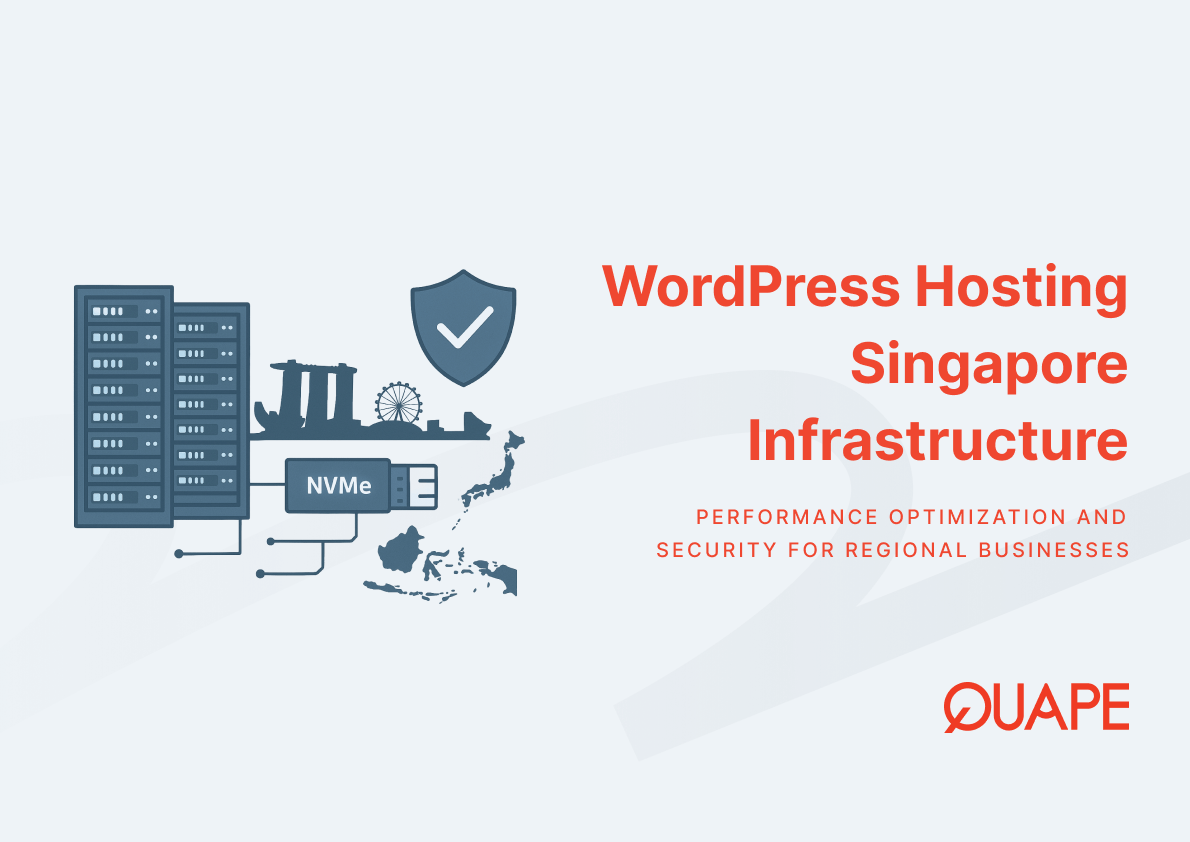
QUAPE’s WordPress hosting infrastructure operates within TIA 942-compliant data centers in Singapore, providing managed services that address the security and performance requirements identified throughout this analysis. The hosting architecture uses NVMe storage across all plans to minimize I/O latency, directly supporting the page speed requirements that affect Core Web Vitals and SEO performance.
Three service tiers accommodate different business requirements:
WP Essential ($300 annually): Single-site hosting with 15 GB NVMe storage, monthly security updates, and daily automated backups. This entry tier suits small businesses or single-property websites requiring managed security without multi-site complexity.
WP Professional ($600 annually): Supports two websites with 50 GB NVMe storage while maintaining the same security update schedule and backup frequency. This tier addresses small enterprises managing multiple digital properties or staging/production environment pairs.
WP Enterprise ($1,200 annually): Accommodates three websites with 100 GB NVMe storage plus one monthly content update included. This plan targets organizations requiring administrative assistance with WordPress content management alongside infrastructure services.
All plans include WP Toolkit integration, enabling plugin updates and management without direct WordPress dashboard access, which reduces the attack surface for unauthorized access attempts.
Security and Managed Updates
QUAPE’s managed WordPress service implements monthly security updates across core WordPress files, themes, and plugins to address vulnerabilities before exploitation. This update cadence aligns with WordPress security release schedules while providing a review buffer that prevents immediate deployment of updates that may introduce compatibility issues.
The TIA 942 data center certification indicates infrastructure compliance with telecommunications industry standards for reliability, security, and environmental controls. These facilities implement physical security measures, redundant power systems, and climate controls that protect hosting hardware from failures that could cause data loss or service interruptions.
Plugin security auditing examines third-party WordPress extensions during initial site migration, identifying outdated or abandoned plugins that present security risks. This assessment includes verification of premium plugin licenses to ensure sites receive security patches from plugin developers.
Performance Features and Speed
NVMe storage deployment across all WordPress hosting plans eliminates storage I/O bottlenecks that typically constrain database-driven applications. WordPress sites on NVMe infrastructure experience faster database query execution and reduced TTFB compared to traditional SSD or HDD-based hosting.
High IOPS server configurations enable WordPress installations to handle concurrent database operations without queuing requests during traffic peaks. This capability becomes essential for sites running WooCommerce or membership plugins that generate frequent database writes alongside standard read operations.
WP Toolkit simplifies WordPress administration by consolidating plugin updates, security scanning, and staging environment management in a single control panel interface. This integration reduces the time required for routine maintenance tasks while providing visibility into security status and performance metrics.
Backup, Migration, and Support
Daily automated backups capture complete WordPress installations (files and databases), enabling point-in-time recovery during security incidents or failed updates. One-click restore functionality reduces RTO by eliminating manual database imports or file transfers during recovery operations.
Free site migration services complete transfers within 1-3 business days, with expedited options available for time-sensitive migrations. QUAPE’s migration process includes pre-migration compatibility assessment, plugin license verification, and post-migration validation to ensure functionality matches the source environment.
Local support teams based in Singapore provide 24/7 assistance with WordPress-specific technical issues, offering time-zone appropriate response times for businesses operating in Southeast Asian markets. This local presence contrasts with offshore support models that may introduce communication delays or timezone mismatches during critical incidents.
QUAPE’s network infrastructure implements three upstream providers rather than single or dual-provider configurations common in budget hosting environments. This redundancy ensures WordPress sites remain accessible even during transit provider outages or routing failures that would affect single-homed hosting infrastructure.
For businesses requiring WordPress hosting that balances performance, security, and local infrastructure advantages, contact QUAPE’s sales team to discuss hosting requirements and service tier recommendations.
Conclusion and Next Steps
Fast, secure WordPress hosting in Singapore requires infrastructure that addresses three interdependent requirements: performance optimization through NVMe storage and tuned PHP/MySQL configurations, security management through automated updates and plugin auditing, and local data center presence that reduces latency for regional audiences. As Singapore expands data center capacity while enforcing green energy requirements, businesses face hosting decisions that balance sustainability commitments with performance and cost considerations.
The 67% increase in infected systems Singapore recorded in 2024 underscores that hosting provider selection directly affects cybersecurity posture, particularly for SMEs lacking dedicated security teams. Managed WordPress hosting mitigates this risk by automating security updates and implementing server-level hardening that individual site owners typically cannot configure themselves.
For organizations evaluating WordPress hosting options or experiencing performance constraints with current providers, contact QUAPE to discuss how Singapore-based managed hosting can support your digital infrastructure requirements.
Frequently Asked Questions
Why does server location affect WordPress website performance for Singapore audiences?
Server location influences network latency, the time required for data packets to travel between hosting infrastructure and end users. WordPress sites hosted in Singapore data centers reduce round-trip time for regional visitors compared to sites hosted in North America or Europe, improving Core Web Vitals metrics like Largest Contentful Paint and First Input Delay that affect search rankings and user experience.
How do managed WordPress security updates prevent website compromises?
Managed security updates automate the patching process for WordPress core, themes, and plugins, eliminating the gap between vulnerability disclosure and patch deployment that attackers exploit. Given that Singapore recorded 117,300 infected systems in 2024 (largely due to unpatched software), automated updates remove the human dependency that creates security exposure when site owners delay or overlook necessary patches.
What technical factors cause WordPress websites to load slowly?
WordPress performance depends on multiple technical factors: database query efficiency, PHP execution speed, storage I/O throughput, and network latency. Sites load slowly when hosting infrastructure uses legacy PHP versions, traditional HDD storage instead of NVMe, or lacks proper caching mechanisms that reduce server processing overhead. Additionally, poorly coded plugins or themes can generate excessive database queries that create bottlenecks during page assembly.
When should businesses migrate from shared to managed WordPress hosting?
Migration to managed hosting becomes necessary when businesses require consistent performance during traffic fluctuations, enhanced security controls beyond shared environment capabilities, or technical support for WordPress-specific challenges. Sites experiencing frequent slowdowns during peak hours, security incidents, or requiring specialized configurations for WooCommerce or multisite installations benefit from managed hosting architecture.
How do daily backups support business continuity for WordPress websites?
Daily automated backups create recovery points that enable WordPress sites to restore to known-good states following security compromises, failed updates, or data corruption. With one-click restore capabilities, businesses reduce recovery time from hours or days to minutes, minimizing revenue loss and reputation damage during incidents. Geographic backup redundancy further protects against data center failures that could cause permanent data loss.
What infrastructure advantages do Singapore’s new green data centers provide?
Singapore’s planned 300 MW data center expansion with green energy requirements creates hosting options that reduce environmental impact while maintaining performance standards. However, renewable energy infrastructure may introduce higher operating costs that hosting providers pass to customers. Businesses gain sustainability credentials and potentially improved reliability from newer infrastructure, but should evaluate cost trade-offs against performance and security requirements.
How does NVMe storage improve WordPress website speed compared to traditional drives?
NVMe drives reduce storage I/O latency by connecting directly to server motherboards via PCIe interfaces rather than using SATA controllers that constrain traditional SSDs. This architecture enables faster database query execution when WordPress retrieves post content, user data, or plugin configurations, directly improving TTFB and overall page load times that affect both user experience and search rankings.
Why does WordPress require specialized hosting instead of generic web hosting?
WordPress generates dynamic content by executing PHP scripts and MySQL database queries for every page request, creating distinct infrastructure requirements compared to static HTML websites. Specialized WordPress hosting optimizes server configurations (including PHP version, MySQL tuning, caching layers, and security rules) specifically for WordPress architecture, delivering better performance and security than generic hosting environments that accommodate diverse application types without WordPress-specific optimization.

- Business Email Hosting vs G-Suite / Microsoft 365 - December 29, 2025
- Shared Hosting vs Dedicated Hosting for Email - December 29, 2025
- SMTP vs POP3 vs IMAP: Which Protocol Fits Your Business Workflow - December 28, 2025