

Development
Bubble Alternative: Hand-Coded React Mobile Apps for Scalable Businesses
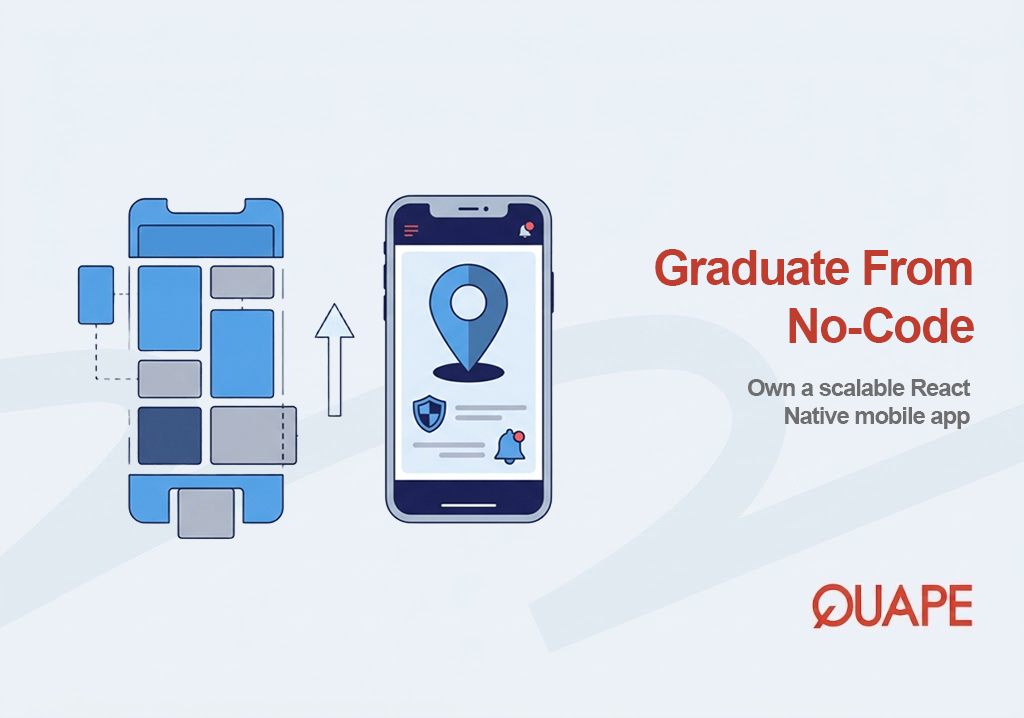
If you built your first product on Bubble and it worked, you now face a different question than the one you started with. The prototype proved the idea, but a mobile-responsive web app is not the same thing as a real app in the App Store and Google Play, and the gap becomes obvious the moment you need push notifications, camera access, offline behavior, or smooth performance under real usage. This comparison is for founders, product owners, and operations leads at Singapore and Southeast Asian SMEs who have passed validation and now need a genuine phone app rather than a wrapper around a website. Bubble remains an excellent tool for getting to a first version fast. The point where Quape becomes the better choice is narrower and specific: when your product has proven demand and needs to become an engineered, fully owned mobile application built with React Native for iOS and Android.
The competitor and Quape in this comparison
Bubble does one thing genuinely well, and it does it better than almost anything else: it lets a non-technical founder assemble a working web application without hiring a development team. Its visual programming model turns database logic, workflows, and interfaces into something you can build and change in days, which is exactly what an early-stage business needs when the goal is to test an idea before committing real budget. For MVPs, internal web tools, and rapid iteration, that speed is a legitimate advantage, and dismissing it would be dishonest.
Quape enters the picture at a later stage. Rather than renting a visual builder, a business commissions a hand-coded application built by full-stack developers using React Native, which compiles a single JavaScript codebase into applications that run close to native performance on both iOS and Android and are submitted properly to the App Store and Play Store. This unlocks the device-level capabilities a no-code web wrapper struggles with, including reliable push notifications, QR scanning, and social logins. Just as importantly, Quape hands over full ownership: all intellectual property and the complete source code belong to the client on completion, which removes vendor lock-in and the platform tax that grows as usage grows. The trade-off is worth stating plainly. Bubble wins on speed and low upfront cost for a prototype, while a React Native build is a larger initial investment that typically takes from around two months because each screen is engineered and the app must pass store review. What that investment buys is a product you own and can scale on your own terms.
Key takeaways
- Bubble is built primarily for web applications and produces mobile-responsive web apps or PWA-style wrappers, not applications that natively compile for the App Store and Google Play.
- The limits appear when a product needs device-level features: push notifications, camera and QR scanning, GPS, offline access, and background processes.
- React Native compiles one JavaScript codebase into genuine iOS and Android applications that interact with native platform APIs, not a browser or WebView.
- With Quape, full source code and intellectual property transfer to the client, removing vendor lock-in and usage-based platform costs that scale with success.
- Bubble’s proprietary environment means the underlying code cannot be exported, so outgrowing it means a rebuild rather than a migration.
- A hand-coded React Native app is a larger upfront investment, typically from around two months, in exchange for ownership, store presence, and predictable costs.
- The decision is a graduation, not a rejection: use Bubble to validate, move to native when demand is proven.
When a Bubble Prototype Becomes Too Small for Your Mobile Product
Many founders assume that the platform they chose to validate an idea determines the product’s entire future architecture. It does not. A no-code prototype answers one question, whether people want the thing, and it answers it cheaply and quickly. Once the answer is yes, the constraints that made Bubble ideal for validation start to work against you. A responsive web app reaches its ceiling when the product needs to live on a customer’s home screen, send them a notification, or scan a code in a warehouse, because those behaviors depend on the operating system rather than the browser. The prototype has not failed; it has succeeded well enough that the business now needs something the prototype was never designed to be.
Where Bubble Excels for Early-Stage Product Validation
Building an MVP Without Hiring a Development Team
The clearest strength of a no-code platform is that it collapses the distance between an idea and a testable product. A founder can model data, wire up workflows, and ship an interface without recruiting engineers, which means validation happens on a small budget and a short timeline. For a startup trying to learn whether a market exists before spending on development, this is the right tool, and it removes the single biggest barrier early founders face.
Internal Web Tools That Don’t Need Native Mobile Capabilities
Bubble also fits a quieter but common use case: internal business tools that run in a browser and never need to touch a phone’s hardware. Dashboards, approval workflows, and simple process automation rarely require GPS, offline sync, or push notifications, so the absence of native mobile capability is not a limitation. When the job is a web application used by staff at their desks, a no-code build is efficient and entirely appropriate.
Why Businesses Eventually Outgrow Bubble for Mobile Applications
Improving mobile web technology has been an ongoing industry effort precisely because native applications historically offered stronger integration with device capabilities and operating systems, a gap the W3C has documented as an ongoing effort to close. That framing matters here, because it explains why outgrowing Bubble is a structural issue rather than a flaw in the platform.
Responsive Web Apps Are Not the Same as Native Mobile Apps
A Progressive Web App can offer offline support, installability, background processing, and push notifications, but those capabilities depend on browser support and the web application lifecycle rather than native application execution. The W3C continues to distinguish a browser-managed application lifecycle from native operating system integration, which is the technical reason a responsive web app and a native app are not interchangeable even when they look similar on screen. For a customer-facing product, that distinction shows up as differences in reliability, distribution, and how deeply the app can hook into the phone.
Device Features That Become Critical as Your Product Matures
As a product matures, the features that separate a real app from a web wrapper stop being optional. The list is consistent across mobile products:
| Capability | Why it matters at scale | Web wrapper limitation |
|---|---|---|
| Push notifications | Re-engagement and time-sensitive alerts | Depends on browser support, less reliable |
| Camera and QR scanning | Payments, check-ins, logistics | Constrained device access |
| GPS and location | Delivery, field service, mapping | Weaker background access |
| Offline mode | Usage in poor connectivity | Bounded by web storage lifecycle |
| Background processing | Sync and updates while closed | Managed by the browser, not the OS |
Each of these lives at the device level, which is exactly where a no-code web platform has the least reach.
Scaling Costs and Vendor Lock-In as Usage Grows
The second pressure is commercial rather than technical. Bubble’s application lives inside a proprietary environment with usage-based pricing that climbs as the app grows, so the monthly cost rises precisely when the business is succeeding. Because the underlying code cannot be exported, a company that outgrows the platform cannot simply migrate its application elsewhere; it faces a rebuild. This is a vendor-independence issue that any growing business should weigh, since the absence of source code turns a future move into a from-scratch engineering project.
Why These Limitations Matter More for Singapore and Southeast Asian Businesses
Customer Apps Need a Real Presence in the App Store and Play Store
For consumer-facing businesses across the region, distribution through the Apple App Store and Google Play Store is not a nice-to-have. Customers expect to search a store, install an app, and find it on their home screen, and that presence signals legitimacy in a way a bookmarked web app does not. A product that cannot natively compile for the stores is competing with one hand tied behind its back in markets where mobile is the primary channel.
Operational Apps Depend on Reliable Native Device Access
For retail, logistics, healthcare, and field-service operators, the app is often an operational tool rather than a marketing asset. Staff scan QR codes, track locations, and work in areas with unreliable connectivity, which means offline capability and dependable device access are core requirements. React Native supports these native integrations directly, which is why operationally demanding businesses tend to reach the limits of a web wrapper sooner than others.
How Quape Builds Mobile Apps After Businesses Graduate from Bubble
One React Native Codebase for Both iOS and Android
Quape’s approach starts from the device and works outward. React Native enables JavaScript code to communicate with native Android and iOS code through a native bridge, so a single codebase produces genuine applications on both platforms while still interacting with platform-specific APIs. This is not a browser wrapper. Research into production React Native software reinforces the point: analysis of the 1,007 most popular React Native Android applications found that integrating JavaScript and native code increased static-analysis code coverage by 70% and increased reachable call graph nodes by an average of 84%, which demonstrates that real React Native apps contain substantial native components rather than being web pages in disguise. If you want to see how this shared-codebase model translates into finished products, Quape’s work in cross-platform mobile app development shows the same engineering approach applied across client projects.
Full Source Code and Intellectual Property Stay With Your Business
Ownership is the structural difference that outlasts any single feature. On completion, all intellectual property and the full source code belong to the client, which means there is no proprietary runtime holding the product hostage and no platform whose pricing scales against your growth. A business ends up with a codebase it can extend using any React Native developer, host wherever it chooses, and operate independently. That independence is the direct answer to the lock-in problem that pushes companies off Bubble in the first place.
Native Features Without Depending on Web Wrappers
Because the app is engineered rather than wrapped, the device features that matter become straightforward rather than workarounds. Push notifications, QR scanning, social logins, and other native APIs are built in as first-class capabilities. Research tooling consistently treats React Native applications as genuine Android and iOS applications composed of both JavaScript and native platform code rather than browser-based web applications, which is precisely why these integrations behave reliably instead of approximately.
Bubble vs Hand-Coded React Native: The Decision Factors That Actually Matter After Product Validation
Development Speed vs Long-Term Product Flexibility
Bubble optimizes for time-to-market, and for a prototype that is the correct optimization. A hand-coded build optimizes for the life of the product instead, trading a longer initial timeline for an architecture you can extend for years. Cross-platform frameworks make that trade less stark than it sounds, since they reduce duplicated engineering while still allowing native integrations where required, so choosing native quality does not mean maintaining two entirely separate codebases.
Usage-Based Platform Costs vs Owning Your Application
The cost comparison is not about the first invoice; it is about the shape of the curve. Usage-based platform pricing rises with adoption, while an owned application converts that recurring, growth-linked cost into a fixed upfront investment plus predictable maintenance. For a product expected to scale, owning the code changes the economics over time.
Web Wrapper Experience vs Native User Experience
Here the honest picture matters. Modern PWAs are highly capable and, in some measured cases, extremely effective. The W3C has documented that Pinterest’s Progressive Web App achieved 40% more time spent, 44% higher advertising revenue, and 60% more core engagements compared with its previous mobile website. The takeaway is not that web experiences are weak; it is that the decision has become one of deployment model and depth of platform integration rather than a simple better-or-worse ranking.
Platform Dependency vs Future Engineering Freedom
The last factor is who controls the product’s future. A proprietary platform ties your roadmap to its capabilities and its pricing. An owned React Native codebase sits inside a large developer ecosystem, so the business can hire freely, change direction, and integrate new capabilities without asking a vendor’s permission.
Which Option Fits Your Business Today?
Choose Bubble If Your Goal Is Rapid Validation
If you are still testing whether the market wants your product, Bubble is very likely the right choice, and switching to hand-coded development too early wastes money and time. No-code and even PWA distribution can be strong acquisition tools at this stage; the same research shows Flipkart recovered 60% of customers who had uninstalled its native application through its Progressive Web App, which underlines how effective lighter approaches can be for reach and validation.
Choose a Hand-Coded React Native App If Your Product Has Proven Demand
Once demand is real and the product needs App Store and Play Store presence, native device features, and an architecture that scales, a hand-coded React Native application becomes the better fit. At that point you are no longer optimizing for the cheapest test; you are investing in a product you intend to own and grow.
Moving From a Bubble Prototype to a Production-Ready Mobile App
What Can Be Reused From Your Existing Bubble Application?
Graduating from a prototype does not mean discarding everything you learned building it. The business logic, the validated UI workflows, and the concrete product requirements you refined in Bubble all carry forward as a detailed specification. That accumulated knowledge shortens the discovery phase of a proper build, because the hard questions about what the product should do have already been answered in practice.
What Needs to Be Rebuilt for Native Mobile Experiences?
The parts that must be built fresh are the ones tied to the device: native navigation patterns, push notifications, offline storage, and mobile-specific APIs. These are exactly the capabilities a web prototype could only approximate, so they are engineered properly in the new build rather than reused. The result is a clean separation between what your prototype proved and what a native app now delivers.
Ready to Build a Mobile App You Fully Own?
The comparison comes down to a single strategic insight: Bubble is an excellent way to prove an idea, but it was never designed to be the final home of a scaling mobile product, and its proprietary, usage-priced model makes staying on it after growth an expensive and constrained choice. For Singapore and Southeast Asian SMEs, funded startups moving past product-market fit, and established businesses that need a real customer-facing or internal app on iOS and Android, the better path once demand is proven is a hand-coded React Native application you own outright. If your prototype has done its job and you are ready to turn it into an engineered product with genuine store presence and full code ownership, talk to Quape’s team about your mobile app project and map out what a production build would look like.
Frequently Asked Questions
Is Bubble ever the better choice over a hand-coded app?
Yes, and often. If your goal is to validate an idea quickly, build an internal web tool, or iterate on a concept before committing real budget, Bubble is usually the smarter choice. Its speed and low upfront cost are genuine advantages at the prototype stage, and moving to hand-coded development too early can waste resources.
Is React Native the same as a web app running on a phone?
No. React Native compiles a JavaScript codebase into genuine iOS and Android applications that interact with native platform APIs through a native bridge. This is fundamentally different from running an application inside a browser or WebView, which is why React Native apps can use device features reliably.
Why can’t I just keep scaling my Bubble app?
You can scale a Bubble app to a point, but two pressures build over time. Usage-based pricing climbs as adoption grows, and because the underlying code cannot be exported, outgrowing the platform means rebuilding rather than migrating. For products expecting significant growth, that combination often makes an owned codebase the better long-term position.
Do I own the code when Quape builds my app?
Yes. On completion, all intellectual property and the complete source code belong to your business. There is no proprietary runtime or vendor lock-in, so you can extend the app with any React Native developer and host it wherever you choose.
How long does a hand-coded React Native app take to build?
Typically from around two months, because each screen is engineered individually and the app must pass App Store and Play Store review. This is longer than assembling a no-code prototype, and that timeline reflects the deeper work involved in producing a real, owned mobile product.
Will everything from my Bubble prototype carry over?
The business logic, validated workflows, and product requirements carry over as a clear specification, which shortens discovery. The device-level parts, such as native navigation, push notifications, and offline storage, are built fresh, since a web prototype could only approximate them.
Are PWAs a bad option compared to native apps?
Not at all. Modern PWAs are highly capable and, in documented cases, have driven strong engagement and re-acquisition results. The real question is depth of operating system integration and distribution: when a product needs full native device access and a proper store presence, native or cross-platform native development becomes the stronger fit.





