QUAPE Website

How PHP and MySQL Power WordPress Websites

WordPress dominates the web because it combines two mature, open-source technologies, PHP and MySQL, into a flexible content management system that scales from personal blogs to enterprise platforms. For IT managers and CTOs in Singapore, understanding how these components interact is essential for making informed decisions about hosting infrastructure, security postures, and long-term maintenance strategies. PHP processes every page request, executes plugin logic, and renders themes, while MySQL stores and retrieves content, user data, and configuration settings. This architecture has proven resilient across two decades of web evolution, but its performance and security depend entirely on how hosting environments optimize the relationship between application code and database queries.

PHP and MySQL in WordPress refers to the foundational software stack that enables WordPress to function as a dynamic content management system. PHP serves as the server-side scripting language that interprets WordPress core files, theme templates, and plugin code, while MySQL provides the relational database system that stores posts, pages, users, and metadata in structured tables.

Key Takeaways

  • PHP remains the server-side language for 73.1% of websites where backend language is known, making it the dominant choice for web hosting infrastructure
  • WordPress powers 43.4% of all websites globally, directly driving demand for PHP and MySQL expertise in enterprise hosting environments
  • MySQL maintains 57% usage among database deployments according to enterprise surveys, demonstrating sustained relevance in both open-source and commercial contexts
  • Many WordPress installations still run PHP 7.4 (42.91% of sites) and MySQL 5.7 (29.65% of sites), creating version management challenges for security teams
  • Database engine efficiency affects energy consumption in data centers, with research showing measurable differences between MySQL storage engines
  • Proper configuration of PHP memory limits and MySQL query caching directly impacts page load times and server resource utilization
  • Singapore-based hosting environments benefit from localized MySQL replication and PHP opcode caching to reduce latency for regional users
  • Managed WordPress hosting separates application-layer concerns from database optimization, allowing development teams to focus on content strategy rather than infrastructure tuning

Introduction to PHP, MySQL, and WordPress

WordPress transformed web publishing by abstracting the complexity of PHP and MySQL behind an intuitive administrative interface. Before WordPress emerged in 2003, building dynamic websites required developers to write custom PHP scripts and design database schemas manually. The CMS solved this by standardizing how content is stored in MySQL tables and how PHP templates retrieve and display that content. This standardization created a plugin ecosystem where developers can extend functionality without modifying core files, and a theme marketplace where designers can control presentation without altering database structures.

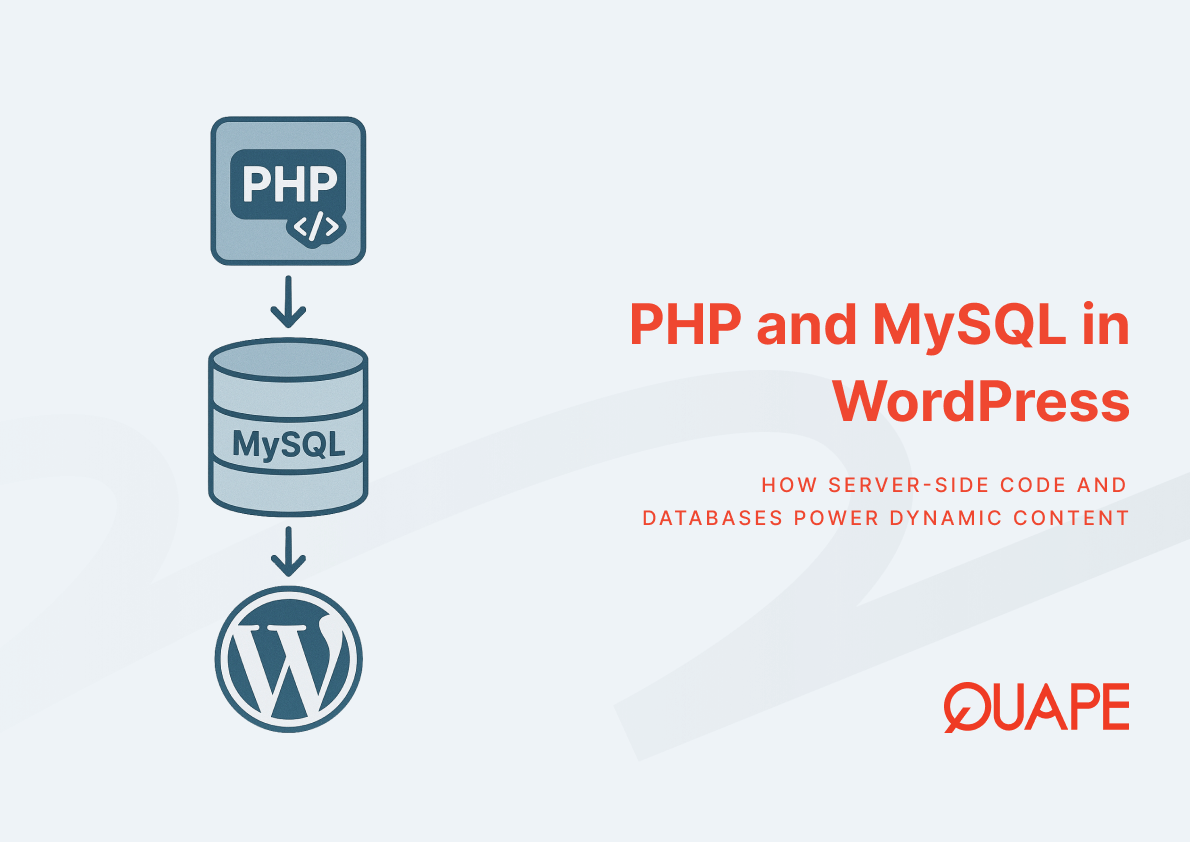
The relationship between these technologies is hierarchical and interdependent. When a visitor requests a WordPress page, the web server passes the request to PHP, which loads WordPress core files and executes initialization routines. PHP then queries MySQL to fetch post content, metadata, and configuration options. After assembling the response by processing theme templates and plugin hooks, PHP sends rendered HTML back to the web server for delivery. This cycle repeats millions of times daily across WordPress installations, making optimization at each layer critical for performance. For organizations evaluating WordPress hosting infrastructure in Singapore, understanding this request lifecycle helps contextualize where bottlenecks emerge and how managed services address them.

Key Components and Concepts of PHP and MySQL in WordPress

PHP: The Server-Side Engine of WordPress

PHP interprets WordPress code in real time, translating human-readable scripts into machine instructions that generate HTML responses. Every WordPress function, from authenticating users to sanitizing form inputs, executes through PHP’s runtime environment. The language provides built-in functions for file operations, string manipulation, and network communication, which WordPress core leverages extensively. Plugins and themes extend this functionality by hooking into WordPress’s event-driven architecture, where PHP functions register callbacks that execute at specific points in the page-rendering process.

Version compatibility governs how well WordPress operates within a given PHP environment. WordPress.org publishes minimum and recommended PHP versions with each major release, but adoption lags significantly in production environments. The statistic showing 42.91% of WordPress sites running PHP 7.4 illustrates this gap; while PHP 8.x offers performance improvements through JIT compilation and type system refinements, upgrading requires testing thousands of plugins and themes for compatibility breaks. Organizations must balance the security benefits of current PHP releases against the operational risk of breaking existing functionality. Hosting providers that offer server management tools for WordPress typically maintain multiple PHP versions simultaneously, allowing site owners to test upgrades in staging environments before switching production sites.

Memory allocation and execution time limits configured in PHP directly affect how WordPress handles resource-intensive operations. When PHP’s memory limit is insufficient, complex page builds or media processing tasks fail with fatal errors. Similarly, restrictive execution time limits cause long-running operations like database migrations or bulk import tasks to terminate prematurely. Properly configured hosting environments allocate memory based on typical workload patterns, often increasing limits for administrative tasks while maintaining tighter constraints for public-facing requests to prevent resource exhaustion from traffic spikes or malicious activity.

MySQL: The Database Backbone

MySQL organizes WordPress data into relational tables connected by foreign keys, enabling efficient queries that span posts, categories, tags, and user relationships. The default WordPress schema includes tables for posts, comments, users, options, and metadata, with primary keys ensuring fast lookups and indexes optimizing common query patterns. When WordPress retrieves a blog post, MySQL joins the posts table with postmeta to fetch custom fields, then joins with term_relationships and terms to attach categories and tags. These multi-table queries execute in milliseconds when properly indexed, but degrade rapidly as datasets grow without optimization.

Storage engine selection within MySQL affects both performance characteristics and data integrity guarantees. InnoDB, the default engine for modern WordPress installations, provides row-level locking that enables concurrent writes and crash recovery through transaction logs. MyISAM, an older alternative still found in legacy installations, offers faster read performance for specific workloads but lacks transaction support and foreign key constraints. The 29.65% of WordPress sites running MySQL 5.7 often use InnoDB by default, but sites migrated from older systems may still contain MyISAM tables that require conversion to benefit from modern storage engine features.

Query caching and connection pooling reduce database overhead when multiple requests access identical data. MySQL’s query cache stores result sets for SELECT statements, returning cached data when subsequent requests execute identical queries. This mechanism dramatically reduces load for content-heavy sites where the same posts appear repeatedly across paginated archives and category listings. Connection pooling allows PHP processes to reuse database connections rather than establishing new TCP sessions for each request, cutting the handshake overhead that becomes significant under high concurrent load. Hosting environments that implement these optimizations at the infrastructure level provide performance benefits without requiring WordPress site owners to modify application code. Implementing these configurations correctly also supports WordPress security practices by reducing the attack surface associated with connection management.

How PHP and MySQL Interact with WordPress Themes and Plugins

Themes control presentation by defining PHP template files that query MySQL and structure HTML output. When WordPress renders a page, it selects the appropriate template based on the URL structure: single.php for individual posts, archive.php for category listings, page.php for static pages. Within these templates, PHP functions like get_posts() and WP_Query construct SQL statements that retrieve content from MySQL, then loop through results to generate markup. Template developers can override these queries to customize which posts appear and in what order, but inefficient queries that fetch unnecessary columns or perform unindexed searches degrade performance proportionally to database size.

Plugins extend functionality by registering PHP functions that execute during WordPress’s action and filter hooks, often reading from and writing to MySQL throughout the process. A contact form plugin, for example, hooks into form submission processing to sanitize user inputs via PHP, then inserts validated data into a custom MySQL table for storage. Security plugins query MySQL to log authentication attempts and block IP addresses that exhibit suspicious patterns. E-commerce plugins maintain inventory counts in custom tables, decrementing stock levels within MySQL transactions to prevent overselling when multiple customers purchase simultaneously. This extensibility makes WordPress adaptable to diverse use cases, but accumulating plugins increases the number of database queries per page load, necessitating careful selection and monitoring.

Performance degradation often stems from plugins that execute inefficient database queries on every page load rather than caching results. When a plugin queries MySQL to count total page views for display in a sidebar widget, that query executes on every request regardless of whether the count changes. Multiply this across ten or twenty plugins, and each page load triggers dozens of unnecessary database round trips. Addressing these issues requires either replacing poorly optimized plugins or implementing object caching through Redis or Memcached, which stores query results in memory and reduces MySQL load. Organizations frequently encounter these patterns when troubleshooting WordPress hosting issues, where page load times degrade gradually as plugin counts increase.

Practical Applications for Singapore Businesses

Singapore’s position as an Asia-Pacific digital hub makes WordPress hosting decisions strategically significant for SMEs and enterprises targeting regional markets. Hosting WordPress infrastructure within Singapore data centers reduces latency for visitors across Southeast Asia, Australia, and East Asia by minimizing the physical distance between database servers and end users. When a visitor in Jakarta requests a page, their browser’s connection to a Singapore-hosted MySQL instance completes in 20-40 milliseconds, compared to 200+ milliseconds for US-hosted databases. This latency difference compounds across multiple assets and database queries per page, translating to perceptibly faster load times that improve user experience and search engine rankings.

Regulatory compliance considerations intersect with hosting location decisions, particularly for organizations handling personal data under Singapore’s Personal Data Protection Act. WordPress stores user credentials, form submissions, and behavioral tracking data in MySQL, making database location relevant to data sovereignty requirements. Local hosting infrastructure in Asia allows organizations to maintain data residency within preferred jurisdictions while benefiting from regional privacy frameworks. For financial services firms and healthcare providers, this architectural decision supports compliance without sacrificing the flexibility that WordPress provides for content management.

Managed service providers in Singapore increasingly offer WordPress hosting packages that bundle PHP and MySQL optimization with local technical support. These arrangements typically include automated updates for WordPress core, PHP version management that balances security with compatibility, and database optimization services that analyze slow queries and recommend indexing strategies. The value proposition centers on reducing the operational burden for internal IT teams, who can focus on content strategy and digital transformation rather than infrastructure management. Organizations evaluating these offerings should assess whether the provider maintains multiple data center facilities in Singapore for redundancy, as single-site hosting creates availability risks during facility maintenance or infrastructure failures.

How WordPress Hosting Supports PHP and MySQL Performance

Specialized WordPress hosting environments optimize the PHP and MySQL stack through configurations unavailable in generic web hosting. NVMe storage arrays accelerate MySQL query response times by reducing the physical latency associated with reading data from disk, particularly for databases that exceed available RAM and require frequent disk access. When MySQL’s InnoDB buffer pool cannot cache all active tables in memory, query performance depends directly on storage I/O throughput. NVMe drives deliver 10-20x the IOPS of traditional spinning disks, transforming random read patterns from a bottleneck into a non-issue for most WordPress deployments.

PHP opcode caching through OPcache eliminates redundant compilation overhead by storing precompiled PHP bytecode in shared memory. Without opcode caching, PHP parses and compiles WordPress core files, theme templates, and plugin code on every request, consuming CPU cycles that could otherwise process business logic. OPcache retains compiled bytecode across requests, allowing subsequent executions to skip the parsing phase entirely. This optimization becomes particularly impactful for WordPress because the platform loads dozens of files per request, and the compilation overhead multiplies accordingly. Managed hosting platforms enable OPcache by default and configure memory allocations appropriate to the size of installed WordPress codebases.

Content delivery networks and edge caching layers further reduce PHP and MySQL load by serving static assets and cached HTML to visitors without reaching the origin server. When a properly configured CDN caches a WordPress page, subsequent requests for that URL resolve entirely at the edge node, never executing PHP or querying MySQL. This architectural pattern allows WordPress installations to handle traffic spikes that would overwhelm origin servers, as only cache misses and administrative actions reach the PHP-MySQL stack. Organizations can explore these configurations within optimized WordPress hosting solutions that integrate CDN provisioning with managed services.

Database replication separates read and write workloads, allowing MySQL read replicas to handle SELECT queries while the primary server processes INSERT, UPDATE, and DELETE operations. WordPress generates far more read queries than writes during typical operation (displaying posts, loading navigation menus, checking user permissions), making read replicas effective for scaling. PHP applications connect to read replicas for SELECT statements and route write operations to the primary database, distributing load and improving response times. This architecture requires application-layer logic or database proxy services to maintain consistency, as replicas lag slightly behind the primary server. For high-traffic WordPress deployments, this trade-off between perfect consistency and horizontal scalability proves worthwhile.

Automated backup systems protect against data loss while enabling performance testing and capacity planning. Hosting providers that offer daily MySQL backups allow organizations to restore entire WordPress installations to previous states if plugin updates introduce conflicts or if database corruption occurs. These backups also serve as snapshots for performance analysis, where database administrators can load production data into staging environments to test index optimizations or query rewrites without affecting live traffic. Organizations evaluating managed WordPress hosting should verify backup retention policies and test restoration procedures to ensure recovery capabilities meet business continuity requirements. Integrated approaches to WordPress hosting performance optimization typically combine multiple techniques to address both PHP and MySQL layers simultaneously.

Conclusion

PHP and MySQL form the technical foundation that enables WordPress to serve nearly half the internet, but their effectiveness depends on hosting infrastructure that accounts for version management, query optimization, and regional deployment strategies. Organizations in Singapore benefit from evaluating hosting providers that optimize both components while maintaining local data presence for compliance and performance. The combination of mature open-source technologies and purpose-built hosting environments allows IT teams to focus on content strategy and business logic rather than database tuning and server configuration.

Contact our team to discuss how managed WordPress hosting can optimize PHP and MySQL performance for your organization: https://www.quape.com/contact-us/

Frequently Asked Questions

Why does WordPress still use PHP when newer languages exist?

WordPress uses PHP because the language powers 73.1% of websites where backend language is known, creating an established ecosystem of hosting providers, developers, and tools. Migrating WordPress to another language would break compatibility with tens of thousands of existing plugins and themes, eliminating the primary advantage that makes WordPress attractive to organizations. The PHP community continues advancing the language with performance improvements and modern features, making wholesale replacement unnecessary for WordPress’s use cases.

What happens if my WordPress site runs an outdated version of MySQL?

Running outdated MySQL versions like 5.7 (used by 29.65% of WordPress sites) creates security exposure to unpatched vulnerabilities and prevents access to performance improvements in newer releases. MySQL 5.7 reached end-of-life in October 2023, meaning it no longer receives security updates from Oracle. Organizations should plan migration to MySQL 8.0 or compatible alternatives like MariaDB to maintain security postures and benefit from improved query optimization and JSON support.

How do PHP and MySQL affect WordPress site speed?

PHP execution time and MySQL query response determine how quickly WordPress generates pages before sending them to visitors. Inefficient PHP code that performs redundant operations or MySQL queries that scan entire tables without indexes create cumulative delays that compound across plugins and theme functions. Hosting environments that optimize PHP opcode caching and configure adequate MySQL query cache reduce these bottlenecks, but application-level optimization through selective plugin use and query analysis remains necessary for sustained performance.

Can WordPress function without MySQL?

WordPress requires a relational database to store content and configuration, but alternatives like MariaDB and Percona Server provide MySQL-compatible interfaces that WordPress accepts without modification. Some experimental projects have adapted WordPress to work with SQLite for single-server deployments, but these implementations lack official support and miss optimization work focused on MySQL-specific features. For production environments, MySQL or drop-in replacements like MariaDB remain the standard database choice.

What are the environmental implications of MySQL in data centers?

Research into database engine energy consumption shows measurable differences between MySQL storage engines, with some configurations consuming more power as datasets grow. Data center operators increasingly consider database efficiency when calculating carbon footprint and operational costs. Organizations can reduce environmental impact by optimizing queries to minimize CPU cycles, archiving historical data to keep active databases smaller, and selecting hosting providers that source renewable energy for data center operations.

How does managed WordPress hosting handle PHP and MySQL updates?

Managed WordPress hosting providers typically maintain multiple PHP versions and MySQL releases simultaneously, allowing site owners to test compatibility before upgrading production environments. Providers often implement automated testing that runs WordPress in staging environments against newer PHP versions, flagging potential compatibility issues with installed plugins and themes. Database updates usually occur during scheduled maintenance windows with automated backups preceding any version changes, providing rollback capability if unexpected issues emerge.

Why do Singapore businesses choose local WordPress hosting?

Singapore-based WordPress hosting reduces latency for regional visitors by minimizing the physical distance between MySQL database servers and user populations in Southeast Asia. Lower latency improves page load times, which directly affects search engine rankings and user engagement metrics. Local hosting also simplifies compliance with data residency requirements under Singapore’s Personal Data Protection Act, as user data stored in MySQL remains within preferred jurisdictions without requiring complex data transfer agreements.

What MySQL configurations most impact WordPress performance?

InnoDB buffer pool size determines how much table data MySQL caches in memory, directly affecting query response times when properly configured. Query cache settings reduce redundant database work by storing result sets for identical SELECT statements. Connection pooling limits overhead from establishing new database connections, which becomes significant under high concurrent load. Proper index configuration on WordPress core tables and custom plugin tables ensures queries execute efficiently rather than scanning entire tables for matching rows.

Andika Yoga Pratama
Andika Yoga Pratama

Leave a Reply

Your email address will not be published. Required fields are marked *


Let's Get in Touch!

Dream big and start your journey with us. We’re all about innovation and making things happen.